Operation
Publication 21555, Rev. E, September 2002 2-9
2.5.9 Sense Subsystem Commands
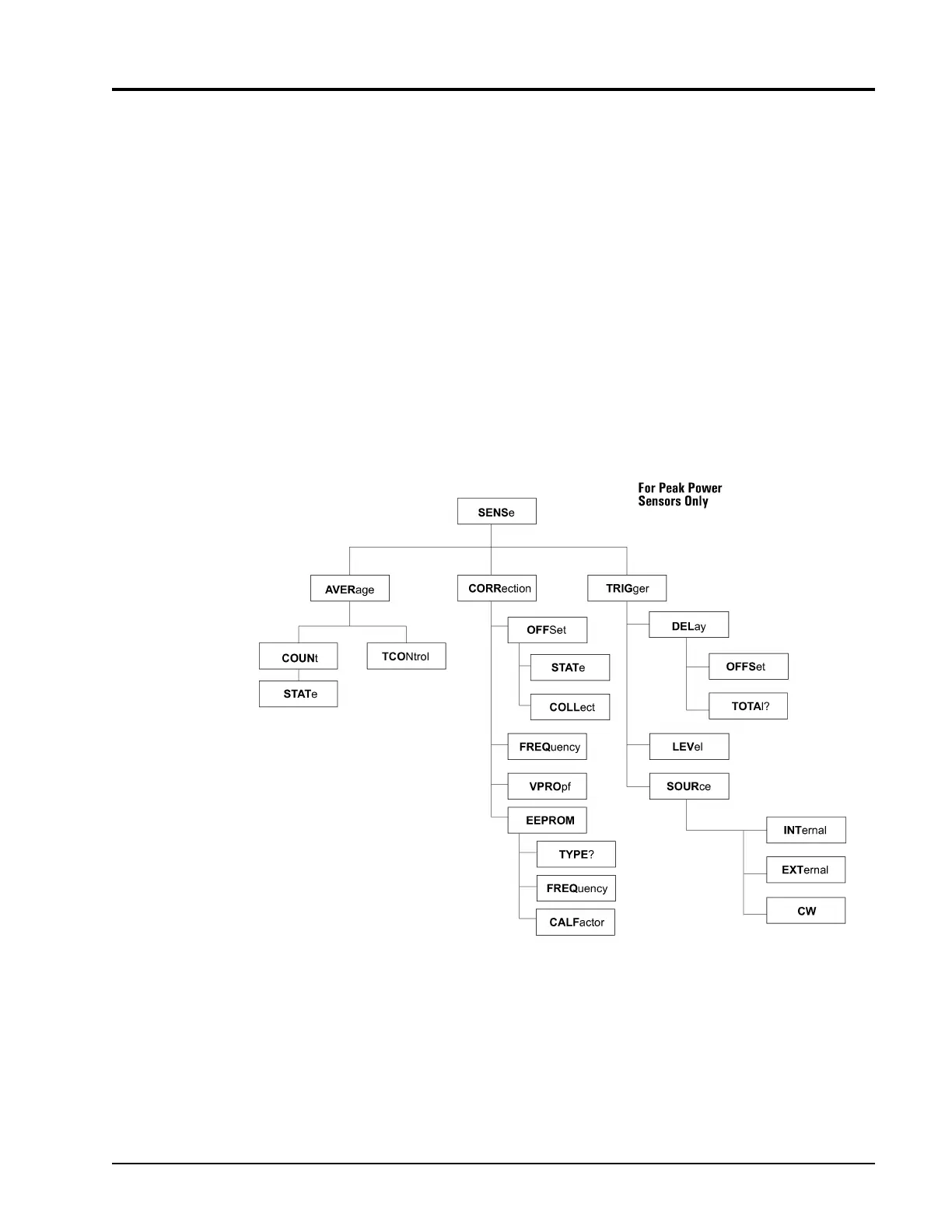
The Sense subsystem configuration commands, illustrated in Figure 2-5, apply to individual sensors.
These commands alter the value of the measured power level according to the sensor’s characteristics.
For example, measured power levels can be offset for attenuators or couplers in the measurement path so
that the power data reading reflects the power level at the measurement point of interest.
Use the Sense subsystem commands for:
• Averaging power measurements in the 58542
• Offsetting power measurements for attenuation or amplification
• Entering the operating frequency of the measured signal computes and applies sensor specific
Calibration Factor corrections, which compensates for sensor frequency response characteristics
• Controlling Peak Power Sensor triggering
Sense subsystem commands control functions that are related directly to the individual power sensors.
For example, these commands control items that would not apply to numerical alteration of a ratio
measurement of Sensor1/Sensor2. Controls that would apply to that type of a configuration are channel
functions, not sensor functions, and would therefore be located in the Calculate subsystem.
SENSe:AVERage functions control the number of data samples for each measurement and the manner in
which those numbers are accumulated. COUNt determines the averaging number or AUTO-averaging.
TCONtrol determines whether each new sample is added to previous COUNt # of samples or if COUNt
# of samples are taken each time the 58542 is triggered. Please note that the SENSe:TRIGger commands
are not instrument triggers, but Peak Power Sensor configuration controls.
Figure 2-5: SENSe Subsystem Command Tree



 To Next Page