Configuring Omnia PCB Verifying the UPM and Software Versions
Page 5-2 MDE-5369G FlexPay™ IV (with Omnia V04.07) Programming and Service Manual · March 2021
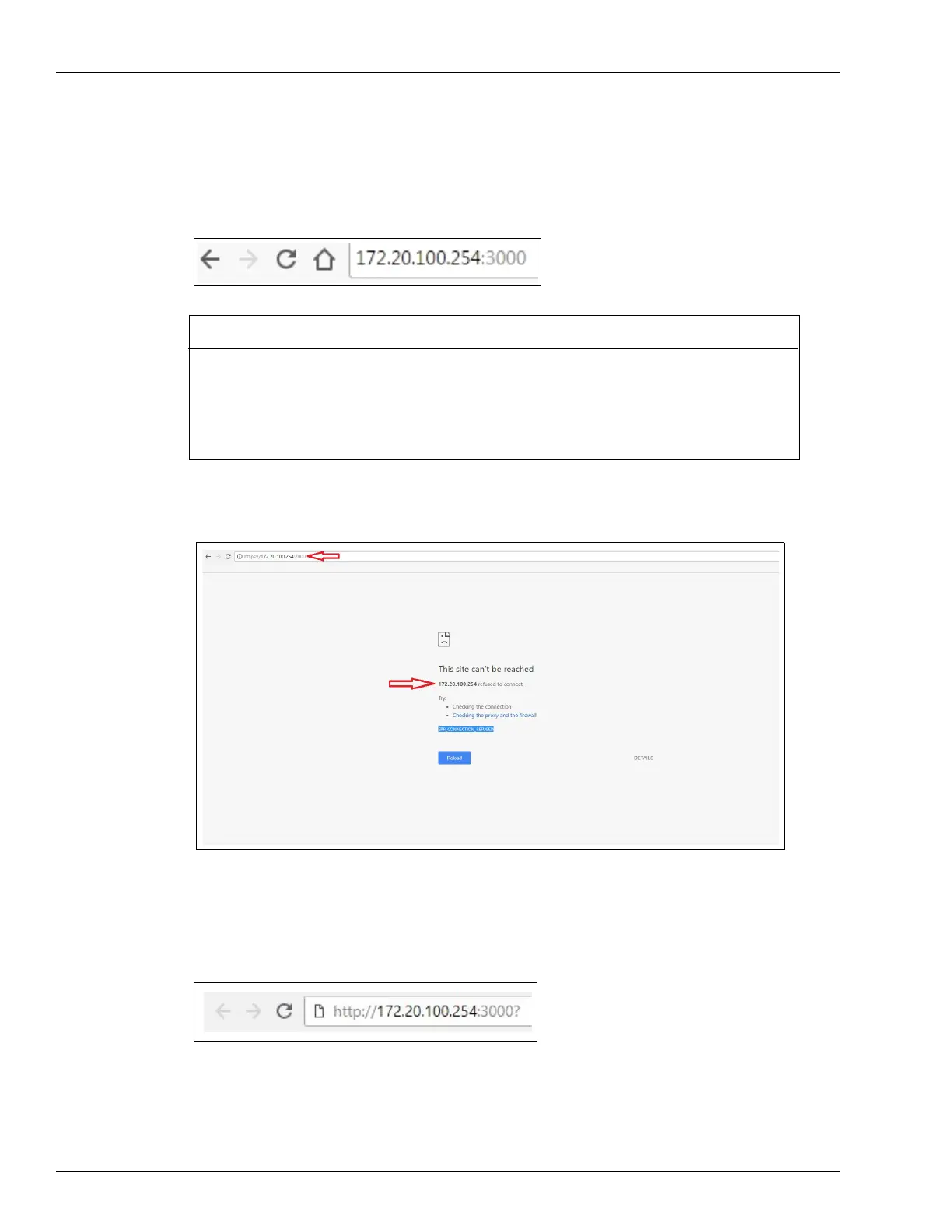
3 Open the Chrome web browser and type http://172.20.100.254:3000 in the address field.
Note: This is the default IP address. If a different IP
address was assigned, take note of the
address and type it here to access the correct location.
Figure 5-2: Entering IP Address
Figure 5-3: Re-directing to https with Omnia Versions Lower Than 03.02
In such cases, enter http://172.20.100.254:3000? (question mark “?” appended) in the address
bar of Chrome browser to bypass the redirection (See Figure 5-4).
Figure 5-4: Entering IP Address to Bypass Browser Wrong Re-direction
IMPORTANT INFORMATION
Beginning with version 03.02, http connections are redirected to https. With earlier versions of
the Omnia software, when connecting to an Omnia PCB with a previous version of the Omnia
software, the browser may redirect to https on port 2000. The address in the browser shows
https://172.0.100.254:2000 and displays the message “172.20.100.254 refused to connect.”
This is because Chrome browser pulls files from the cache memory.



 To Next Page