Verifying the UPM and Software Versions Configuring Omnia PCB
MDE-5369G FlexPay™ IV (with Omnia V04.07) Programming and Service Manual · March 2021 Page 5-3
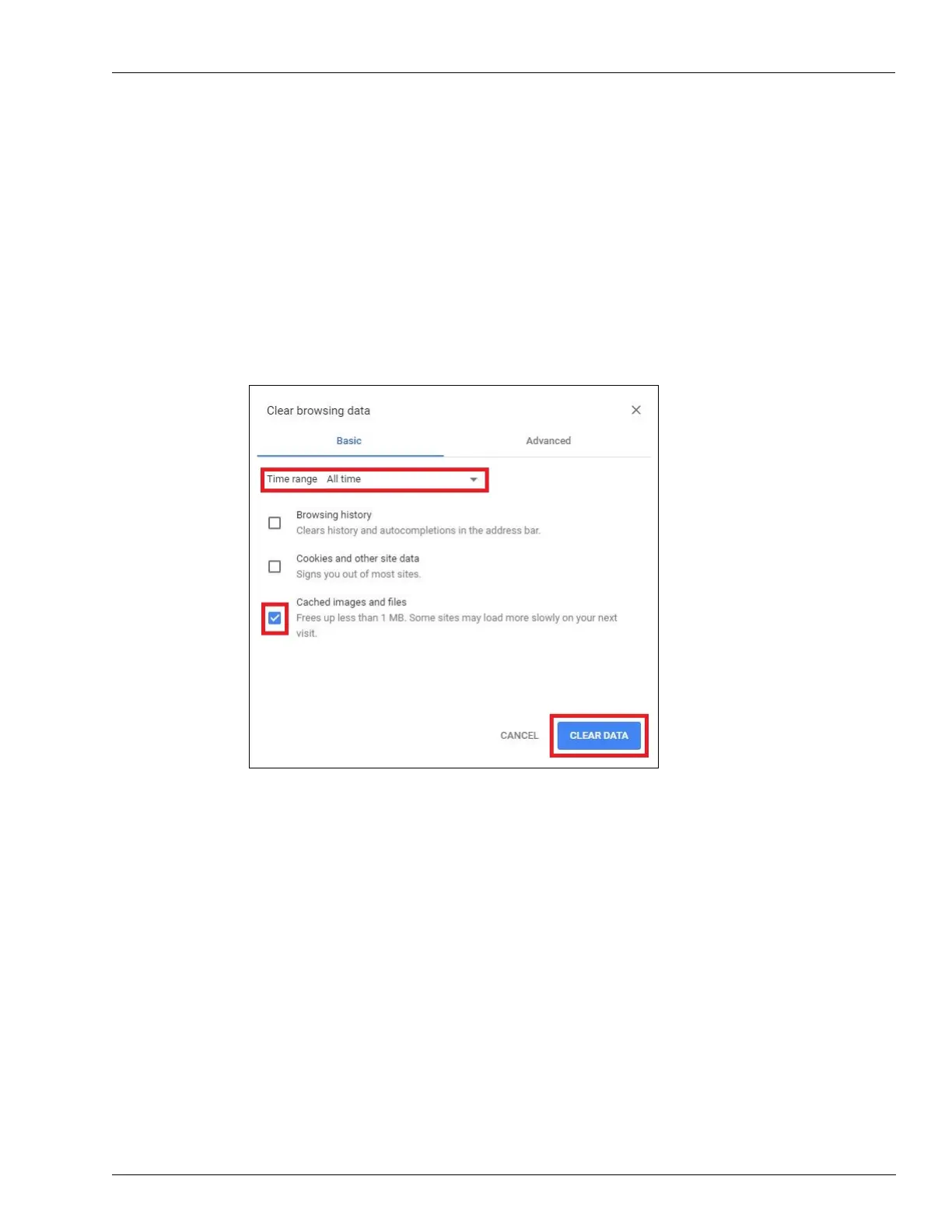
Clear the browser cache to avoid wrong re-direction.
To clear the browser cache, proceed as follows:
a Press Ctrl + Shift + Delete on the keyboard. The Clear browsing data window opens.
b Select All time from the Time range drop-down field and then select Cached images and
files.
4 Click CLEAR DATA. Clearing the browser cache is an alternative to appending the question
mark as described above.
Figure 5-5: Clearing Browsing Data



 To Next Page