Configuring Omnia PCB Omnia Configurator - Creating a New Configuration
Page 5-36 MDE-5369G FlexPay™ IV (with Omnia V04.07) Programming and Service Manual · March 2021
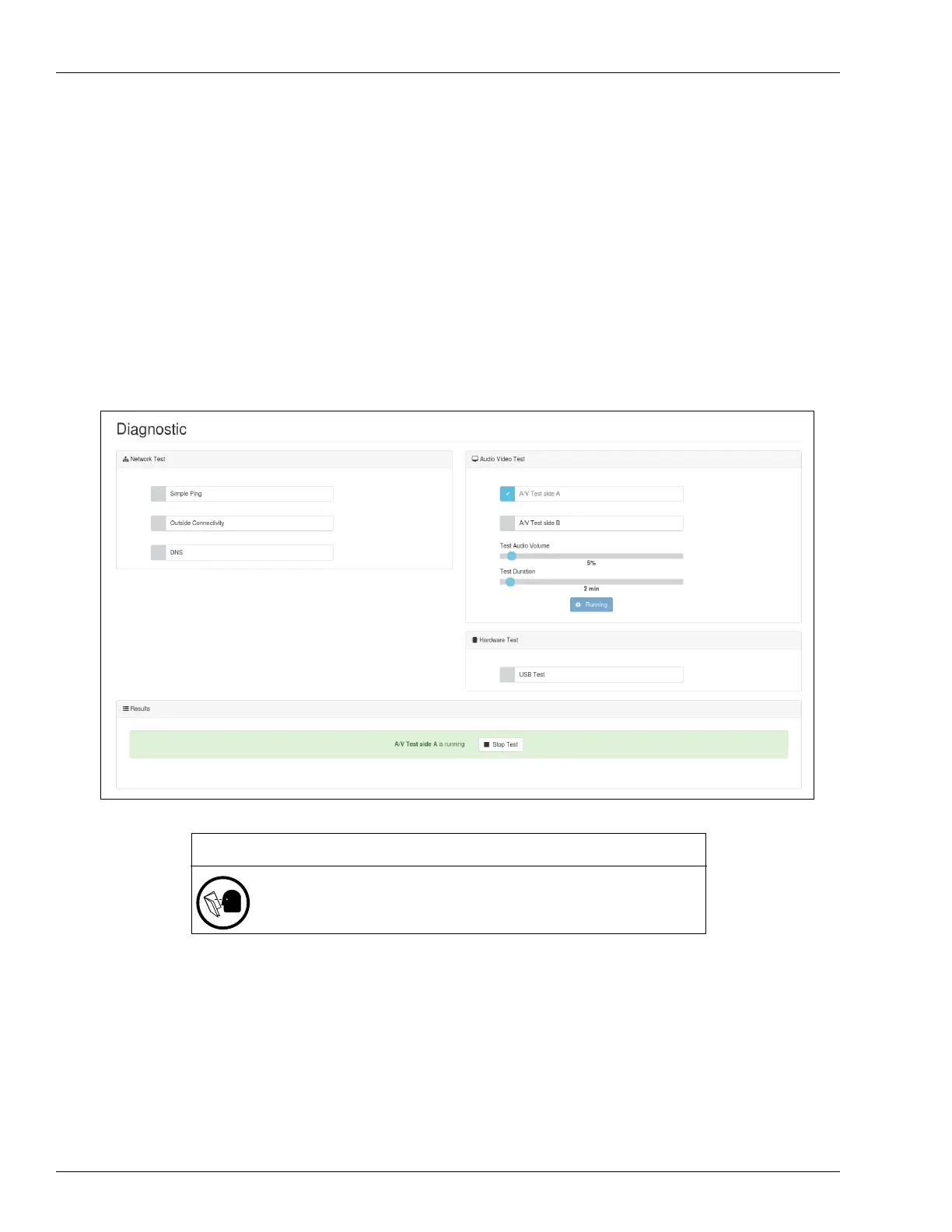
4 Click Start.
Notes: 1) If Idle/Busy loops videos are playing during the
A/V test, the test may not complete
properly. Disable the Applause Media System before starting the A/V test, and
re-enable it again after the test is complete.
2) After the A/V test, with the Applause Media
System disabled, the unit displays the
CRINDBIOS Idle screen.
3) When running the A/V test on one side of the dispe
nser (side A/side B), the display
on the other side shows either a black blank screen or POS screen.
5 Check if the test is running in the Results sections and the sample audio/video is playing.
6 The test can eventually be stopped by clicking Stop in Results section.
Figure 5-48: Audio Video Test
IMPORTANT INFORMATION
Do not forget to re-enable the Applause Media System if you disabled it
intentionally before running the audio/video test.



 To Next Page