25
Setting the relative vapour percentage
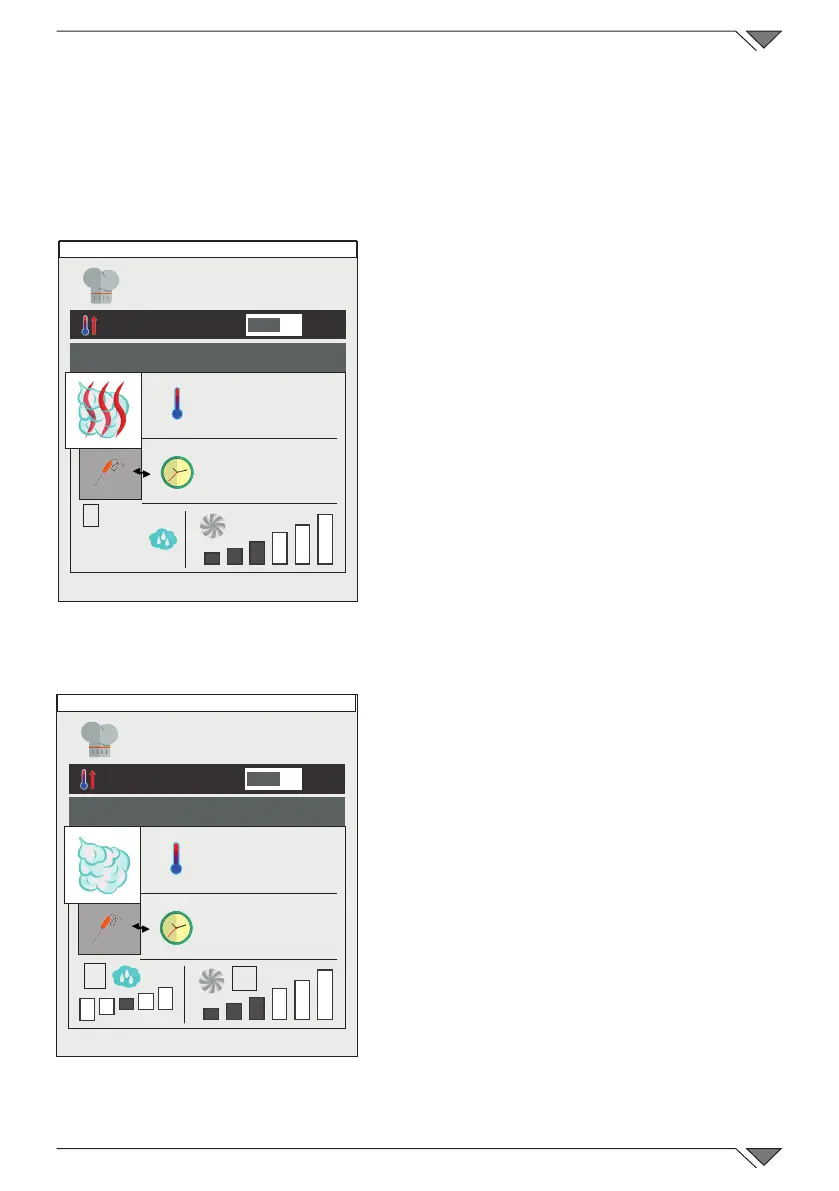
Only in "Mixed" mode is it possible to set the percentage of humi-
dity that the oven will maintain during cooking� With the MeteoSy-
stem patented humidity control, the oven can measure the relative
humidity in the cooking chamber and then add or remove humidity
according to that set by the operator�
To set the desired level of humidity,
press button 7 and set the value�
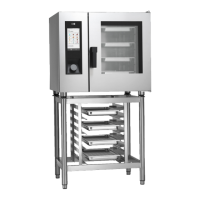
Setting the degree of hydration of
the SteamTuner steam
The level of hydration of the steam
can be set in “Steam” mode using the
patented SteamTuner control�
The setting must be made according to
the product being cooked and the result
you wish to obtain� Other information is
described in chapter 2�17c�
To set the desired degree of hydration
of the steam, press button 8 and set
the value� If the default value is not set,
it is "normal"�
Setting fan rotation speed
The fan rotation speed parameter can
be modied in the "Convection" and
"Mixed" modes�
Instead, in the "Steam" mode, this
setting is automatic�
Fan operation, in relation to the
temperature set, is mainly is that of
evenly distributing the heat inside the
oven chamber for uniform cooking and
browning of the products on the various
trays�
Further information is described in
chapter 2�17c�
To set the rotation speed, press button 9
and select the desired level�
O
I
200°
INF
7
30%
Friday, 30 October 2015 16:20
O
I
200°
INF
8
Friday, 30 October 2015 16:20
9



 To Next Page