50
3.3.1e Lighting
The Lighting function allows the brightness of the display to the adjusted�
Select this function, adjust the brightness using the knob on the control
panel and press "Save"�
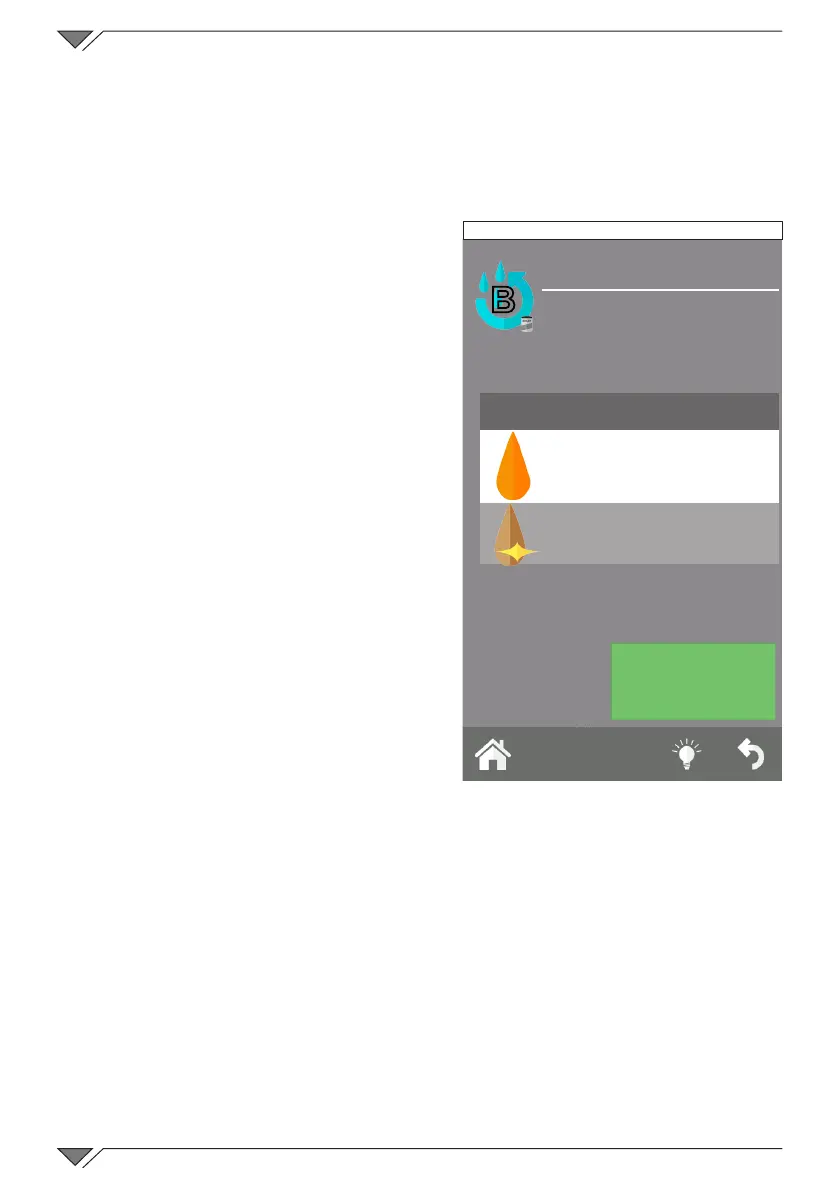
3.3.2 BOILER CLEANING
The boiler is descaled automatically
during washing�
It can be started manually, whenever
deemed necessary, by selecting “Boiler
Cleaning”�
Make sure the tank is positioned
correctly and check the level of liquid
under the outlet pipe�
Be careful to place the descaling liquid
tankneartheovenandtochecktheuid
level; then insert the red suction tube
(rinsing aid tube)�
Cleaning can be performed using rinse
aid (Descaler & Rinse) or vinegar�
Once you start cleaning the boiler, this
procedure cannot be interrupted�
The duration varies according to the
descaling products used (indicatively:
30 min if you use the Descaler & Rinse,
recommended by the manufacturer; six
hours if you use vinegar)�
During the cleaning procedure, the oven can be used for any type of cooking
and during this stage, the steam will be produced only by direct injection
(without using the boiler)�
3.3.3 LOG DISPLAY
The function proposes the chronological list of the ALARMS LOG and the
WASHING LOG�
The rst list, ALARMS LOG, displays all of the errors that havebeen
detected and shown on the oven display during its operation�
The second list, WASHES LOG� displays all of the washes and the type
of wash, performed by the oven, also stating the date and start time�
B
CLEAN BOILER
SELECT PARAMETERS
Rinse agent
VINEGAR
DESCALER & RINSE
START
Friday, 30 October 2015 16:20



 To Next Page