See Appendix D “Examples of OPTIC-4 Method Profiles” for all the method types.
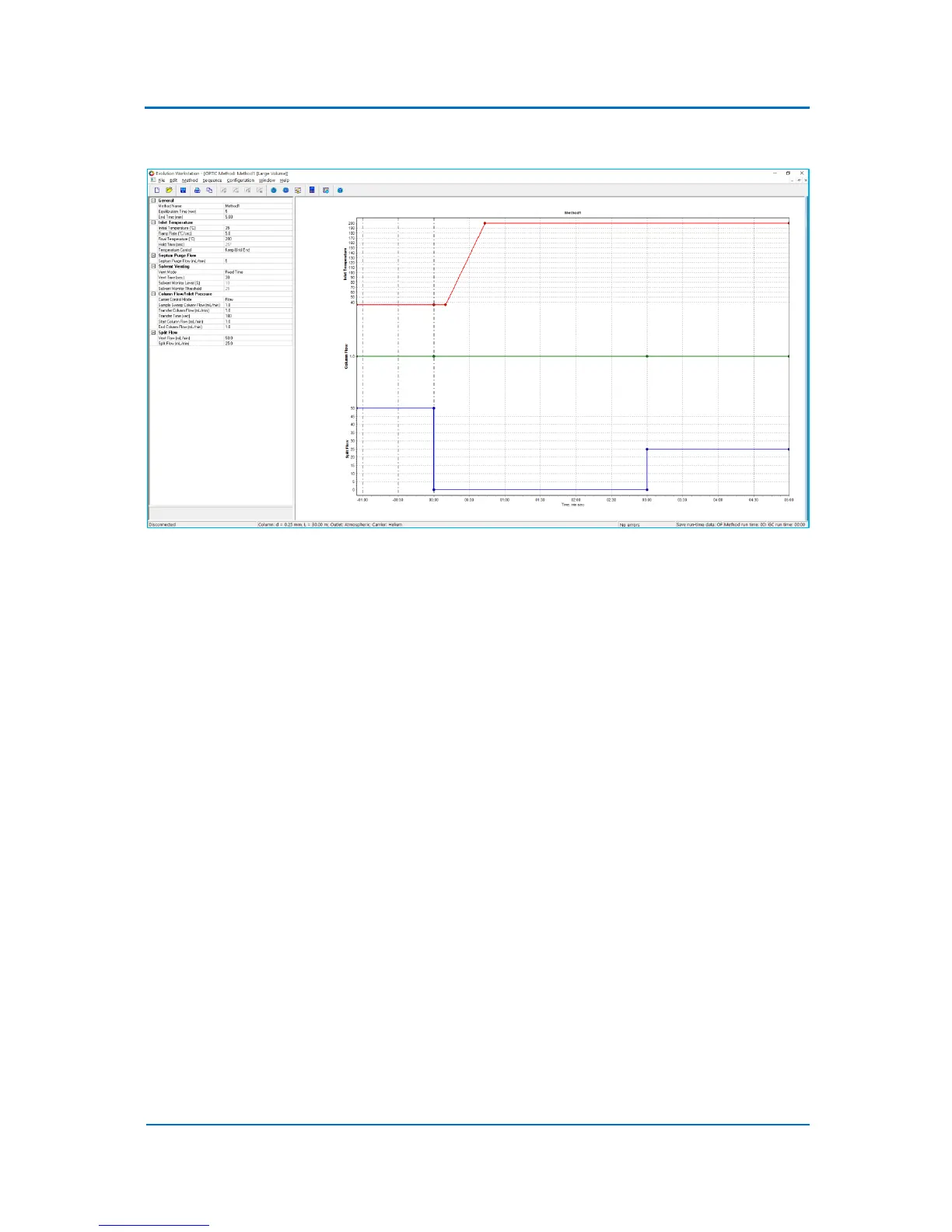
Figure 7.2 Example of OPTIC-4 LVI Method
Set up the method parameters within the method window. Save the method for the later use or
send it to OPTIC for immediate execution by selecting Method - Execute. Method that is being run
can still be edited, but the changes will not have any effect on the running method. To use the
changed method, execute it again.
When saving a method, you can give it a name of at most 11 characters. By default, methods are
saved in the ‘Methods’ subdirectory of the Evolution Workstation directory.
Method parameters can be changed in the parameter list and in the graph. The values of some
parameters depend on the value of other parameters, e.g. the value of the Final Inlet Temperature
cannot be less than the value of the Initial Inlet Temperature and in the Split method the End Time
cannot be less than the Transfer Time. Note that times must be entered in seconds and are
displayed in min:sec format in the graph.
Parameters can be changed in the graph by dragging the control points. Some points, e.g. the end
points, cannot be dragged, and some can only be dragged vertically or horizontally. While dragging
the parameter value in the parameter list will be updated.
Note:
When a parameter is selected in the Parameter View, the background of the name of the
parameter is grayed out. Even though the cursor is not visible, values can be entered. To
confirm the value, press ‘Tab’ or ‘Enter’. In order to restore the old value press 'ESC'.
Changing drop-down list box values can be done with the 'Arrow Right' and 'Arrow Left'
keys.



 To Next Page