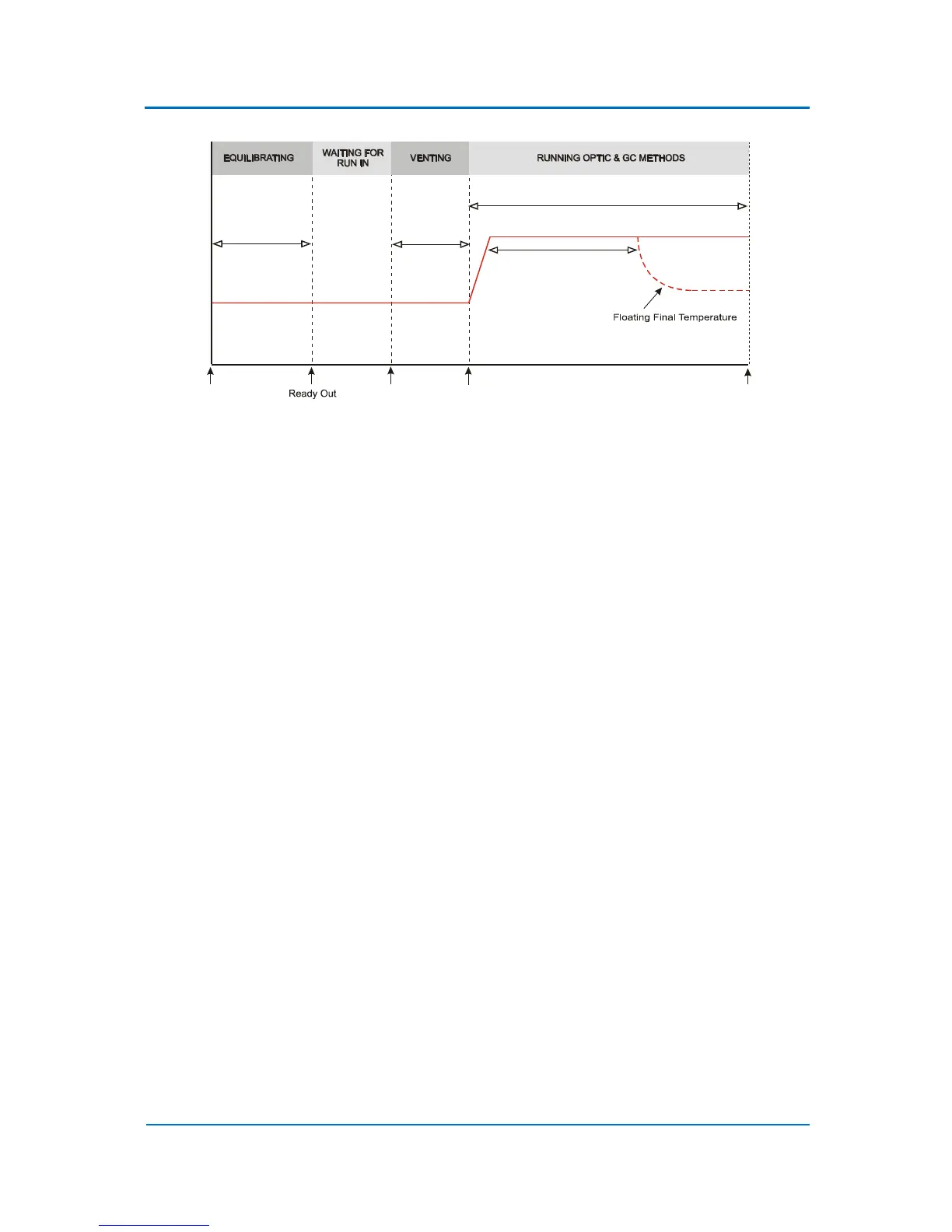
Figure 9.3 Floating Final Temperature
9.4 Negative Temperature Ramps in Expert Method
The OPTIC-4 Expert Methods make it possible to set both positive and negative temperature ramps
for the inlet temperature profile (see default Expert Method profiles). The ramp rate can only be
specified for positive temperature ramps, not for negative ramps. Furthermore, the Hold Time for
negative ramp segments is also set differently than for positive segments. The specified temperature
should be above the expected GC oven temperature during the method run.
9.5 Cooling Valve Mode
OPTIC-4 has the option of switching inlet cooling on and off during the method run time. The
method parameter Cooling Valve Mode can be set to Yes or No only in the Expert Method. When it
is set to No, cooling is switched off and the inlet temperature is maintained by the inlet heater
controller.
9.6 Auxiliary Outputs
OPTIC-4 has four auxiliary outputs. These are normally open relays under software control for
external devices. Any of the auxiliary outputs can be used in any of the OPTIC-4 methods. To keep
the Evolution Workstation screens uncluttered, the auxiliary outputs are only shown in the methods
if they have first been selected in Configuration-System Configuration-Auxiliary Outputs.
9.7 Cryotrap Control
OPTIC-4-SC and OPTIC-4-DC have control facilities for an GL Sciences Cryogenic Trap. The trap can be
used to collect the sample in a narrow band at the head of the capillary GC column by cooling a short
section of the column. The electronic control board and the trap itself are designed for rapid cooling
and subsequent re-heating to ensure an excellent peak shape and reproducibility. The trap can be
used with any of the OPTIC-4 standard method types. An example of the cryotrap temperature
profile, incorporated in a method, is shown below.



 To Next Page