EasyManua.ls Logo

GL Sciences OPTIC-4 - Page 90

GL Sciences OPTIC-4
118 pages
Print Icon
To Next Page IconTo Next Page
To Previous Page IconTo Previous Page
Loading...
OPTIC-4 User’s Guide
Issue 5.3
Maintenance
Page 11-3
8. Wait for a few minutes and verify via the status parameter view in the Evolution
Workstation that the standby column flow 20 mL/min is set.
9. Verify that the standby split flow 200 mL/min is set.
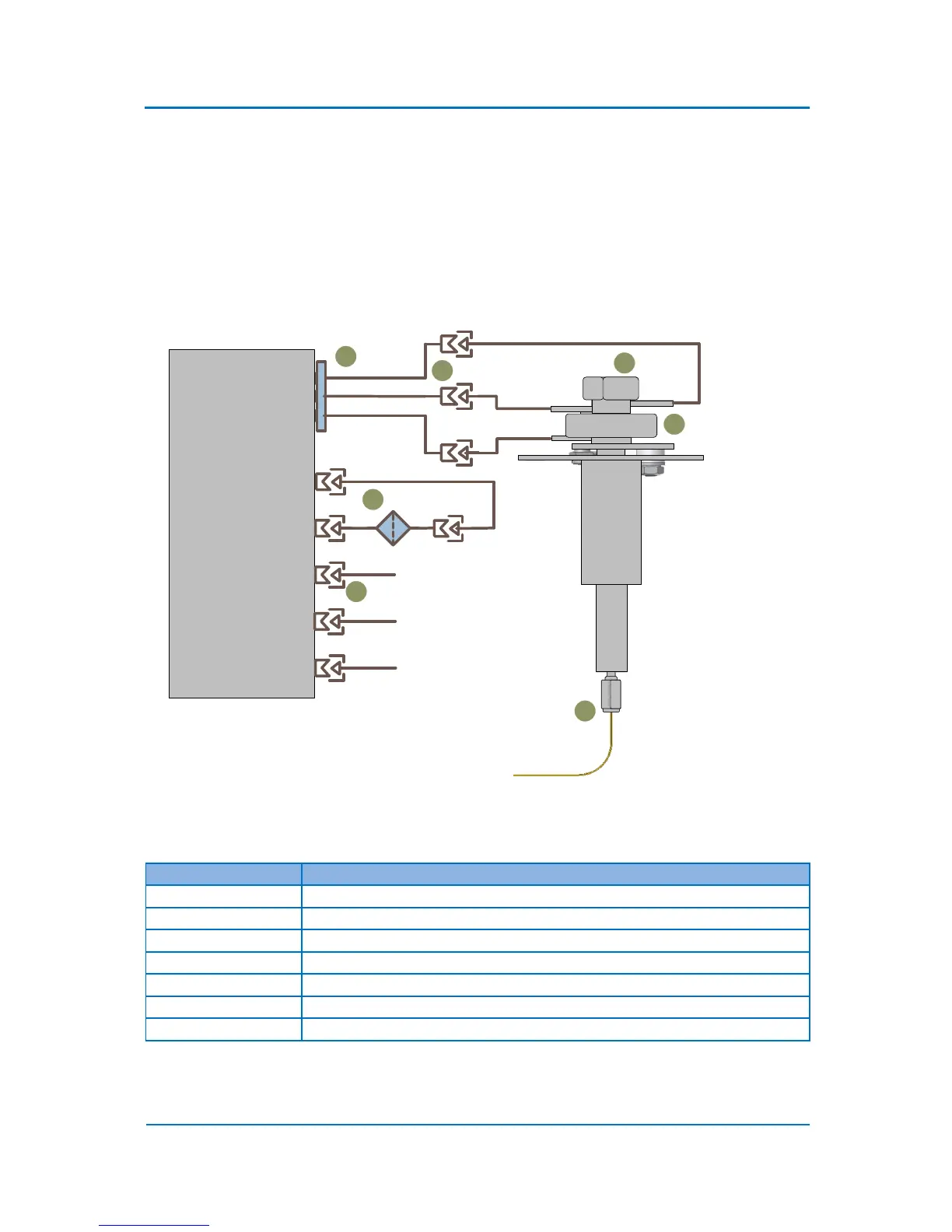
10. While the inlet port is under pressure, check for a leak with a leak detector. The most critical
connections to be checked are shown in the Fig. 11.1 below:

Inlet
Carrier In
Carrier Line
Septum Purge Line
SP Exhaust
Exhaust
Split Filter
Split Line
Column
2
Main EFC
1
3
4
5
6
7
Figure 11.1 Critical Connections for Leak Checking
Connection Point
Description
1
Inlet gas lines connection
2
Septum
3
O-ring
4
Column connection
5
Split line filter connections
6
Carrier gas supply connection
7
Gas lines connection fittings
Table 11.1 List of Critical Connections for Leak Checking

Table of Contents