TX6600PRO INSTRUCTION MANUAL
71
Exit Emergency
Press the programmed Exit Emergency key to cancel the Emergency. The
Emergency SelCall transmissions will cease and the alarm will stop.
Keylock Toggle
Press the programmed Keylock key to toggle the Keylock function ON or OFF.
LOCKED or UNLOCK will be displayed briey to conrm the status of the keylock
function.
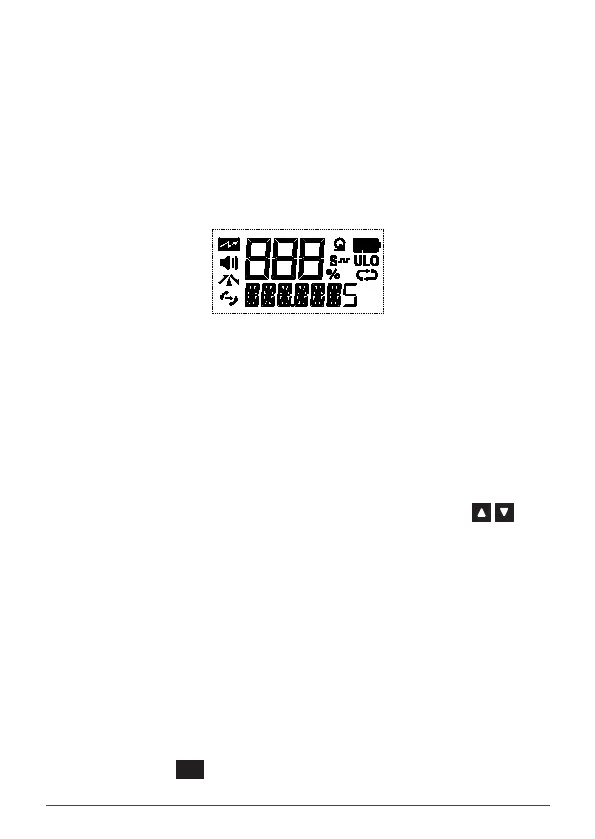
LCD TEST MODE (Maintenance option for testing the LCD display)
Press the programmed LCD Test Mode key to activate every segment and icon on
the display. The display will return to normal after a short time.
MODULATION TEST (Maintenance option for testing the transmitter modulation)
NOTE: Pressing the Modulation Test key will cause the radio to begin
transmitting. Please ensure the selected channel is clear BEFORE starting this
test.
1. Press the programmed Modulation Test key. The radio will begin
transmitting a 1000Hz tone and the Red Status LED will light.
2. While transmitting, rotate the Channel knob or press the keys
to change the tone frequency in 100Hz steps.
3. Press the programmed Modulation Test key again to stop the test.
The Red Status LED will extinguish.
Monitor Toggle
Press the programmed Monitor Toggle key to toggle the Monitor function ON
or OFF.
Monitor Menu
1. Press the programmed Monitor Menu key to access the Monitor
menu.
2. Rotate the Channel knob or press the keys to select ON or OFF.
3. Press the
MENU
F
key to exit or wait a few seconds for the menu to time-out.



 To Next Page