TX6600PRO INSTRUCTION MANUAL
74
To Exit Triple Watch
Press the programmed Triple Watch key. Triple Watch will stop and the radio will
return to normal operation.
Quiet Channel Toggle
Press the programmed Quiet Channel Toggle key to toggle the quiet mode ON
or OFF on the selected channel. This will TAG or UNTAG the selected channel for
Quiet SelCall operation.
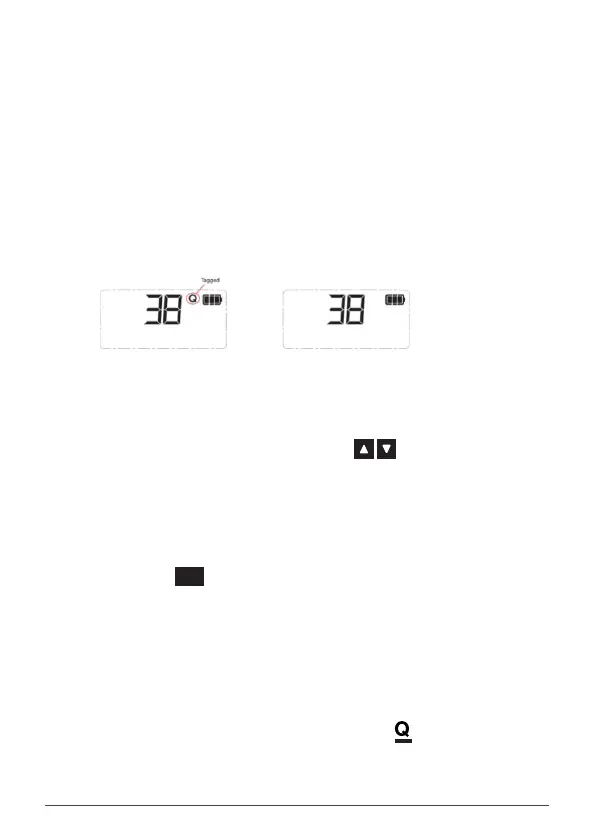
• Select ON to tag the selected channel. Q is displayed on the selected
channel
• Select OFF to un-tag the selected channel.Q disappears from the
selected channel.
TX6600PRO User Manual V1.0
Give Feedback to Microsoft
Channel is tagged
Channel is Un-tagged
Quiet Channel Menu
1. Press the programmed Quiet Channel Menu key to access the Quiet
Channel menu.
2. Rotate the Channel knob or press the keys to tag or untag the
selected channel for Quiet SelCall operation.
• Select ON to tag the selected channel. Q is displayed on the
selected channel
• Select OFF to un-tag the selected channel.Q disappears from
the selected channel.
3. Press the
MENU
F
key to exit or wait a few seconds for the menu to time-out.
Quiet
1. Select a channel that has been tagged for SelCall Quiet operation.Q
will be visible on that channel.
2. Press the programmed Quiet key to enable or disable the QUIET mode.
• Select ON to enable the QUIET mode. changes to on the
selected channel
• Select OFF to disable the QUIET mode. changes to Q on the
selected channel.



 To Next Page