TX6600PRO INSTRUCTION MANUAL
77
Scan Group
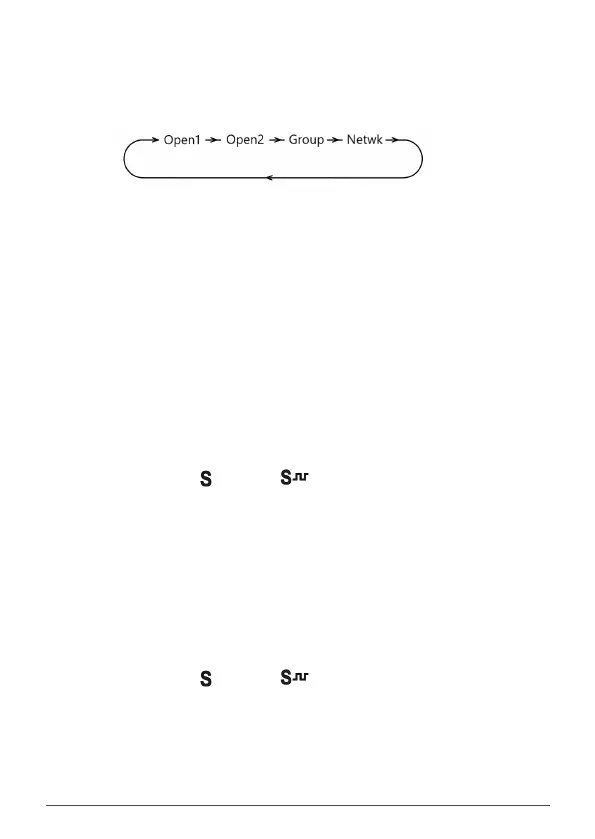
Press the programmed Scan Group key to cycle through the available scan
groups. By default each key press will cycle through OPEN1, OPEN2, GROUP or
NETWK. This is the same as pressing the F and OS/GS keys.
NOTE: NETWK will not appear unless NETWORK SCAN has been enabled in the
menu
Scrambler Toggle
Press the programmed Scrambler key to toggle the Scrambler ON or OFF.
NOTE: The scrambler cannot be enabled on CB channels where Duplex is selected
or on CB repeater output channels (31-38 or 71-78).
Silent On
Silent ON enables the Silent mode to allow CTCSS/DCS control of your selected
channel. When enabled, your radio remains quiet to all incoming signals except
those that are using the same CTCSS or DCS code as your radio.
1. Select a channel.
2. Press the programmed Silent ON key to enable Silent mode on that
channel. The (CTCSS) or (DCS) icon will be displayed on that
channel.
3. Repeat steps 1 & 2 to enable Silent mode on other channels.
NOTE: Before enabling Silent mode you need to select a suitable CTCSS or DCS tone.
Silent O
Silent OFF disables the Silent mode which removes CTCSS/DCS control of your
selected channel allowing you to hear all incoming signals.
1. Select a channel.
2. Press the programmed Silent OFF key to disable Silent Mode on that
channel. The (CTCSS) or (DCS) icon will no longer appear on
that channel.
3. Repeat steps 1 & 2 to select Silent OFF on other channels.



 To Next Page