TX6600PRO INSTRUCTION MANUAL
78
Silent Channel Toggle
Switches the Silent mode ON or OFF. When Silent mode is ON, your selected
channel will be under the control of a CTCSS/DCS tone and will remain quiet to all
incoming signals except those that are using the same CTCSS or DCS code as your
radio. When Silent mode is OFF you will be able to hear all incoming signals on the
selected channel.
1. Select a channel.
2. Press the programmed Silent Channel Toggle key to toggle the
Silent Mode ON or OFF on the selected channel.
When Silent Mode is ON, the (CTCSS) or (DCS) icon will appear on the
selected channel. When Silent Mode is OFF, the (CTCSS) or (DCS) icon will
disappear from the selected channel.
NOTE: Before enabling Silent mode you need to select a suitable CTCSS or DCS
tone.
Subtone
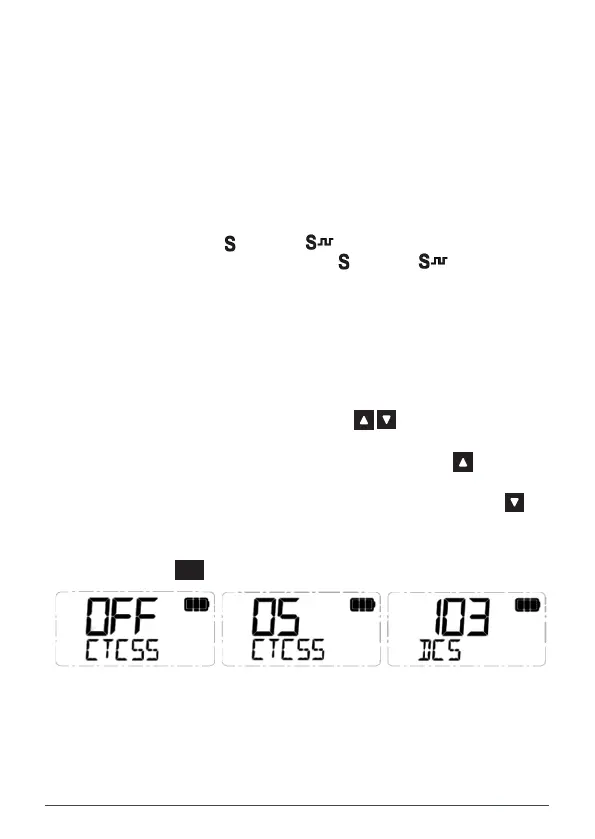
To select a CTCSS or DCS tone
1. Press the programmed Subtone key to access the CTCSS/DCS menu.
2. Rotate the Channel knob or press the key to enable CTCSS or
DCS and select a suitable tone.
• Rotate the Channel knob clockwise or press the key to
select CTCSS tones 01 to 50.
• Rotate the Channel knob counter-clockwise or press the key
to select DCS tones 001 to 104.
• To disable CTCSS or DCS, select OFF
3. Press the
MENU
F
key to exit or wait a few seconds for the menu to time-out.
CTCSS/DCS is OFF CTCSS Tone 05 Selected DCS Code 103 Selected



 To Next Page