87
Programming fields:
Continued from previous page
Field “5”: Configuring the external buttons.push
5
Press “5” to select field “5”.
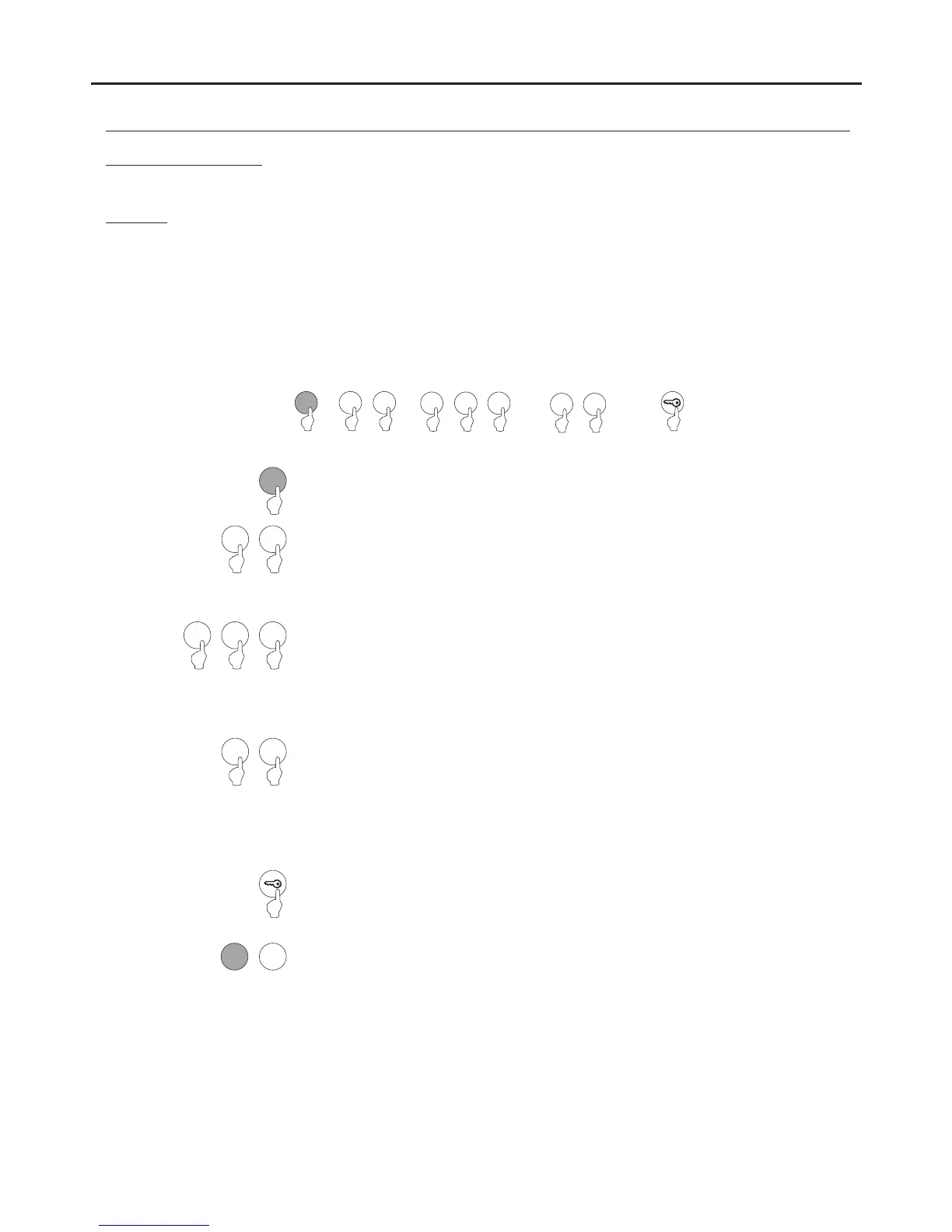
Steps: Field + button + button mode + activation time + key button.push
6 C
or
( 1)Step
( 6)Step
Set the external button to select for configuration. Enter one of the following options:push
"1" : Select external button PL1.push
"2" : Select external button PL2.push
Allows external buttons PL1 and PL2 to be configured with the following modes:push
-Allows the button to: Always be enabled or, through button codes CP1 or CP2, enable/disable the functioning of the
button.
-Allows an activation time for external buttons PL1 and PL2 of between “01” and “99” seconds for the relay 1 andpush
relay 2 outputs respectively. Only takes effect if the relay output of the external button has been configured inpush
impulse mode (see p. 86, “step 3”).
Note: External buttons PL1 and PL2 activate relays 1 and 2 respectively.push
2
1
( 3)Step
Set the push button mode selected in step 2.
Enter one of the following options:
"0" : Always enabled.
"1" : Enable/disable function with the CP1 button code.push
"2" : Enable/disable function with the CP2 button code.push
( 5)Step
Press the key button to finish programming the field.
Note: It is not necessary to press the key button if it has already been pressed in step 4.
Then press the number of the next field to configure or press the C button (cancel) to exit
programming mode.
5
0 1
or
2
or
2
1
( 2)Step
0
or or
1 2
or
0 1
or
( 4)Step
Set the activation time for the external button selected in step 2. Only takes effect ifpush
the relay output has been configured in impulse mode (see p. 86, “step 3”).
Enter a value from “01” to “99” seconds or press the key button.
Note: If the key button is pressed, this field is set with a value of “03” seconds and the
programming of the field finishes.
1
0
*
( )
*
( )
AUDIO AND VIDEO DOOR ENTRY SYSTEM - CODED DOOR PANEL
PROGRAMMING THE DOOR PANEL



 To Next Page