86
Programming fields:
Continued from previous page
4
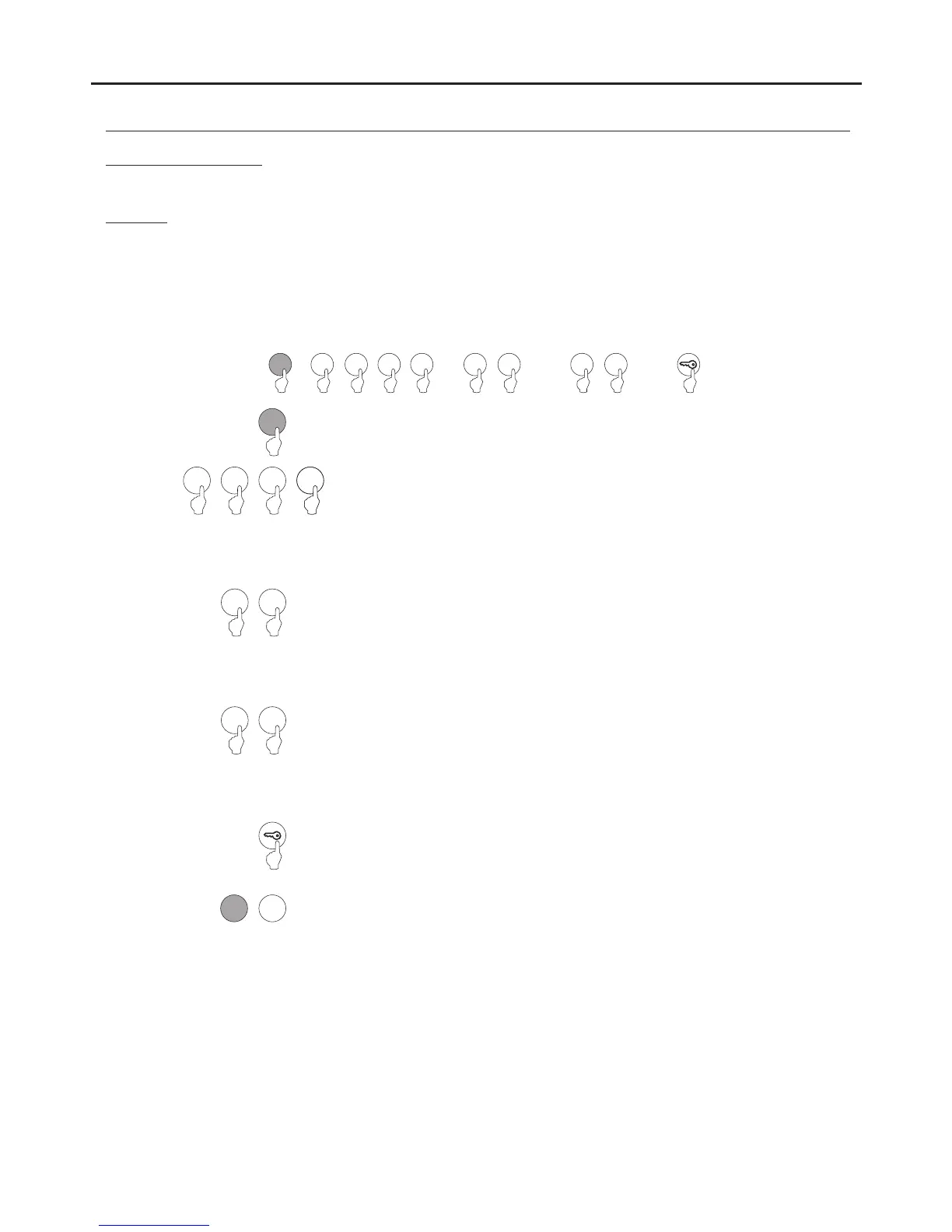
Field “4”: Setting the outputs.
Press “4” to select field “4”.
Steps: Field + output number + output mode + activation time + key button.
5 C
or
( 1)Step
( 6)Step
Set the output to be selected for configuration.
Enter one of the following options:
"1" : Select the relay 1 output.
"2" : Select the relay 2 output.
“3" : Select the relay 3 output.
"4" : Select the panic output.
Enables the setting of the relay 1 + relay 2 outputs + panic output (terminal “P” on the terminal block).
The setting of the relay 1, relay 2 and panic outputs is common to all valid user pins.
The relay 1, relay 2 and panic outputs can be activated in impulse mode (01 to 99 seconds) or stable mode.
1
0
( 3)Step
Set the activation mode of the output selected in step 2. Enter one of the following options:
"0" : Impulse mode.
"1" : Stable mode.
Note: Relay 3 can only be set as “0”: impulse, on the contrary, an error tone will sound.
( 5)Step
Press the key button to finish programming the field.
Note: It is not necessary to press the key button if it has already been pressed in step 4.
Then press the number of the next field to configure or press the C button (cancel) to exit
programming mode.
4
1 2
or
3
or
4
2
( 2)Step
1
or
or
0 1
ó
0 1
or
( 4)Step
Set the activation time of the output selected in step 2. Only takes effect if the output is set
as impulse in step 3.
Enter a value from “01” to “99” seconds or press the key button.
Note: If the key button is pressed, this field is set with a value of “03” seconds and the
programming of the field finishes.
1
0
*
( )
*
( )
AUDIO AND VIDEO DOOR ENTRY SYSTEM - CODED DOOR PANEL
PROGRAMMING THE DOOR PANEL
43
or
4
or



 To Next Page