89
Programming fields:
Continued overleaf
Continued from previous page
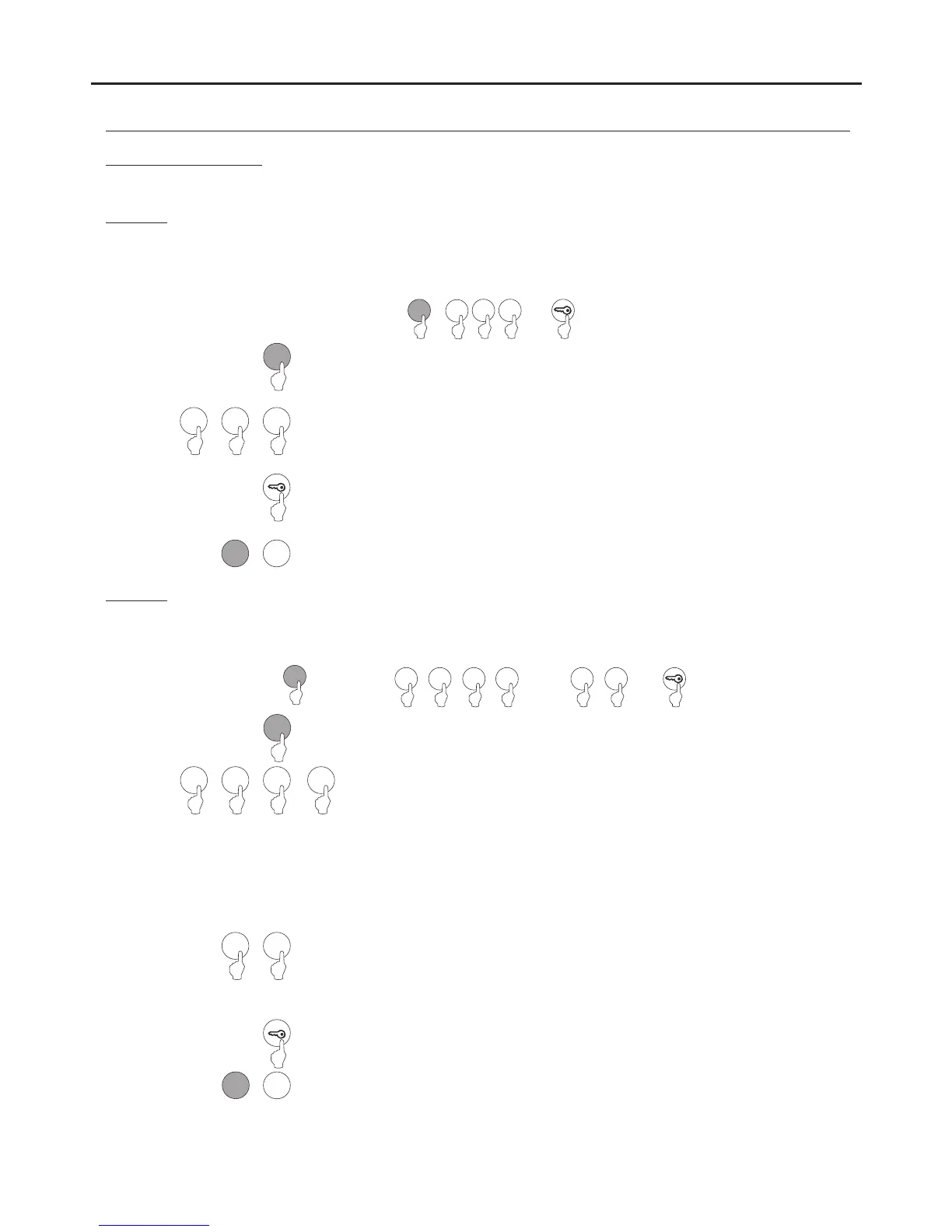
Field “7”: Configure the identification ID of the access control module.
7
Press “7” to select field “7”.
Steps: Field + D code + key button.I
8 C
or
( 1)Step
( 4)Step
Set an identification code (ID) for the access control module.
Note: Possible identification codes (ID): “000” to “999”.
Allows an identification code (ID) to be configured for the access control module.
Note: Possible identification codes (ID): “000” to “999”.
( 3)Step
Then press the number of the next field to configure or press the C button (cancel) to exit
programming mode.
7
0
0 0
( 2)Step
0 0
0
Press the key button to finish programming the field.
Field “8”: Configure field depth.
8
Press “8” to select field “8”.
Steps: Field + number of calling code digits + direct call + key button.
9
C
or
( 1)Step
( 5)Step
Set the number of digits in the calling code.
Enter one of the following options:
allField depth Column code Monitor code code
C
"3" “000" “125" “000125"
"2" “001" “025" “001025”
"1" “012" “005" “012005”
“0" “125" “106" “125106”
The above example shows the call code obtained if “125” is entered into the
numeric keypad.
Allows the number of digits in the calling code to be configured.
( 4)Step
Then press the number of the next field to configure or press the C button (cancel) to exit
programming mode.
8
( 2)Step
1 2
0
Press the key button to finish programming the field.
1 2
or
3
or
or or
0 1
or
Set the direct call: by entering a call code on the keypad if necessary or do not press the
key button to confirm.
Enter one of the following options:
"0" : Disable.
"1" : Enable.
( 3)Step
0 1
or
AUDIO AND VIDEO DOOR ENTRY SYSTEM - CODED DOOR PANEL
PROGRAMMING THE DOOR PANEL
0
or
3
or
If the number of digits of 0 is selected, the call code will correspond to that entered, for example, 125 followed by the code
106 will result in the call code 125106. This code corresponds to button 1 of the sound module.
( )
*
( )
*



 To Next Page