76
M_M20 series V3_EN_C
Preventive maintenance
• Adjusting the machine in Z
1. Execute a composition in the engraving software, indicating the parameters of the reference ring.
2. Transfer the composition to the machine from the program.
3. Presssimultaneouslyonthe2keys:Pause+Z.
The diamond holder moves to the zero point.
4. Bring the diamond point to the center of the diameter of the ring (Inside engraving).
x
5. StorethepositionoftheZzeropointby pressingthe"Check"key for3seconds.The machine
emits an audible signal.
The diamond tip returns to the origin.
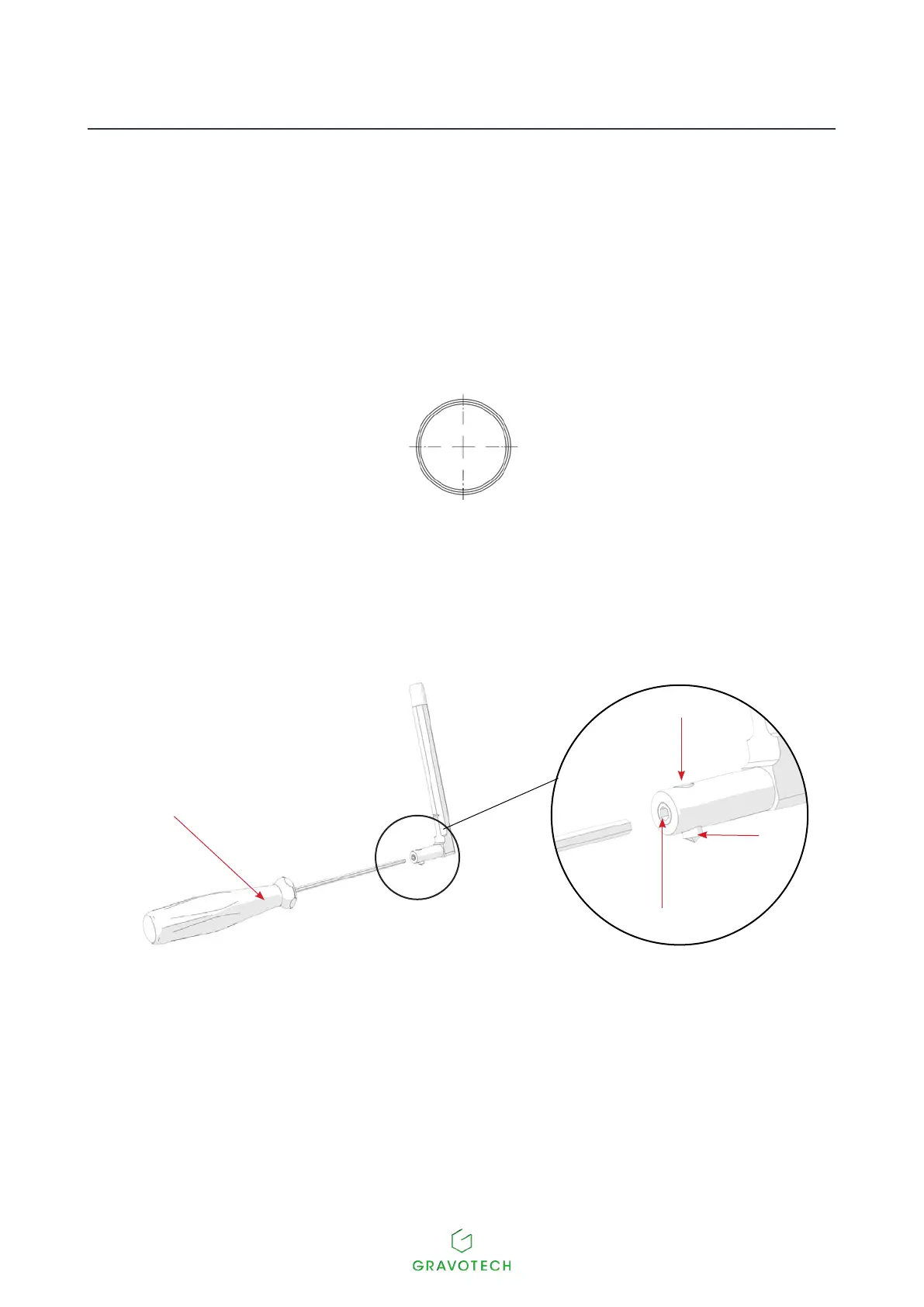
• Changing the diamond tip
1
2
4
3
1.
Driver (1.5 mm (0.059 in))
2.
Halfat
3.
Diamond point
4.
Screw (a spare screw is supplied with the machine)
1. Loosen the screw with the wrench. Remove the diamond tip.
2. Place the new diamond tip in position. Tighten the screw with the wrench.
3. Adjust the machine for ring engraving.



 To Next Page