58
M_M20 series V3_EN_C
Adaptable accessories
Use
Always remove the jigs and open the vice to the fullest extent before changing to pen
attachment mode.
Check that the object is clamped such that it cannot be ejected during engraving.
Check that the locking buttonandthe thumb wheel are rmly securing the object
before starting work.
1
2
3
4
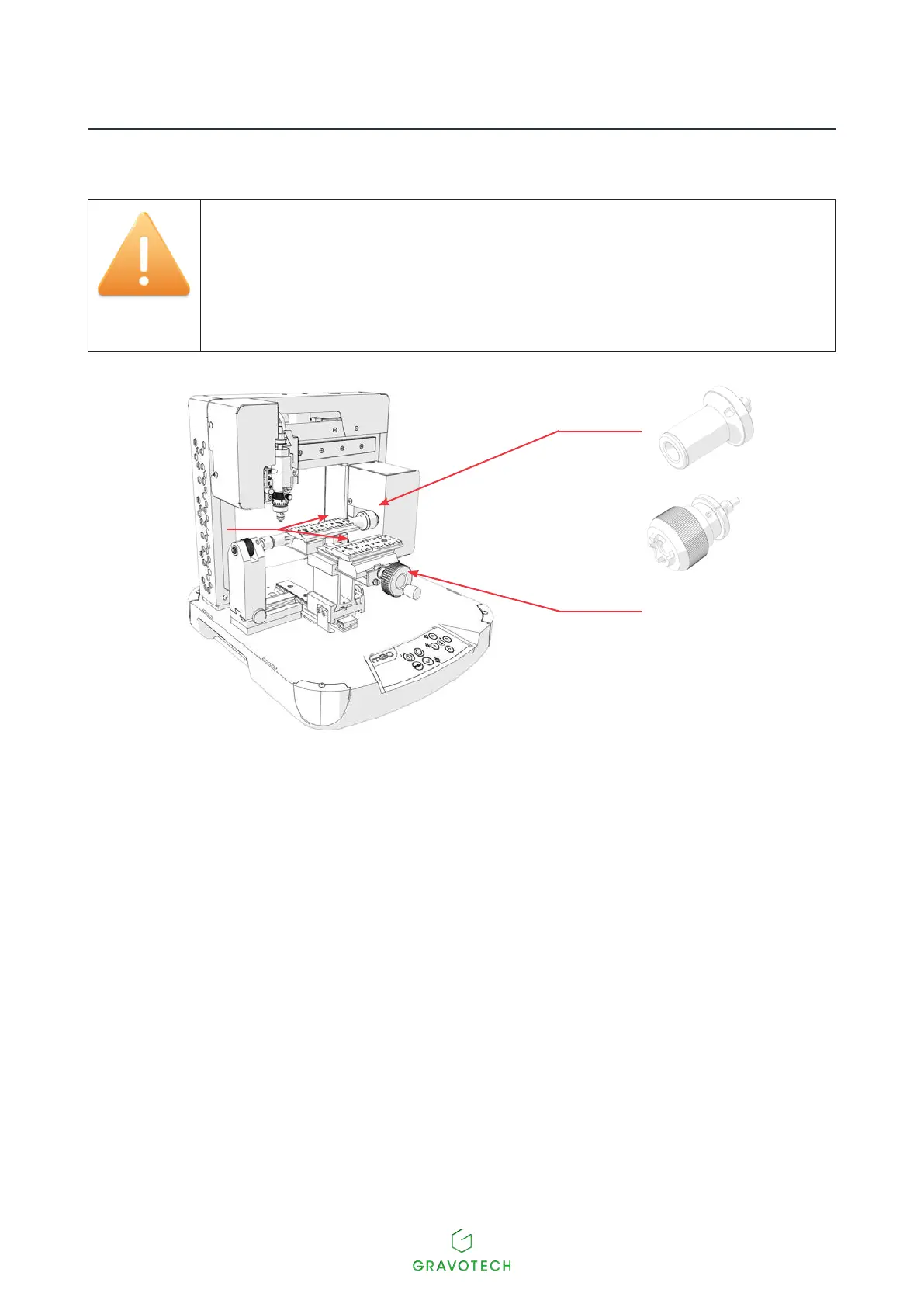
1.
Jig(s)
2.
Right hand cone
3.
Penattachmentchuck
4.
Jawopeningandclosingadjustmentknob
In the program: Select the pen attachment. Indicate the diameter of the cylindrical object to be engraved.
Markingarea:Dimensions-Positioning(See:Point & Shoot).
1. Remove the vice.
2. Place the object against the right hand cone or secure it in the chuck.



 To Next Page