71
M_M20 series V3_EN_C
Preventive maintenance
XY setting of the machine with vice
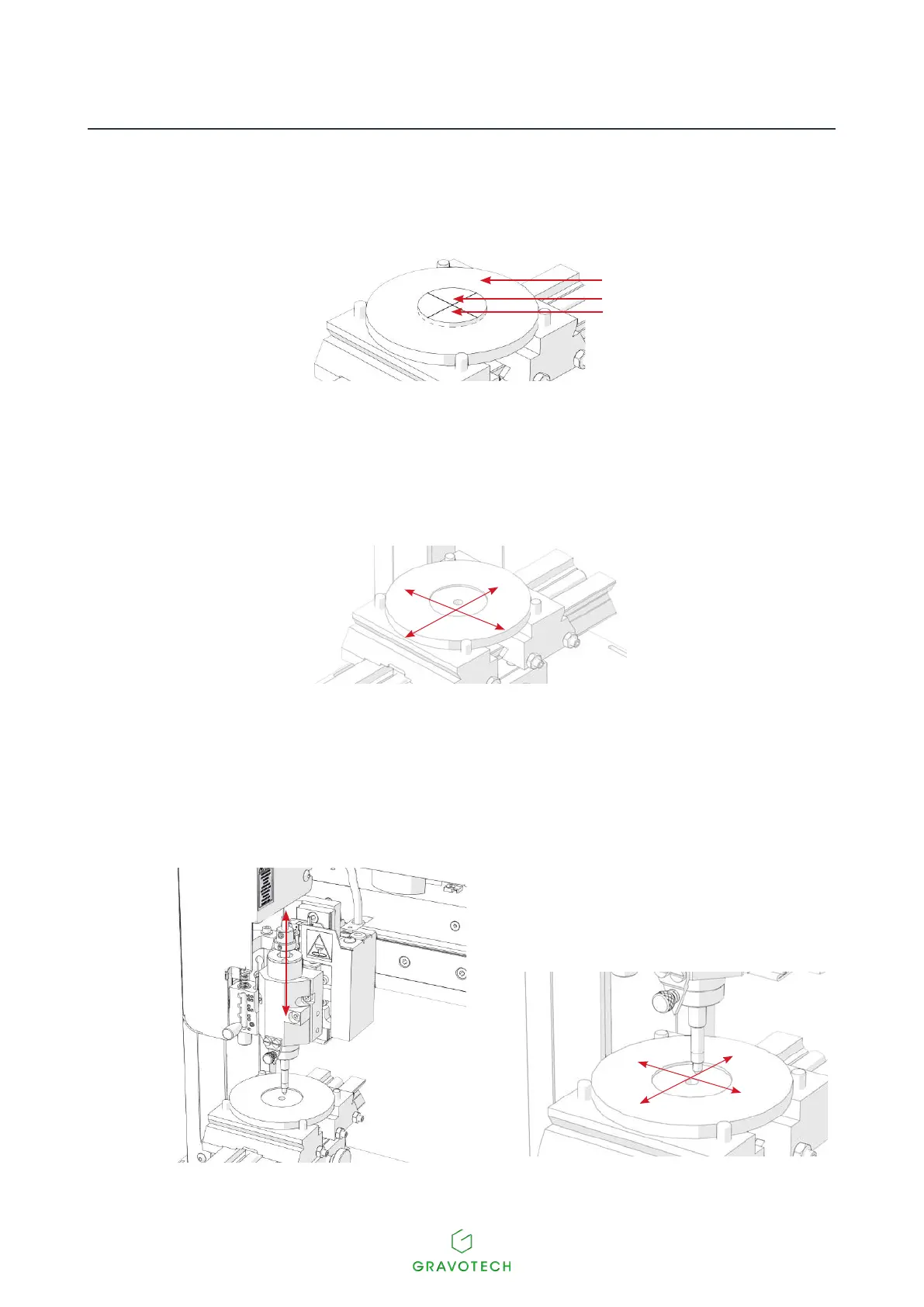
To set the XY zero point, use 2 centering washers (Supplied with the machine).
1
2
3
1.
Centering washer(s)
2.
Zero point
3.
Washer for centering the diode zero point
1. Switch on the machine.
2. Place the centering washer between the jaws of the vice. Tighten using the tightening knob.
3. Presssimultaneouslyonthe2keys:Pause-Leftarrow.
The tool holder moves to the center of the vice in order to set the zero point of the tool. It must match the zero
point hole in the centering washer.
4. Place the tool in the spindle. This must slide easily into the centering washer. If not, remove the tool
andadjustthepositionofthetoolholderusingthejoystick:



 To Next Page