GSI TympStar Pro User Manual
D-0129427 Rev. B Page 127 of 162
LCD Touch Screen
It is safe to use a disinfecting wipe containing up to 0.5% hydrogen peroxide or a
commercial product that has been specifically formulated for LCD screens (i.e., CareWipes
Antibacterial Force Item #: 2XL-400). Gently wipe the screen thoroughly, being careful to
ensure no liquid drips into the bezel. After disinfecting, allow the screen to dry completely
prior to next use. As an alternative to disinfecting wipes, an ultraviolet (UV) light source
could be used to disinfect touch screen surfaces.
CLEANING PATIENT CONTACT DEVICES
Patient contact parts should be cleaned prior to each use. The probe and contralateral
earphone and probe box may be wiped with a slightly damp cloth containing soap and
water ammonia-based cleaners or bleach-based cleaners. Gently wipe the items with the
slightly damp cloth taking care not to get moisture in the speaker portion of the probe and
contralateral earphones. The eartips for the probe are for single use only and should not
be reused.
PROBE CARE
With normal use, cerumen can work its way inside the probe nose cone (probe tip). During
the warm-up period each day and throughout the day, inspect the probe tip to make sure it
is clean and free of cerumen. Refer to the following instructions for cleaning and
maintaining the instrument’s probe.
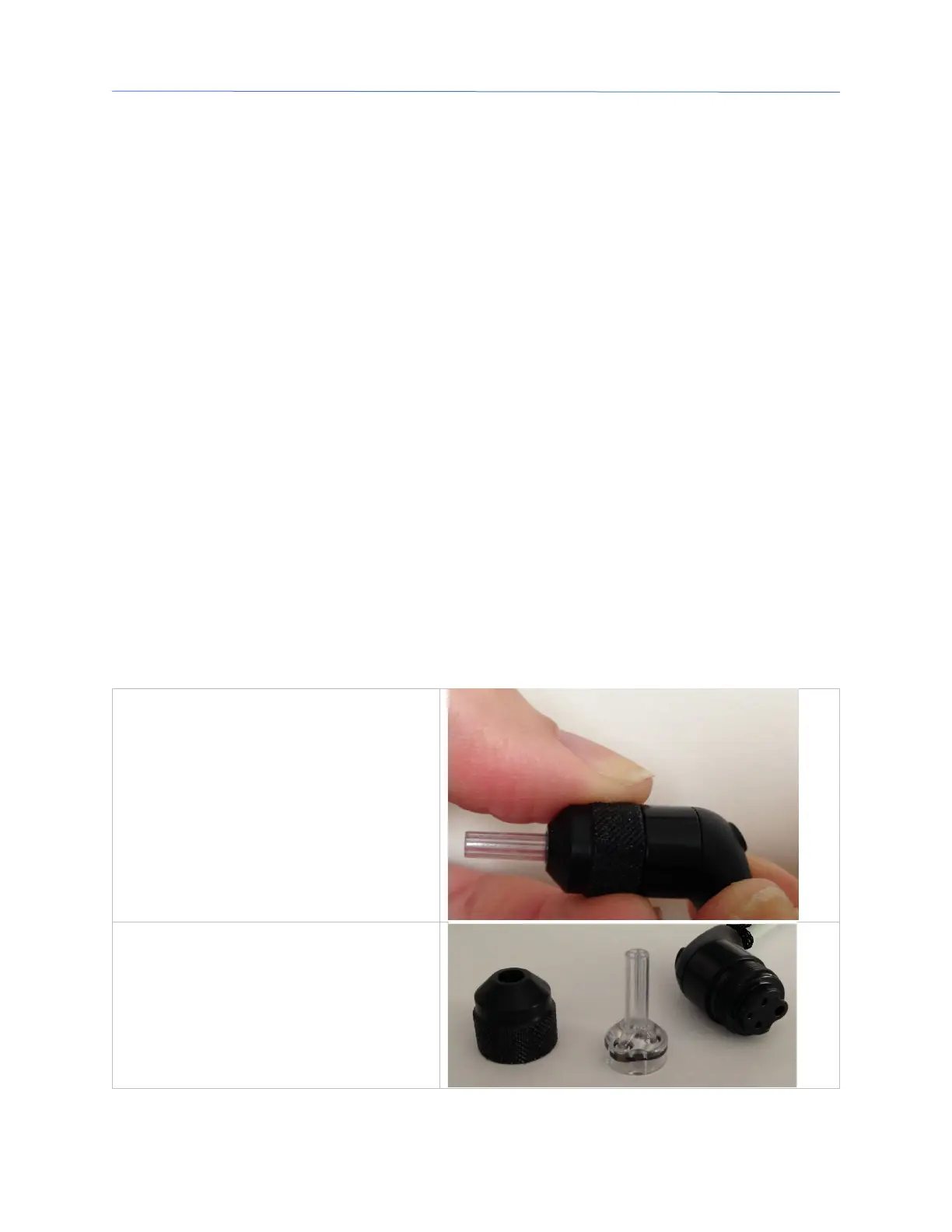
1: Unscrew the probe cap
2: Take off the probe tip. Note the
gasket inside the tip



 To Next Page