GSI TympStar Pro User Manual
D-0129427 Rev. B Page 78 of 162
EUSTACHIAN TUBE FUNCTION (ETF) - INTACT
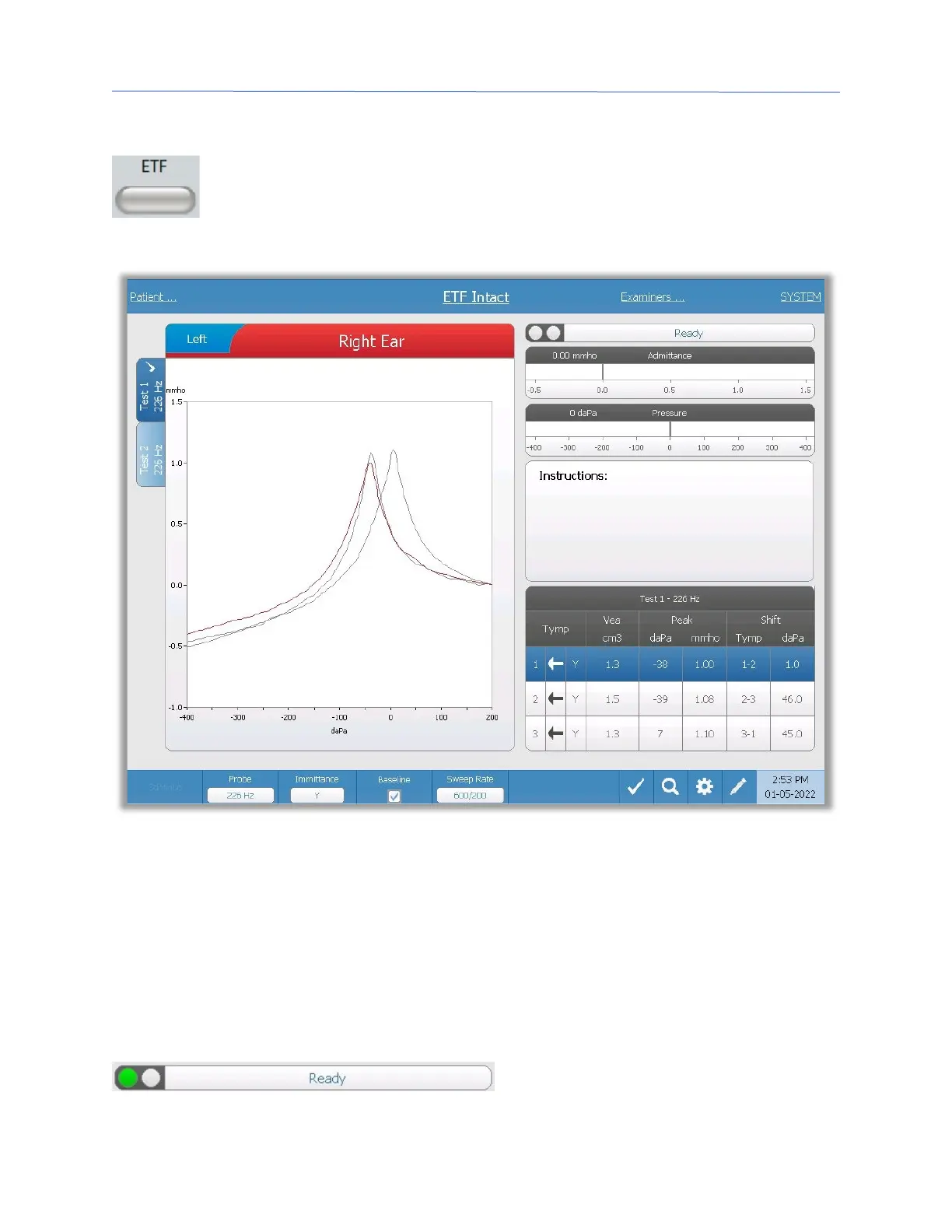
The ETF key displays the Eustachian Tube Function Test screen and loads the
default ETF protocol. This button functions as a toggle to switch between the
Intact, Perforated, and Patulous Eustachian Tube Function tests. The intact
ETF screen is show below.
The ETF intact screen presents information for conducting an intact Eustachian tube
function test. The collected data (tympanograms) are displayed with different probe tones
stored as tabs on the left side of the graph. The tabs at the top of the graph are used to
select the ear to be tested. The area to the right of the graphic area displays the
admittance and pressure meters. An instruction message box provides the instructions for
performing the test. The result measurements are presented as a table under the
collection parameter buttons. The ETF Intact menu appears at the bottom of the screen.
Probe Status Indicator
The probe status indicator indicates the
state of the probe and displays messages



 To Next Page