GSI TympStar Pro User Manual
D-0129427 Rev. B Page 74 of 162
reflex latency has already been stored, you will be prompted with a confirmation dialog
before the data is replaced.
Zoom
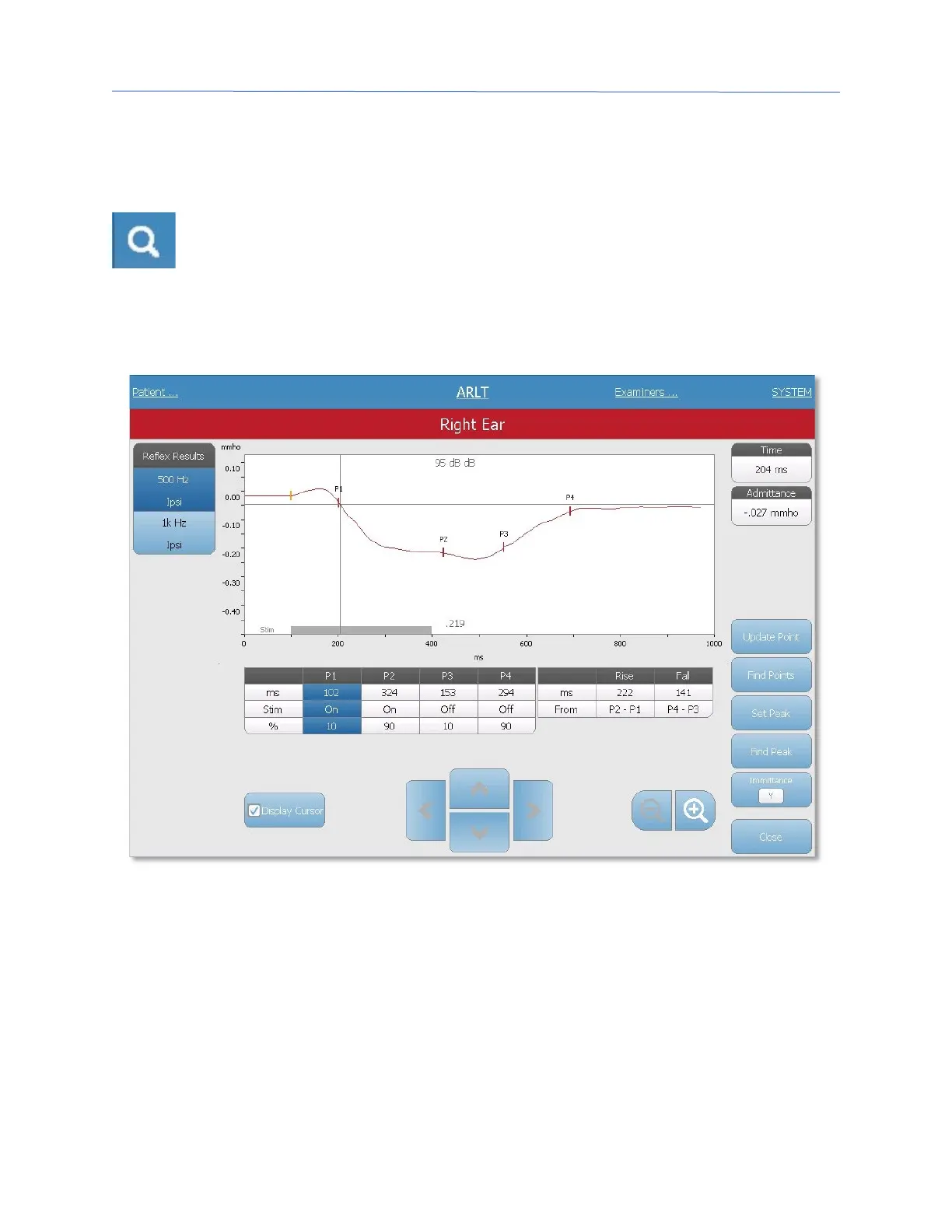
The Zoom menu option displays the zoom dialog. The zoom dialog provides a
magnified view of the averaged reflex latency data and displays the time and
admittance values for the selected point. The dialog has selections to scroll the
waveform, change the magnification and display a cursor. The number of marked points is
determined by the measurement method used. The gray bar at the bottom of the graph
shows the stimulus duration.
Update point allows for changing the marked point to a different location on the tracing.
Select the point to change by touching the marker on the tracing or the column in the
table. Use the pressure knob to change the location of the cursor. Find points uses the
built-in algorithm of the device to locate each of the marked points. Find peak locates the
peak deflection point on the reflex tracing. Set peak marks the current point indicated by
the cross hairs. The Immittance button determines the immittance component to view.
The close button returns to the ARLT test screen.



 To Next Page