GSI TympStar Pro User Manual
D-0129427 Rev. B Page 93 of 162
test data. Three tabs are available to display tympanograms at other probe tone
frequencies.
The Multi-Hz test consists of an automatic sequence of measurement and data calculation.
The sequence begins by presenting a wide-band stimulus while completing a pressure
sweep (+200 to -400 by default) in 50 Hz steps in the sealed ear canal. Once completed, the
TSP calculates and displays the 226 Hz Y tympanogram (Tab 1/Tymp 226 Hz), difference
between the B components at the Start pressure (+200 daPa), and the Peak pressure (Tab 2
Delta Peak-Start), and the resonant frequency tympanogram (Tab 3/Tymp XX Hz).
Probe Status Indicator
The probe status indicator indicates the
state of the probe and displays messages
regarding the current test. On the left side of the indicator, the two circles will be colored
to match the LED lights on the probe box. The probe may be in the following states:
Blinking Green Ready
Solid Green Test in Progress
Hold – ready to continue test
Leak (or possible internal error on the device)
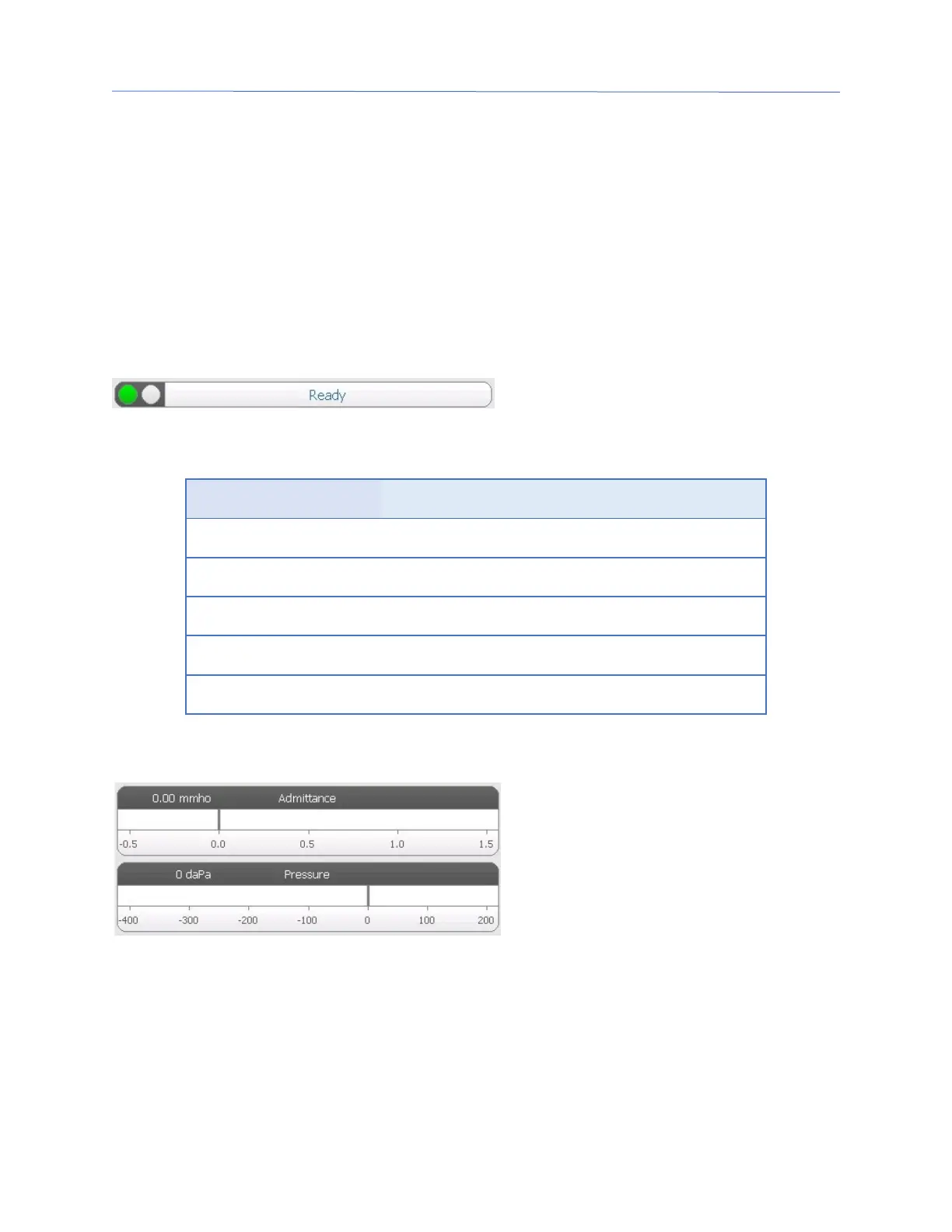
Admittance and Pressure Meters
The admittance meter displays the real
time admittance as it is being recorded
from the probe in the ear canal. The
units are millimhos (mmho). The
current value is displayed at the top left
of the meter.
The pressure meter displays the real time pressure as it is being recorded from the probe
in the ear canal. The units are decapascals (daPa). The current value is displayed at the top
left of the meter.



 To Next Page