GSI TympStar Pro User Manual
D-0129427 Rev. B Page 80 of 162
tympanogram. The Vea column displays the ear canal volume (in cm
3
). The Peak column
displays the pressure (daPa) and admittance (mmho) value of the indicated peak of the
tympanogram. The Shift column displays difference in the peaks for between the
tympanograms.
ETF Intact Test Menu
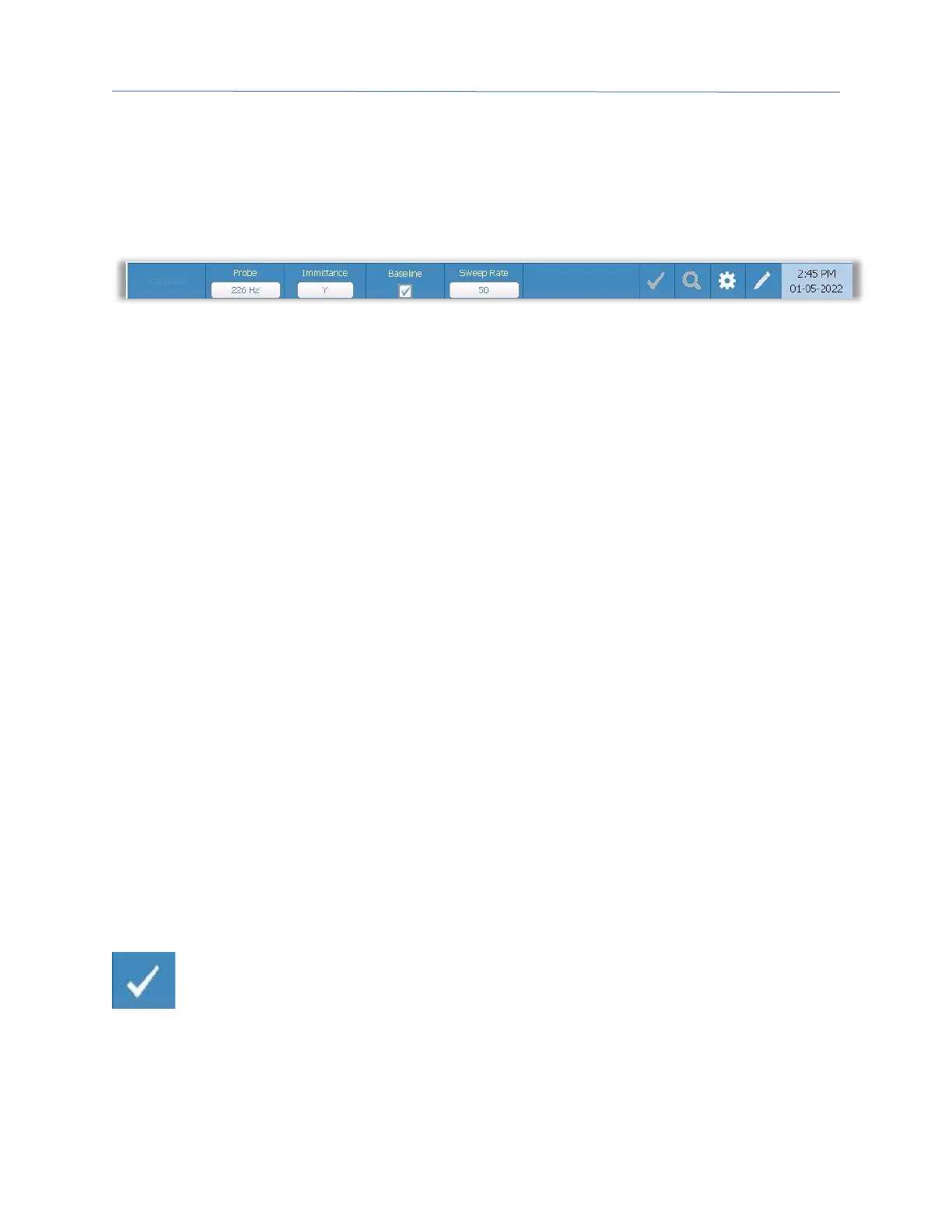
Continue
The continue button starts the next tympanogram in the sequence after the initial
tympanogram has been collected. The instruction box indicates when it is appropriate to
press the continue button after instructing the patient.
Probe
The Probe button controls the probe tone frequency used for recording the tympanogram.
The button indicates the current setting. When the button is pressed, a sub menu is
presented and the user may choose between 226 Hz, 678 Hz and 1000 Hz.
Immittance
The Immittance button selects the tympanometry component(s) that is displayed on the
graph. The button label indicates the current setting. When the button is pressed, a
submenu is displayed where the user may choose between the Admittance (Y) and the two
components of Admittance, Susceptance (B) and Conductance (G).
Baseline
The Baseline checkbox button is used to select if the tympanogram is baseline adjusted.
When the button is selected, the starting pressure admittance value is used as a baseline (0
mmho) and the data is plotted relative to that pressure
Sweep Rate
The Sweep Rate button is used to select the sweep rate (daPa/sec) for the pressure change
when collecting a tympanogram. The button label indicates the current setting. When the
button is selected, a submenu of options is presented.
Mark Test
The Mark Test menu option is used to indicate the tympanometry tab that will be
used when the data is transferred to GSI Suite. The marked tab is indicated by
the check mark in the tab area. The last test is automatically marked unless the
tympanogram peak is not detected.



 To Next Page