GSI TympStar Pro User Manual
D-0129427 Rev. B Page 71 of 162
ACOUSTIC REFLEX LATENCY TEST (ARLT) [LICENSED OPTION]
Pressing the More button displays a menu that includes the ARLT option.
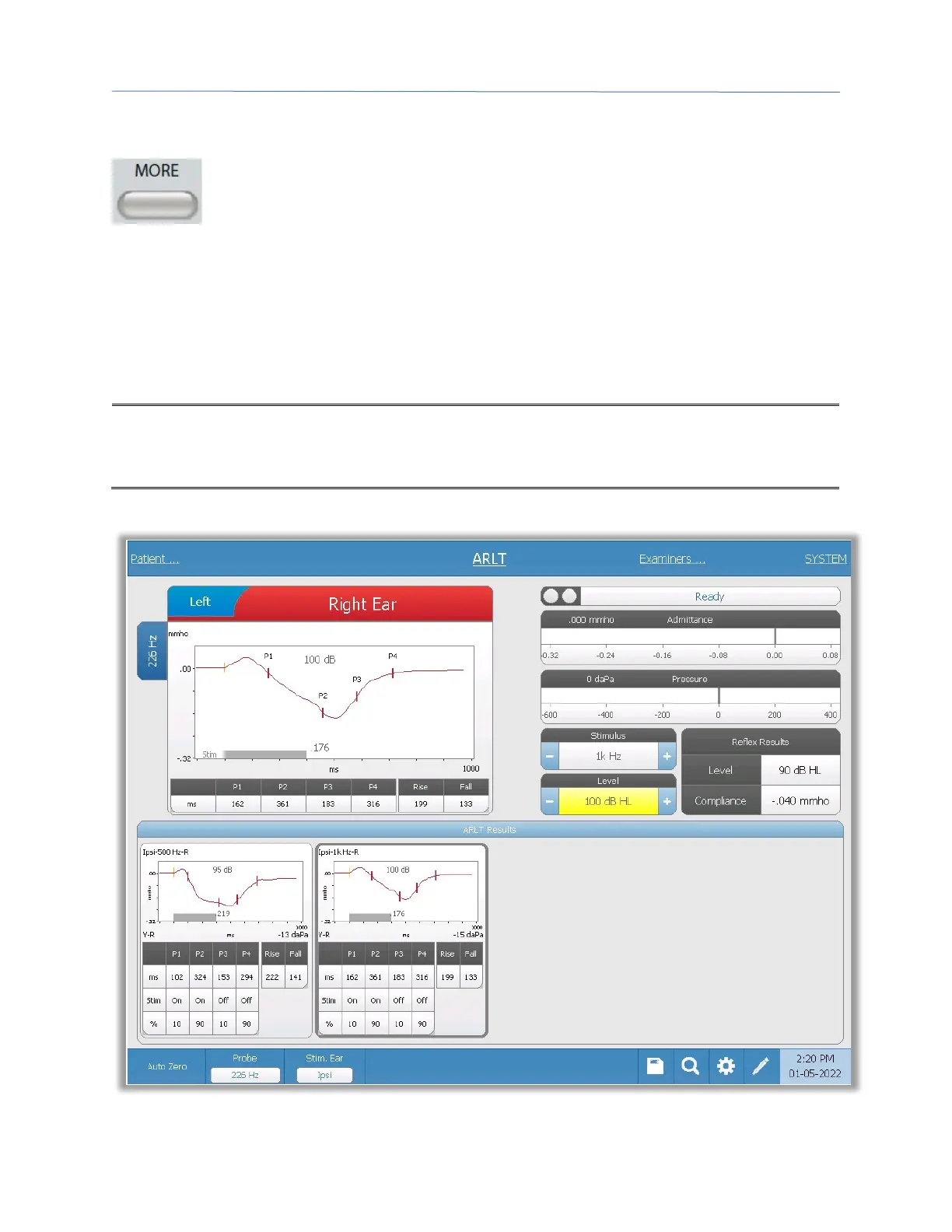
Selecting the ARLT option displays the reflex latency screen. The reflex
latency screen presents information for conducting acoustic stapedial reflex
latency tests. The reflex collection data are displayed as graphs with different probe tones
stored as tabs on the left side of the reflex graph. The tabs at the top of the graph are used
to select the ear to be tested. The area to the right of the graphic area displays the
admittance and pressure meters along with the eliciting stimulus information. On the right
of the stimulus information is the information on the reflex threshold.
Note: The TympStar Pro must have the Advanced Clinical Tympanometry license and
calibrated to perform the Acoustic Reflex Latency Test.



 To Next Page