GSI TympStar Pro User Manual
D-0129427 Rev. B Page 30 of 162
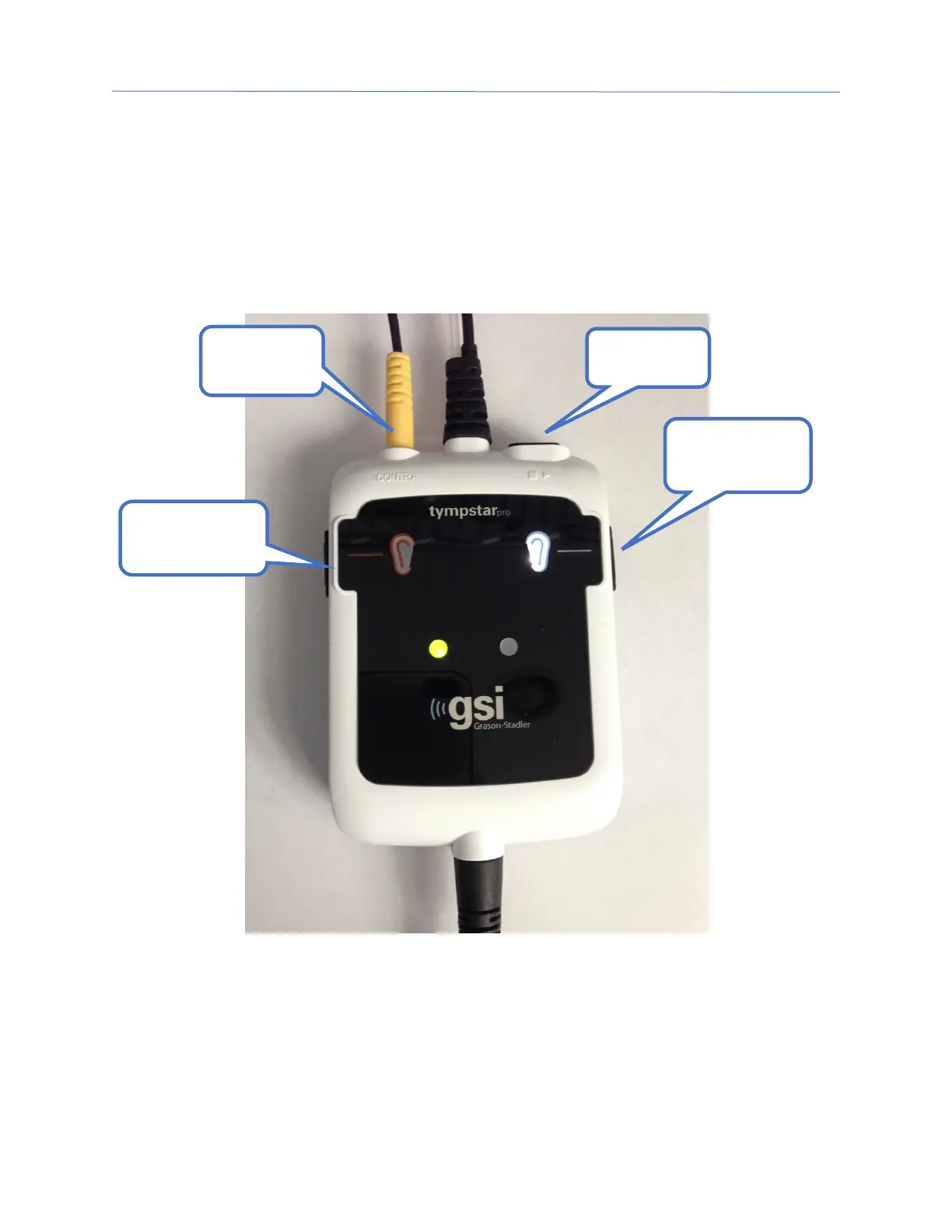
PROBE BOX
The probe box contains the connections for the probe and the contralateral probe. The
buttons on the box allow the operator to change the ear being tested and to start and stop
the test. The selected ear is indicated on the screen and on the probe box as the ear that
has the light. There is Velcro on the back of the box to allow attachment to the wrist strap.
M
ONITOR
The TympStar Pro comes standard with an LCD touch screen display. The LCD is used to
display all the testing information from the instrument. The touch screen provides the
input method to make selections. An optional keyboard and mouse may also be used.
Contra
Select Button
Select Button



 To Next Page