GSI TympStar Pro User Manual
D-0129427 Rev. B Page 81 of 162
Zoom
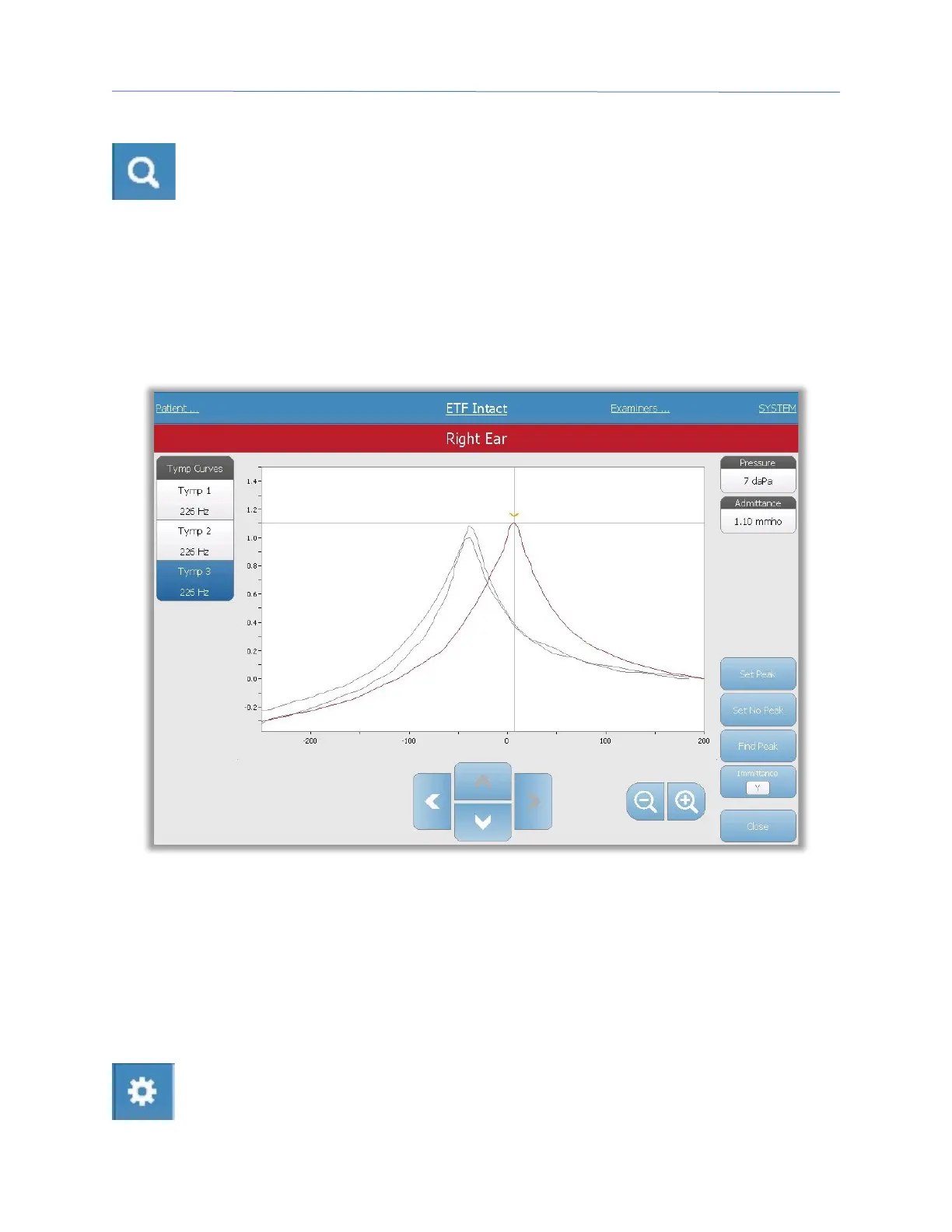
The Zoom (magnifying glass icon) menu option displays the zoom dialog. The
zoom dialog provides a magnified view of the tympanograms and displays the
pressure and admittance values for the selected point. The up, down, left and
right arrow buttons are used to scroll the waveform. The + and - magnifier buttons
increase and decrease the magnification. When multiple waveforms are present, the active
waveform may be selected from the list of tympanogram curves on the left side of the
dialog. The crosshairs of the cursor may be moved to a different point on the waveform by
touching the waveform at the desired point or by using the manual pressure knob on the
instrument to move right and left on the waveform.
The Set Peak button marks the current point indicated by the cross hairs, as the peak on
the tympanogram. The values are transferred to the tympanogram result table. The Set
No Peak button unmarks any peak. The Find Peak button uses the built-in algorithm of the
device to find the peak. The Admittance button in the zoom dialog selects the admittance
component to view. The Close button closes the dialog and returns to the Tympanometry
screen.
Settings
The Settings menu option may be used to define the parameters used to collect
the tympanogram for the ETF Intact test. A Settings dialog is presented with the



 To Next Page