GSI TympStar Pro User Manual
D-0129427 Rev. B Page 73 of 162
Stored Reflex Latency Information
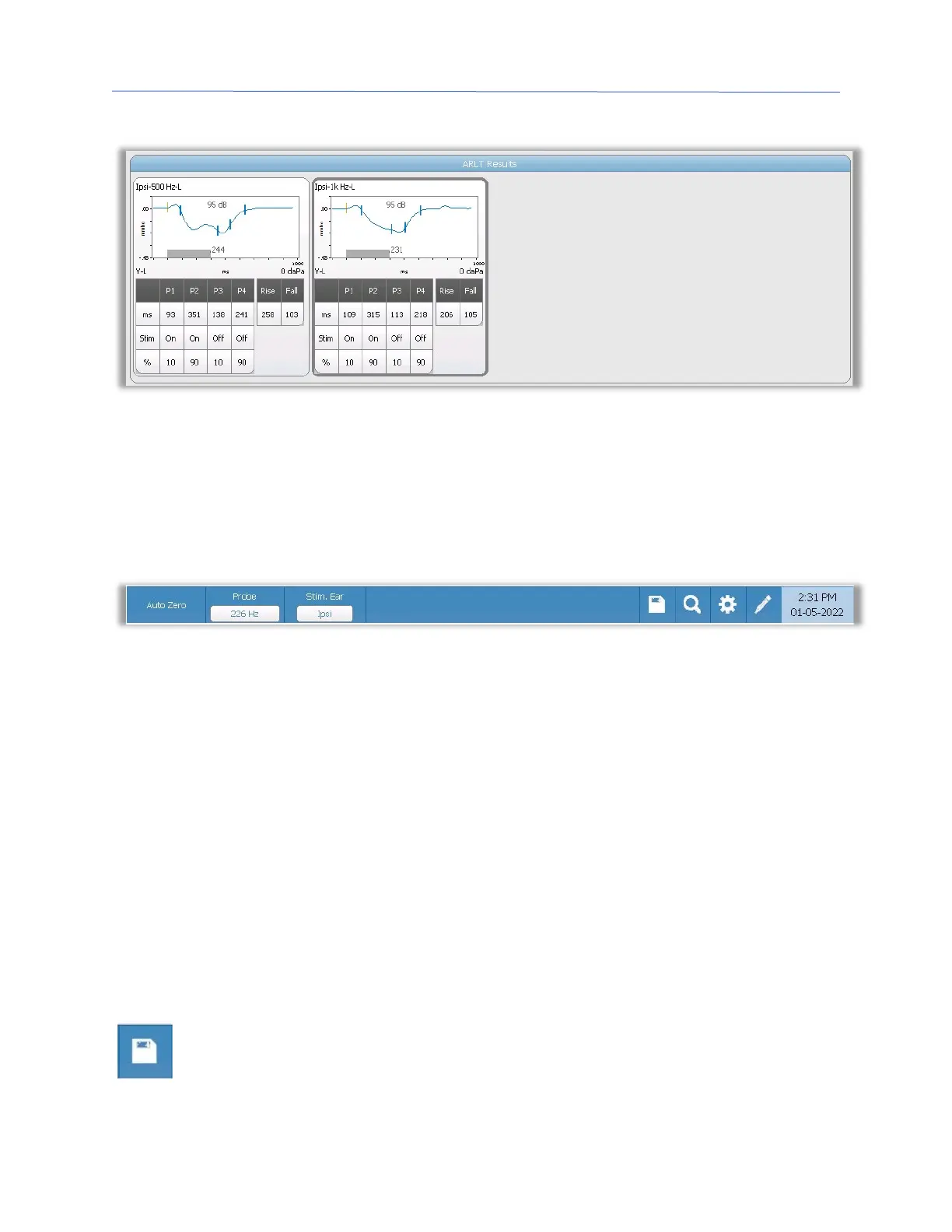
The reflex latency results section displays the stored reflex latency tests. The information
from the scratchpad is selected and then stored (by selecting the store icon from the reflex
latency menu bar). Under the graph is the information on the marked points on the
latency graph. The measurement method determines the number of points (P1-P4) in the
table and calculations.
Reflex Latency Test Menu
Auto Zero
The Auto Zero menu option automatically sets the admittance to zero when the key is
pressed. The system automatically sets the admittance to zero when the reflex latency test
is started and when the stimulus is presented.
Probe
The Probe button displays the probe tone frequency used for recording reflex thresholds.
Stimulus Ear
The Stimulus Ear menu option selects which ear the reflex activation stimulus is presented.
This button acts as a toggle between the two options: Ipsi and Contra. When Ipsi is
selected, the reflex stimulus is presented by the probe and therefore to the same ear as
the probe. When Contra is selected, the reflex stimulus is presented to the contra probe
transducer which is placed in the non-probe ear.
Store
The Store menu option saves the collected reflex graph. The graph is copied from
the collection area to the stored display area. Only a single reflex latency per
stimulus may be stored. If you try to store a new reflex latency when a similar



 To Next Page