GSI TympStar Pro User Manual
D-0129427 Rev. B Page 44 of 162
SCREENER TESTS
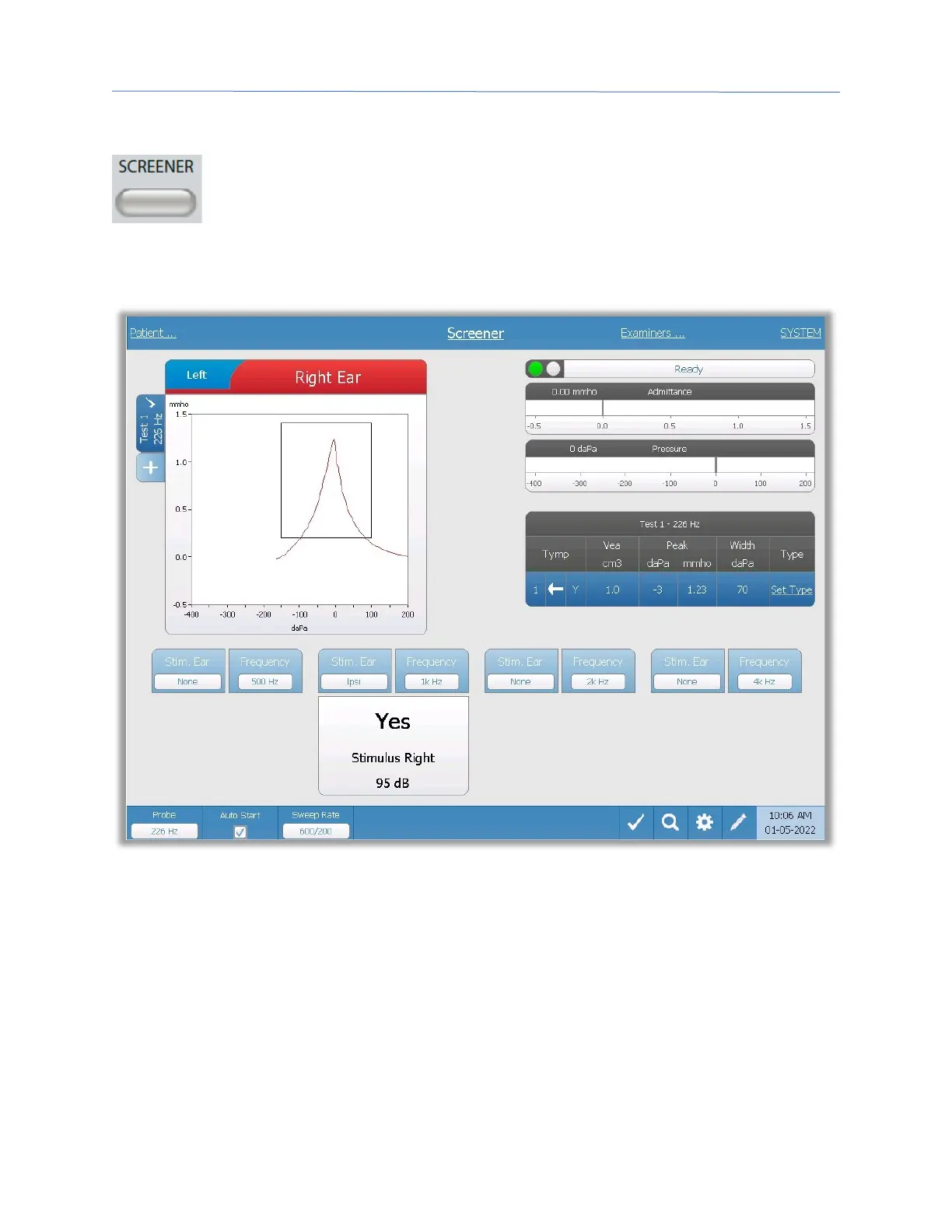
Pressing the Screener button displays the screener screen and loads the
current screening protocol. The system has default settings for the screening
protocol that may be changed in the PC configuration software (TympStar Pro
Config App). The Screener display is shown below.
The screener screen presents information for conducting a tympanogram and up to four
acoustic reflexes. The individual tympanogram result is displayed in the top left side of the
screen. A check mark indicates the ‘marked’ screening result. The marked screening
results are those that will be transferred to GSI Suite or printed directly from the device.
Only a single screening result per probe tone frequency may be marked. A total of four
screening results per ear can be displayed on the screen. The tabs at the top of the
tympanogram graph are used to select the right or left ear. The current selection is
indicated by the larger tab.



 To Next Page