GSI TympStar Pro User Manual
D-0129427 Rev. B Page 38 of 162
Printing Complete Once the printout has been sent to the printer a printing complete
message is displayed.
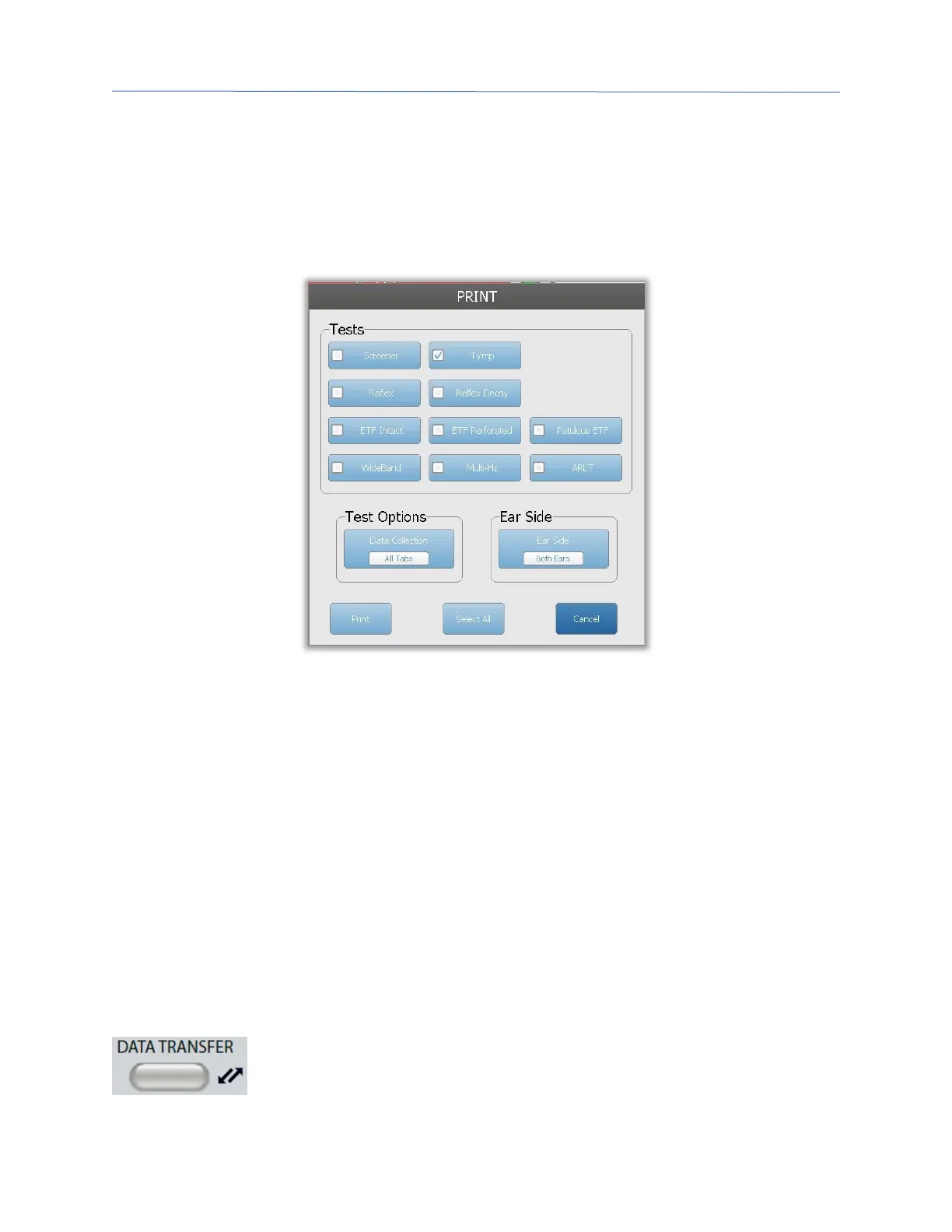
Print Dialog
A Print Dialog is displayed when Dialog Print is selected in the Configure screen, Print
Settings menu.
The print dialog allows a choice of the test types to be printed. The check mark in the
button indicates that the test type will be printed. The select all button selects all test
types. Test options indicate the data that will be printed, and the user may choose the
selected tab, the marked tabs, or all tabs. A single ear or both ears may be selected.
Printout
The printout settings may be configured using the configuration software (GSI TympStar
Pro Config App). The settings available for the printout include the print button action, the
printer protocol, page size, color or grayscale and the format of the facility information and
logo. Some of the printer settings may be configured in the Configure screen, Print
Settings menu and include printer protocol, paper size, and print button action.
DATA TRANSFER
When the DATA TRANSFER button is pressed, a data record containing
the stored test data is transmitted to an external computer. Data is



 To Next Page