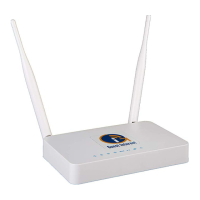
Need help?
Do you have a question about the Guest Internet GIS-K1+ and is the answer not in the manual?
Setting download and upload speed limits for overall service or individual access codes.
Protecting the business network from unauthorized access from the public network.
How guests access the Internet by agreeing to terms and conditions on the login page.
Requires guests to enter an access code to connect to the Internet.
Overview of the easy-to-use wizard for initial product configuration.
Requirements for protecting credit card information and preventing unauthorized access.
Instructions to type http://aplogin.com into the browser to start the setup wizard.
Checking for a green 'YES' indicating a successful Internet connection.
Steps to verify DSL modem, router connection, and potential fixed IP address configuration.
Creating a strong administrator password following PCI-DSS recommendations.
Selecting between unlimited access (disclaimer) or controlled access (access code).
Warning about potential device lockout from incorrect advanced setting changes.
Using the http://aplogin.com/codes URL for access code generation and management.
Creating a separate password for the access code management page.
Details on PayPal credit card billing for hotspots and Internet cafes.
Interface for generating codes in various formats and managing outstanding codes.
Managing two types of passwords: admin for interface access and codes for access management.
Restarting the device to apply changes or resolve issues.
Choosing between Open access, Unlimited access, Registered access, and Controlled access.
Activating PayPal billing to sell Internet access via credit card.
Utilizing OpenDNS for family-friendly web content filtering.
Configuring global download and upload speeds or per access code.
Preventing public users from accessing private IP address ranges within the business network.
Loading and installing firmware files to update the gateway's software.
Saving and restoring gateway configuration files for backup or deployment.
Using the reset button on the enclosure to restore factory defaults.
Resetting GIS-R10/R20 via computer connection and browser to restore factory defaults.
 General
| Brand | Guest Internet |
|---|---|
| Model | GIS-K1+ |
| Category | Gateway |
| Language | English |


 To Next Page