HQ Innity User Manual | 1 5
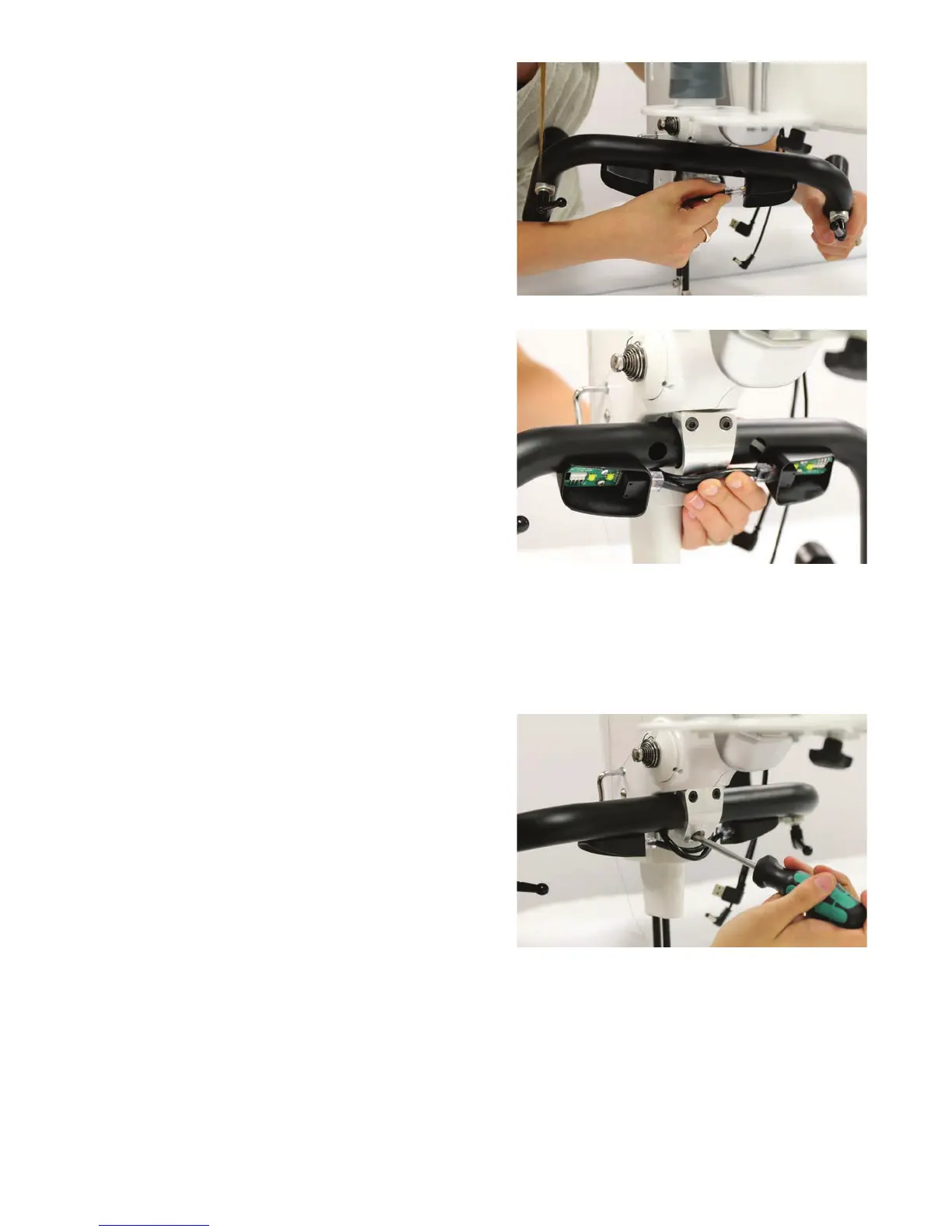
2 . Connect the RJ45, or network style, phone
cords into the handlebars. Ensure that the cable
exing the right side of the machine head plugs
into the le handlebar lighng connector and
the cable exing the le side of the machine
head plugs into the right side of the handle bar.
3. Place the 4mm hex screws into the top two
holes in the handlebar bracket.
4 . Align the bracket and hex screws with the pre-drilled holes behind the machine’s head and fully
ghten the top two screws with the 4mm hex wrench.
NOTE: You may nd it is easier to remove the front poles from the Gallery frame so you can
posion yourself behind the machine’s head.
5 . Insert either the 5mm screw or the handlebar
lever into the boom hole and parally ghten.











 To Next Page