16 | www.HandiQuilter.com
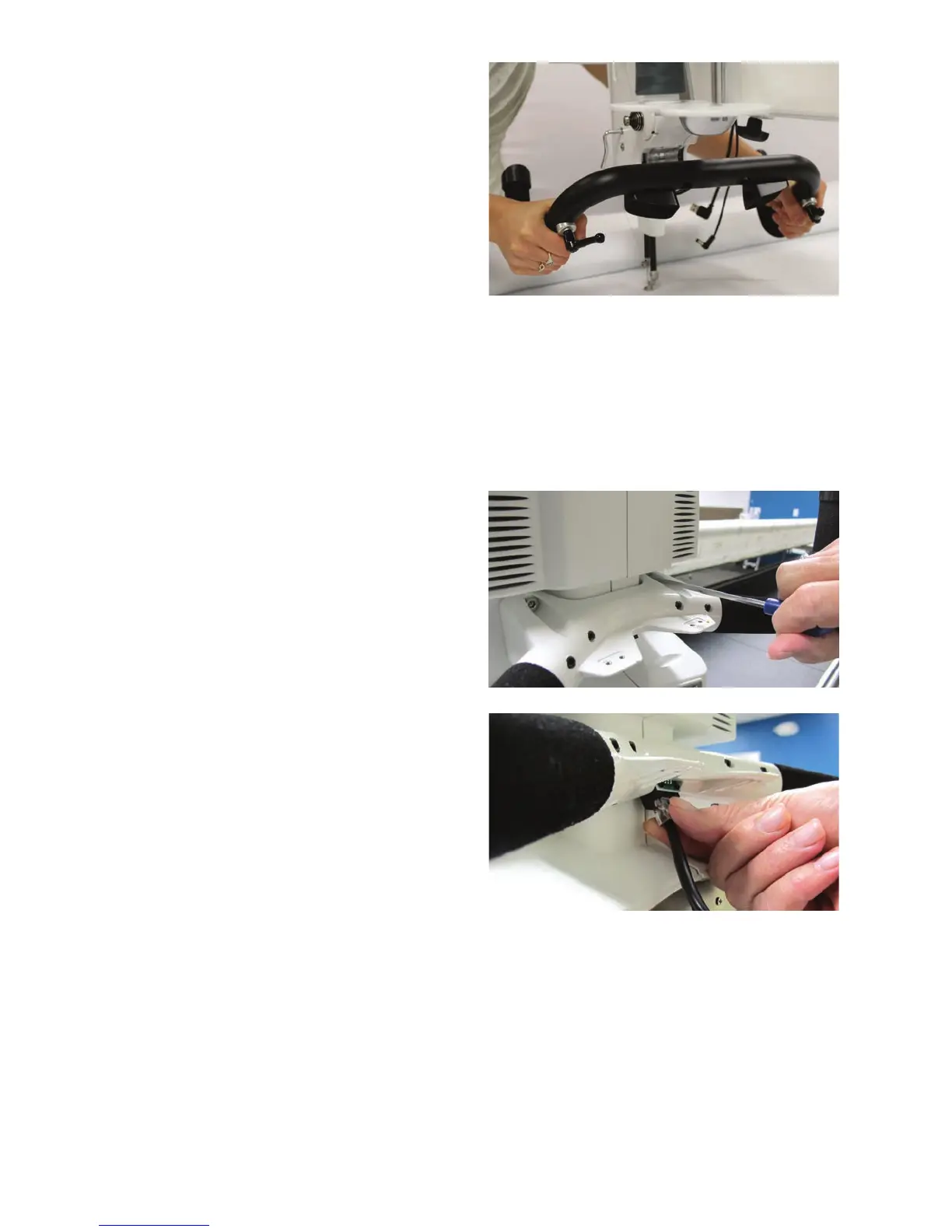
6. Adjust the handlebars forward or backward to
a comfortable posion for quilng and ghten
the boom screw with the 5mm hex wrench. If
using the handlebar lever, fully hand-ghten.
 IMPORTANT: See To aach labels to the
handlebars in the secon Congurable
Handlebar Buons below.
To install the rear handlebars
ONLINE: For more informaon about installing the rear handlebars, watch the video Installing the
Rear Handlebars at: hp://www.handiquilter.com/videos/hq-innity/211/.
1 . Locate the four 4mm hex screws for the rear handlebars and the 4mm hex wrench.
2 . Align the four holes in the handlebars with the
holes on the back of the machine.
3. Slide the bolts into holes unl they stop. Use
the 4mm hex wrench to rmly ghten the bolts
and securely fasten the handles to the back of
t h e m ac h i n e .
4 . Connect one end of the RJ45, or network style,
phone cord into the handlebars and the other
end into the machine’s back panel.
 IMPORTANT: See To aach labels to the handlebars i n t h e Congurable handlebar buons
topic below.
NOTE: Aer installing and plugging in the handlebars and the touch-screen displays, plug in the
power cord and test them by turning on the machine using the rear on/o switch and then the on/
o buon on the le side of the machine. If nothing appears on the touch screen, check that the
handlebar cables are plugged in securely, that your machine is turned on, and that the power cord
is plugged into the machine as well as into a power source. If everything is working, turn o and
unplug the machine and connue the installaon.











 To Next Page