
 Need help?
Do you have a question about the Hirschmann GRS103 Series and is the answer not in the manual?
General warning symbol alerts to potential personal injury hazards.
Use product only for application cases described, according to technical specifications.
Verify electrical installation meets local or national safety regulations.
Operate device within specified ambient temperature and humidity.
Only qualified and trained personnel should work on the device.
Guidelines for opening casing, ventilation, and handling hot surfaces.
Preventing torsion and contact problems due to insufficient strain relief.
Connection of shielded ground wire of twisted pairs cables.
Requirements for grounding, connecting wires, supply voltage, and signal contact.
Recommendations for connecting data cables to minimize interference.
Safety information regarding LED and laser components.
Proper disposal instructions for electronic waste.
CE marking compliance with European directives (EMC, RoHS, Low Voltage).
UKCA marking compliance with UK regulations.
FCC compliance statement and contact information.
Considerations for installing in 19" switch cabinets.
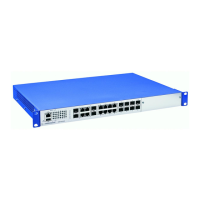
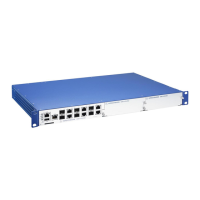
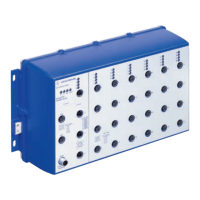
Overview of GRS103 managed switch, its variants, and features.
Details of GRS103 fixed-variant (non-modular) devices and their ports.
Details of GRS103 modular variants and pluggable media modules.
Information on GRS103 media modules, hot-plug compatibility, and functions.
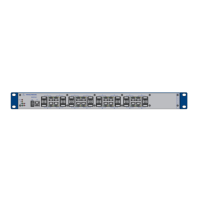
Front view and components of the basic GRS103 device.
Front view of modular GRS103 devices with media module slots.
Rear view of device variants with non-redundant/redundant power supply.
Front view showing port grouping and numbering.
Power supply inputs for basic device variants.
Requirements for PoE supply voltage for media modules.
Details of the potential-free relay signal contact for monitoring.
USB-C interface for AutoConfiguration Adapter ACA22.
Details of 10/100 Mbit/s RJ45 twisted pair ports.
Details of 10/100 Mbit/s RJ45 PoE ports.
Details of 10/100/1000 Mbit/s RJ45 twisted pair ports.
Details of 100 Mbit/s Fiber Optic ports (DSC/SFP).
Details of 100/1000 Mbit/s Combo ports (SFP slot).
LEDs indicating device operational status.
LEDs indicating port link status and PoE activity.
Procedure to verify all items are present and undamaged.
Step-by-step guide for installing SFP transceivers.
How to seal media module slots with cover panels.
Instructions for installing media modules into the device.
General guidelines and safety warnings for device installation.
Procedure for grounding the device.
How to connect the signal contact for monitoring.
Steps for connecting the main supply voltage.
Connecting PoE power to specific media modules.
Recommendations for connecting data cables to minimize interference.
Information on PoE/PoE+ support and compatible modules.
Guidance on filling out the device inscription label.
Criteria for choosing a suitable installation location.
Steps for mounting the device horizontally on a flat surface.
Steps for mounting the device vertically on a flat surface.
Instructions for mounting the device in a 19" switch cabinet.
Default IP address, login, and other initial configuration parameters.
Procedure for changing the default password upon first login.
Guidelines for monitoring ambient air temperature for optimal operation.
Information on device maintenance, software updates, and troubleshooting.
Step-by-step guide for removing SFP transceivers.
Instructions for removing media modules from the device.
Safety precautions and steps for removing the device.
General technical specifications including dimensions and protection classes.
Dimensions and weight for basic GRS103 device variants.
Technical data for various GRS103 media modules.
Detailed supply voltage specifications for basic devices and media modules.
Supply voltage specifications for basic GRS103 devices.
Supply voltage specifications for PoE media modules.
Table listing power consumption and output for devices and modules.
Technical specifications for the signal contact interface.
Operating environmental limits for ambient temperature, humidity, and air pressure.
Operating climatic conditions for basic GRS103 devices.
Operating climatic conditions for GRS103 media modules.
Storage environmental limits for ambient temperature, humidity, and air pressure.
Technical drawings showing device dimensions.
Standards related to electromagnetic compatibility interference emissions.
Standards for device immunity to environmental factors and EMC interference.
Network range specifications for twisted pair ports.
Technical specifications for Fast Ethernet SFP transceivers.
Specifications for bidirectional Fast Ethernet SFP transceivers.
Technical specifications for Gigabit Ethernet SFP transceivers.
Specifications for bidirectional Gigabit Ethernet SFP transceivers.
List of items included with the basic GRS103 device.
List of items included with GRS103 media modules.
Order numbers for GRS103 devices and M1 media modules.
Recommended accessories for Fast Ethernet SFP transceivers.
Recommended accessories for Gigabit Ethernet SFP transceivers.
Miscellaneous accessories including software and mounting hardware.
Compilation of technical standards relevant to the device.
Contact information for technical questions and customer support services.
 General
| Brand | Hirschmann |
|---|---|
| Model | GRS103 Series |
| Category | Switch |
| Language | English |


 To Next Page