Version 2.0, February 2012. Copyright 2012 Hitron Technologies
79
Version 2.0, February 2012. Copyright 2012 Hitron Technologies
79
5.4 THE EMAIL / SYSLOG ALERT SCREEN
Use this screen to forward information to a target email address or system log each
time the firewall alert is triggered, and to define the time at which emails should be
sent and/or log entries created.
The firewall must be enabled for alerts to be triggered.
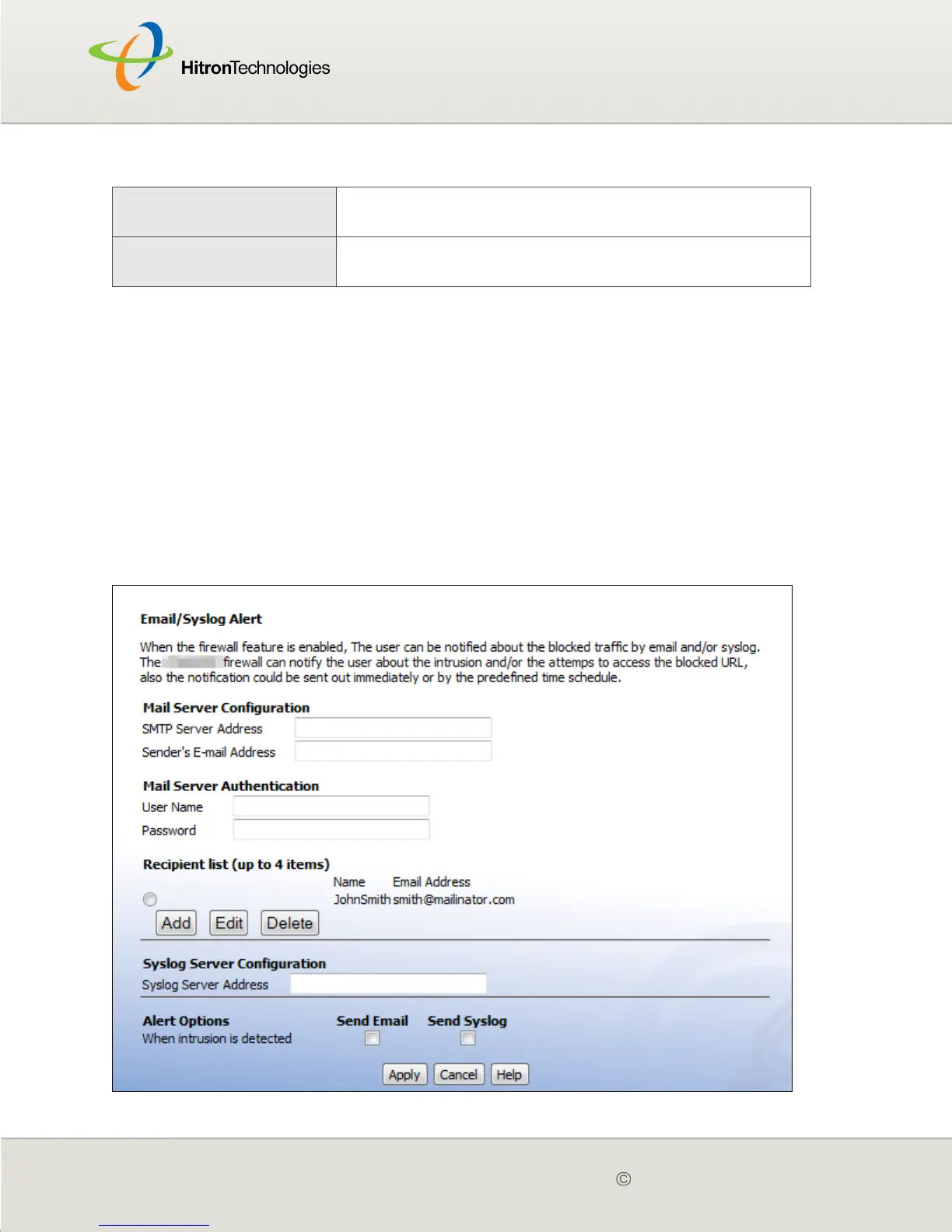
Click Parent Control > Email/Syslog Alert. The following screen displays.
Figure 26: The Parental Control > Email / Syslog Alert Screen
Cancel Click this to return the fields in this screen to their last-
saved values without saving your changes.
Help Click this to see information about the fields in this
screen.
Table 25: The Parental Control > Scheduling Screen (continued)



 To Next Page