Version 2.0, February 2012. Copyright 2012 Hitron Technologies
57
Version 2.0, February 2012. Copyright 2012 Hitron Technologies
57
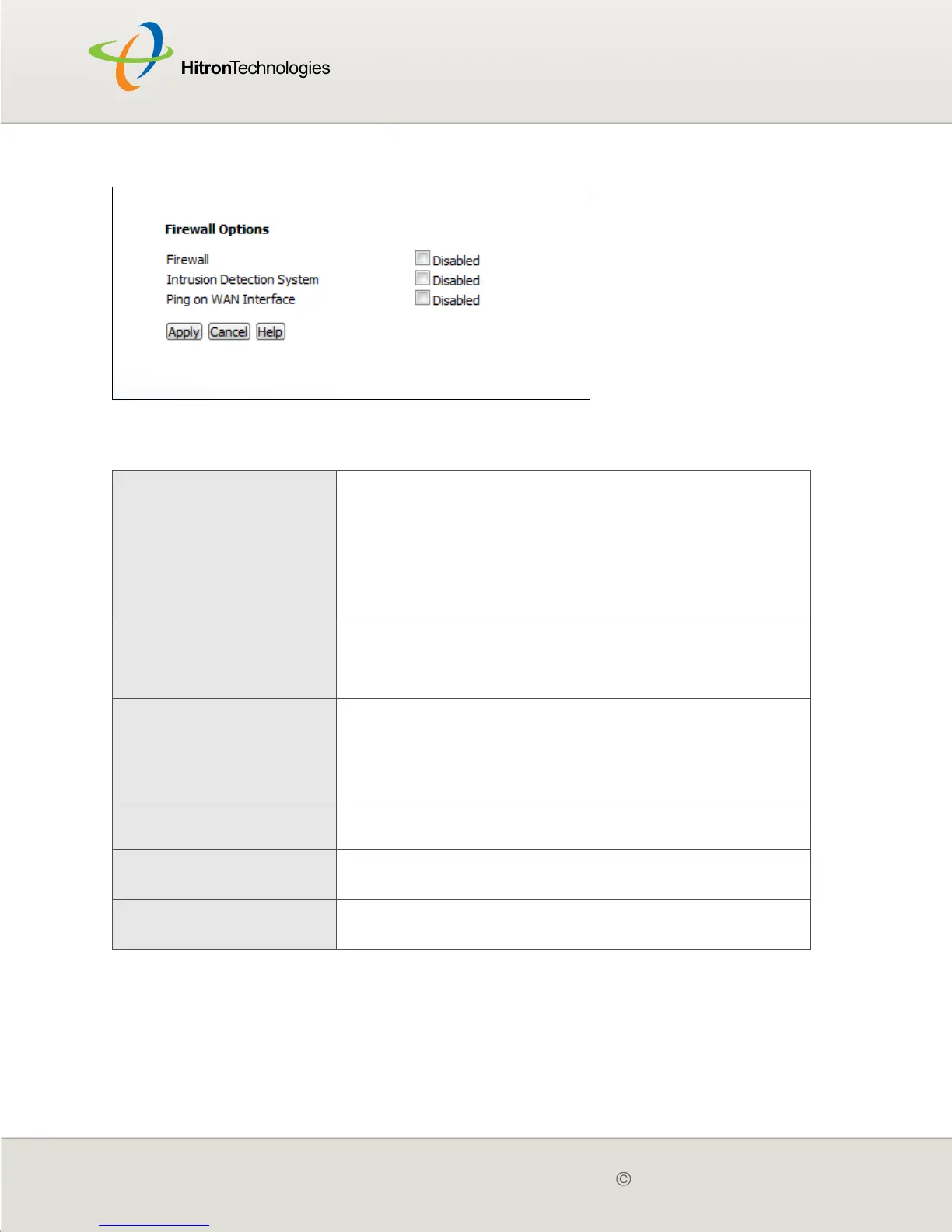
Figure 16: The Firewall > Firewall Options Screen
The following table describes the labels in this screen.
4.3 THE FILTER SETTING SCREEN
Use this screen to configure Media Access Control (MAC) address filtering on the
LAN, and to configure IP filtering.
Table 16: The Firewall > Firewall Options Screen
Firewall
Select this to turn the firewall on.
Deselect this to turn the firewall off.
NOTE: It is strongly recommended that you enable the
CGN2's firewall unless LAN protection is
provided by another device or software.
Intrusion Detection
System
Select this to turn the intrusion detection system off.
Deselect this to turn the intrusion detection system
on.
Ping on WAN Interface
Select this to prevent responses to ICMP requests
originating from the WAN.
Select this to allow responses to ICMP requests
originating from the WAN.
Apply Click this to save your changes to the fields in this
screen.
Cancel Click this to return the fields in this screen to their last-
saved values without saving your changes.
Help Click this to see information about the fields in this
screen.



 To Next Page