Version 2.0, February 2012. Copyright 2012 Hitron Technologies
81
Version 2.0, February 2012. Copyright 2012 Hitron Technologies
81
Recipient List (up to 4
items)
Use this section to define up to four target email address
to which admin emails will be sent.
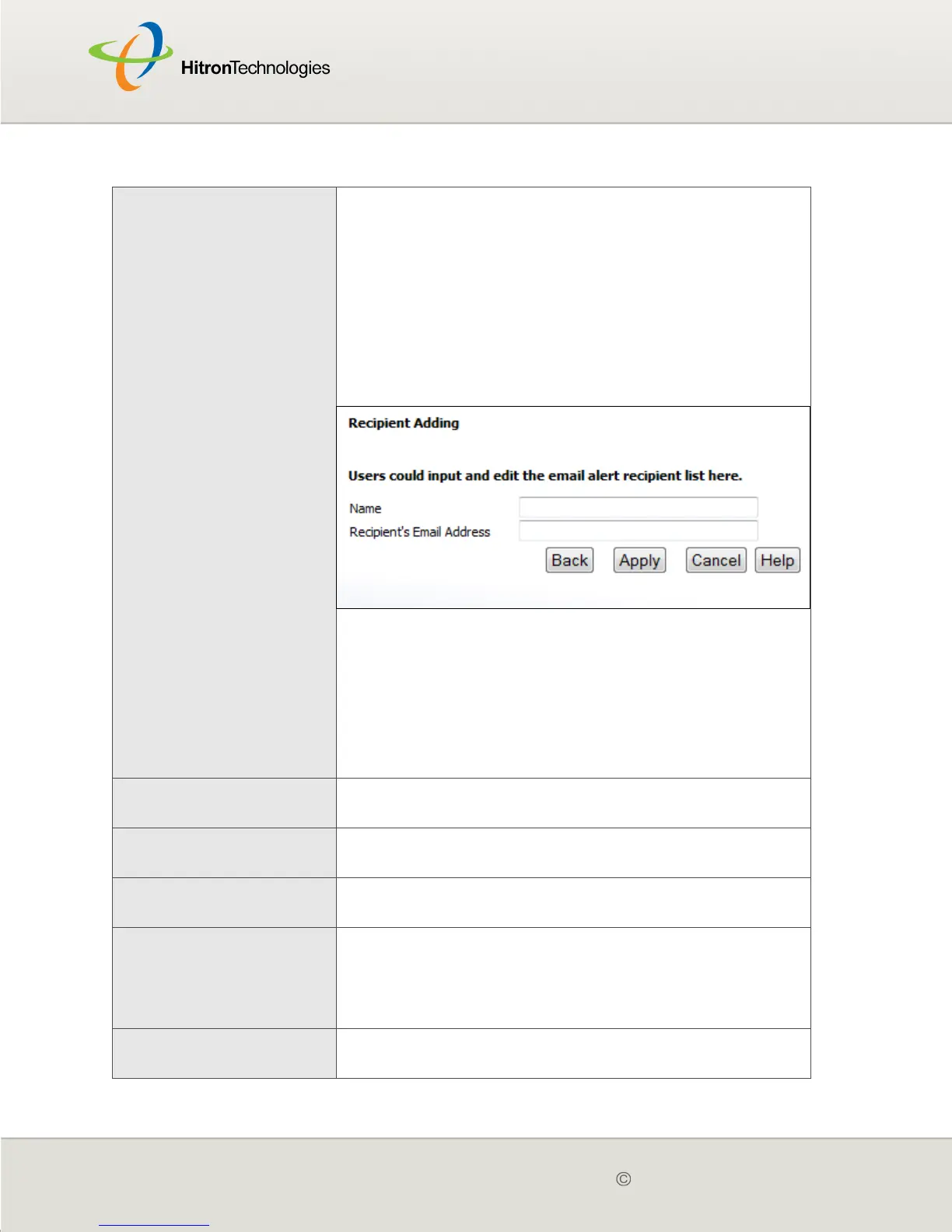
To enter a new target email address, click Add.
Enter the target email address’s Name and
Recipient’s Address in the fields that display, then
click Apply to save your changes. Alternatively, click
Cancel to return to the previous screen without
saving your changes.
Figure 27: Add Target Email Address
To make changes to an existing target email
address, select its radio button and click Edit. The
screen that displays is the same as the Add Target
Email Address screen.
To remove an email address, select its radio button
and click Delete. The email address is removed from
the list.
Syslog Server
Configuration
Use this section to define the server on which the
system log is stored.
Syslog Server
Address
Enter the address of the server on which the system log
is stored.
Alert Options Use this section to define the actions to be taken when
an intrusion event is detected.
When Intrusion is
Detected
Select Send Email to send an email to the list when
an intrusion event is detected.
Select Send Syslog to send an entry to the system
log when an intrusion event is detected.
Apply Click this to save your changes to the fields in this
screen.
Table 26: The Parental Control > Email / Syslog Alert Screen (continued)



 To Next Page