USER INTERFACE
3.44
ThinPrep
®
Integrated Imager Operator’s Manual
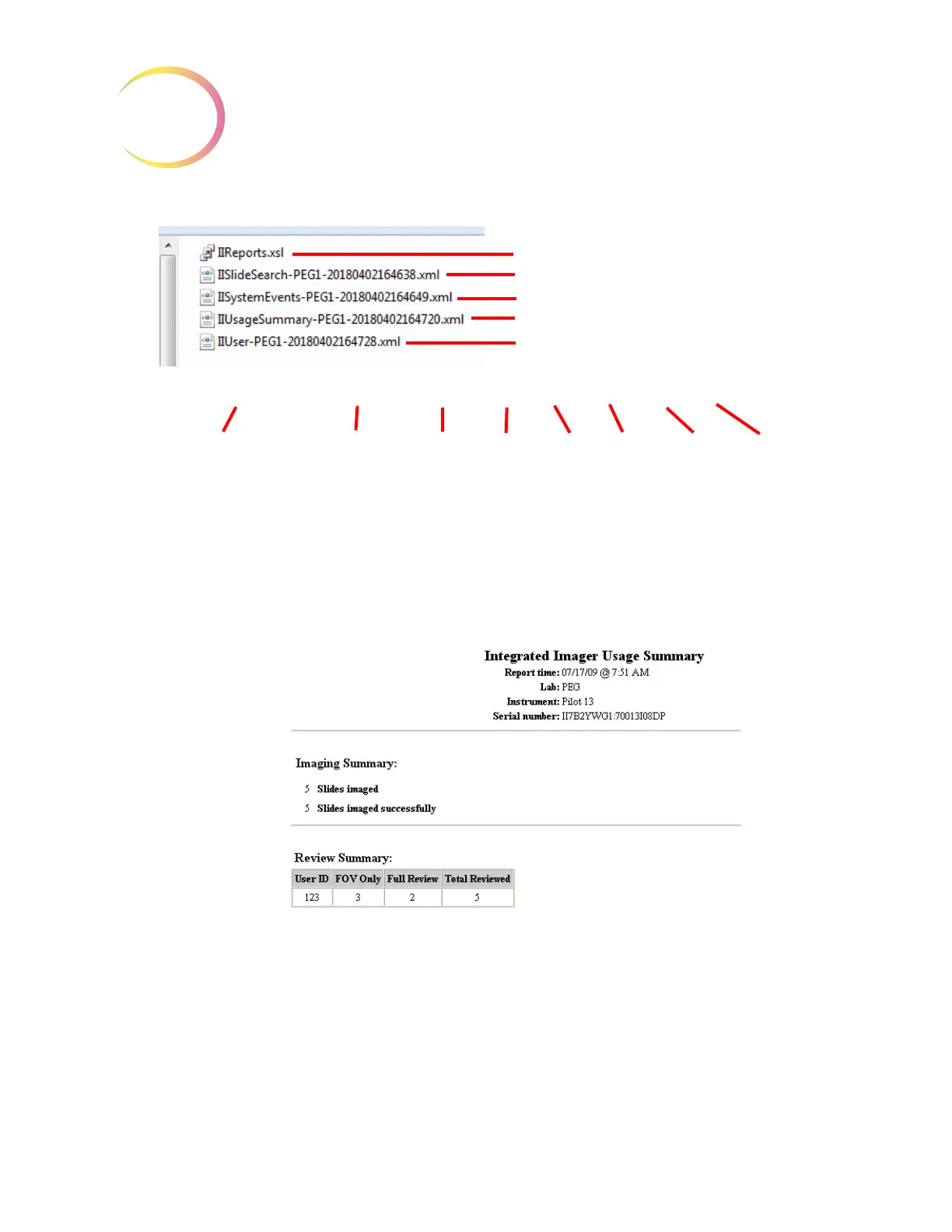
Figure 3-68 Reports Saved to USB Key
Reports may be downloaded to the USB device any time the instrument is idle. Because the report
names have a date/time stamp, they will be added to the same folder and not overwrite previous
reports of the same type.
Figure 3-69 Example of a Usage Summary Report
The Integrated Imager can use a USB storage device to save the database backup. Refer to “Database
Backup” on page 3.24.
Report style sheet file
Slide Search Report
System Events Report
Usage Summary Report
User Report
IIUsageSummary - PEG1 - 2018 04 02 16 47 20
Report type MinuteHour
(in 24-hour
format in the
report file names)
Day MonthYearInstrument name
Second



 To Next Page