INSTALLATION
2.8
ThinPrep
®
Integrated Imager Operator’s Manual
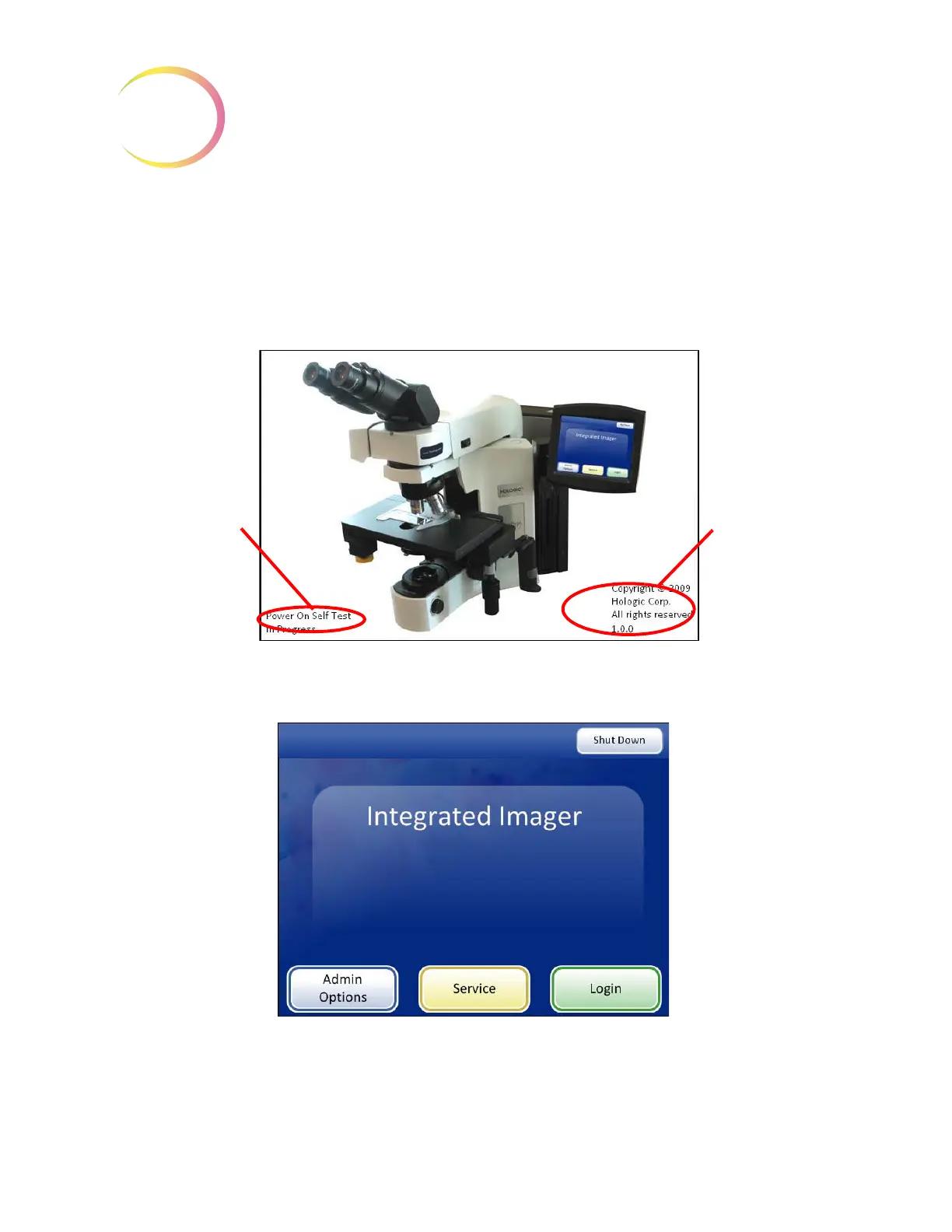
Then press the power button on the computer. Allow the instrument to initialize. While the
instrument boots up and does self checks, a splash screen is displayed,
Figure 2-7. Status messages
during boot up are displayed on the lower left of the screen (For example, doing self test, auto backup
in process, etc.) The system software version is displayed on the lower right of the screen.
WARNING:
Moving Parts
Figure 2-7 Integrated Imager Startup Screen
The instrument is ready for use when the application main screen is displayed (Figure 2-8).
Figure 2-8 Application Main Screen
Any status
messages are
displayed here.
System soft-
ware version is
displayed
here.



 To Next Page