Trident HD Specimen Radiography System User Guide
Chapter 3: Components, Controls, and Indicators
Page 18 MAN-05478-002 Revision 003
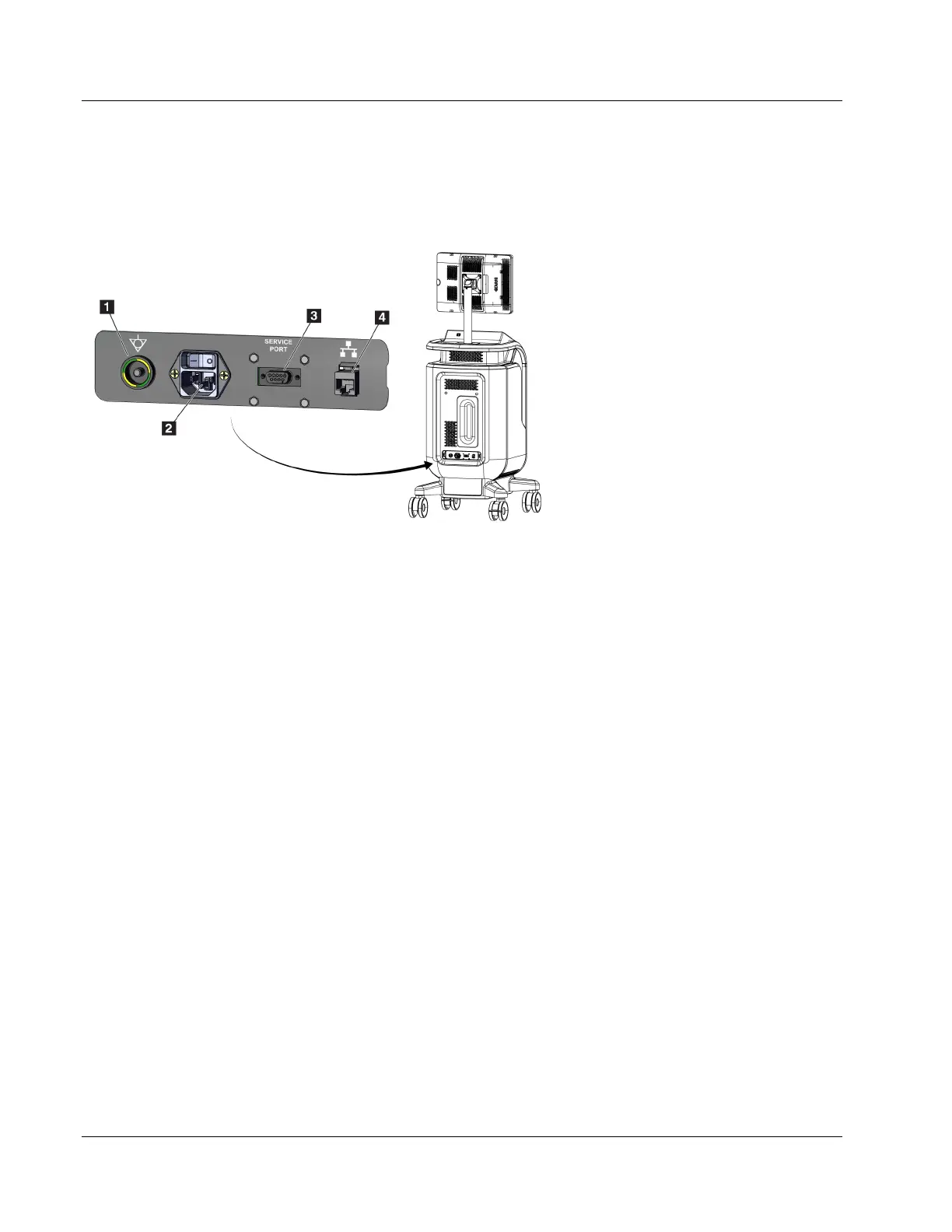
3.2 System Connections
Power and Network Connections
Figure 6: Power and Network Connections
Figure Legend
1. Potential Equalization Connection
2. Power Cord Connection
3. Service Port
4. Ethernet Port
1. Put the system in a location where you can easily access power connections and
network connections.
2. Connect the system power cord to the electrical outlet.
3. If desired, connect the network cable to the ethernet port.
USB Connections
The console has two USB ports located at the back of the control display.
Wi-Fi Connections
Wi-Fi is configured through system settings.
3.3 How to Lock and Unlock a Caster
• To lock a caster, step on the locking lever on the wheel until the lever locks.
• To unlock a caster, lift the locking lever on the wheel to the UP position.















 To Next Page