Trident HD Specimen Radiography System User Guide
Chapter 4: User Interface
MAN-05478-002 Revision 003 Page 35
Table 4: The Procedure Screen
6. Buttons Many functions are accessed from this screen by selecting a particular button:
Add Procedure: Add a new procedure—refer to Add a Procedure on page 35
.
Simple and Advanced: Choose to show a larger or smaller set of image review tools on
the Tools tab — refer to Simple and Advanced Button on page 36
.
Archive/Export: Send images to an output — refer to How to Use the On-Demand Outputs
on page 38.
Print: Print — refer to Print on page 39
.
Retrieve: Query the configured devices with the current patient information.
Close Patient: Exit the patient and procedure — refer to Close a Patient on page 37
.
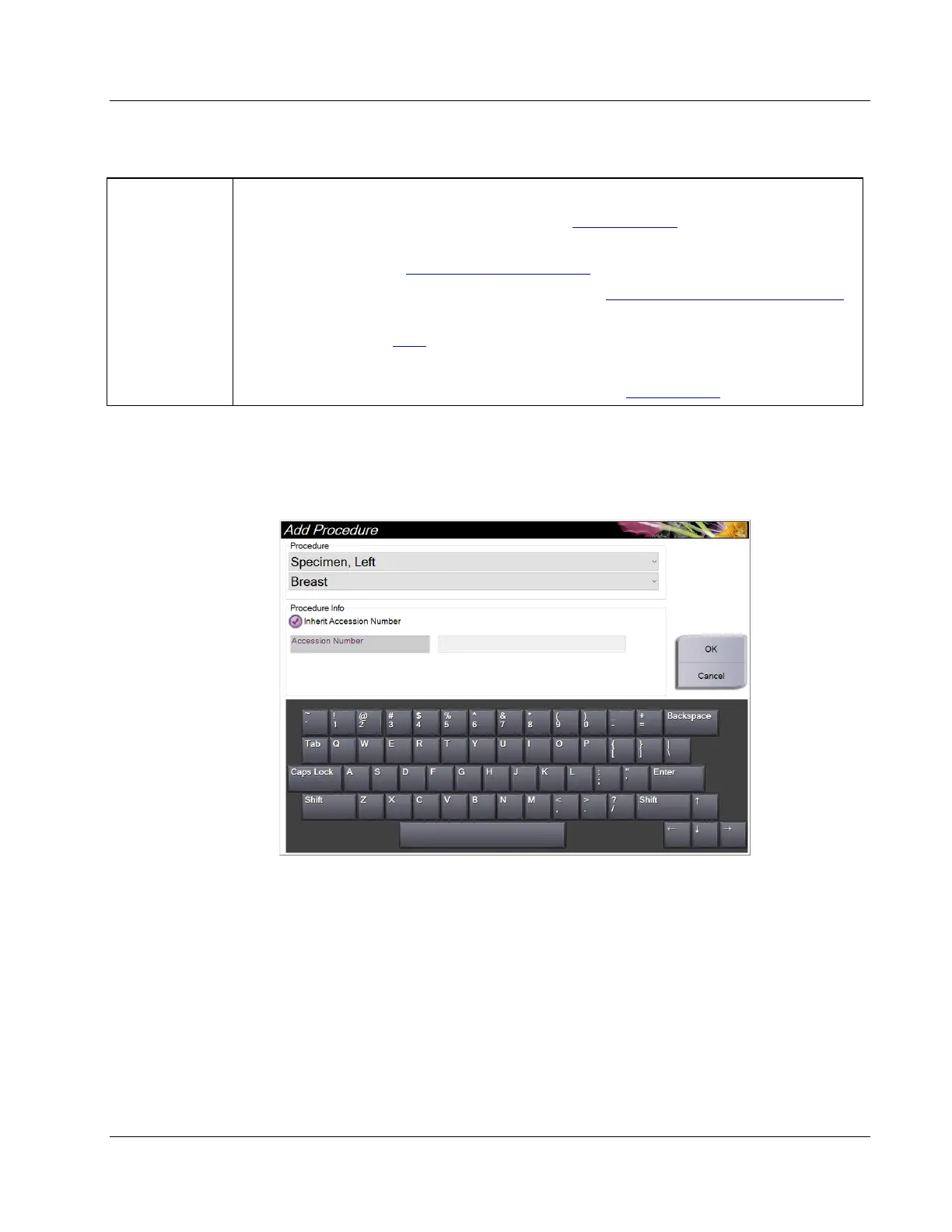
4.3.1 Add a Procedure
1. To add another procedure, select the Add Procedure button to access the Add
Procedure dialog box.
Figure 20: Add Procedure Dialog Box
2. Use the drop-down lists to select the type of procedure to add.
3. The current Accession Number is automatically used. To use a different Accession
Number, deselect the "Inherit Accession Number" check box and enter the desired
number.
4. Select OK. A new procedure tab is added for the procedure that was selected.















 To Next Page