Trident HD Specimen Radiography System User Guide
Chapter 4: User Interface
MAN-05478-002 Revision 003 Page 31
4.2.5 Delete a Patient
1. In the Select Patient screen, select one or more patients.
2. Select the Delete button.
3. When the confirmation dialog box opens, select Yes.
Note
A Primary System User can not delete patients, but a Manager can.
Note
Reclamation normally removes the requirement to delete patients.
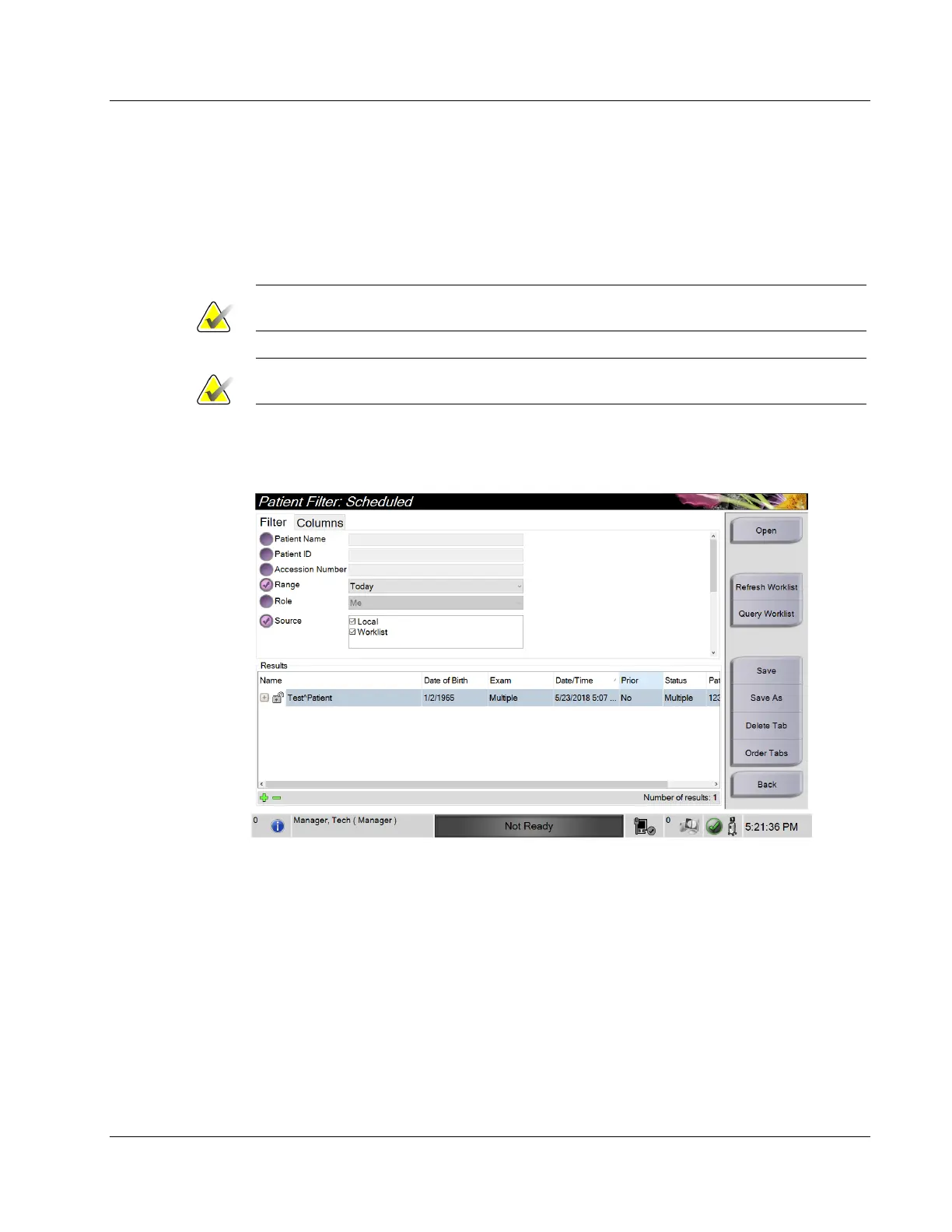
4.2.6 Filters for Patients
Figure 18: Filter Tab in the Patient Filter Screen
After selecting the Filter button in the Select Patient screen, the Patient Filter screen for the
selected tab opens.















 To Next Page