Trident User Guide
Chapter 3: Components, Controls, and Indicators
MAN-02098 Revision 008 Page 13
3.3.1 How to Lock a Caster
1. To lock a caster, step on the locking lever on the wheel until the lever locks.
2. To unlock a caster, lift the locking lever to the up position.
3.3.2 How to Move the Cart
1. Make sure all components and cables are in a safe position on the cart.
2. Unlock the caster locks.
3. Push the cart with one of the side handles.
4. Make sure to lock the casters when the cart is at the correct location.
3.4 Controls and Indicators
3.4.1 Cabinet Controls and Indicators
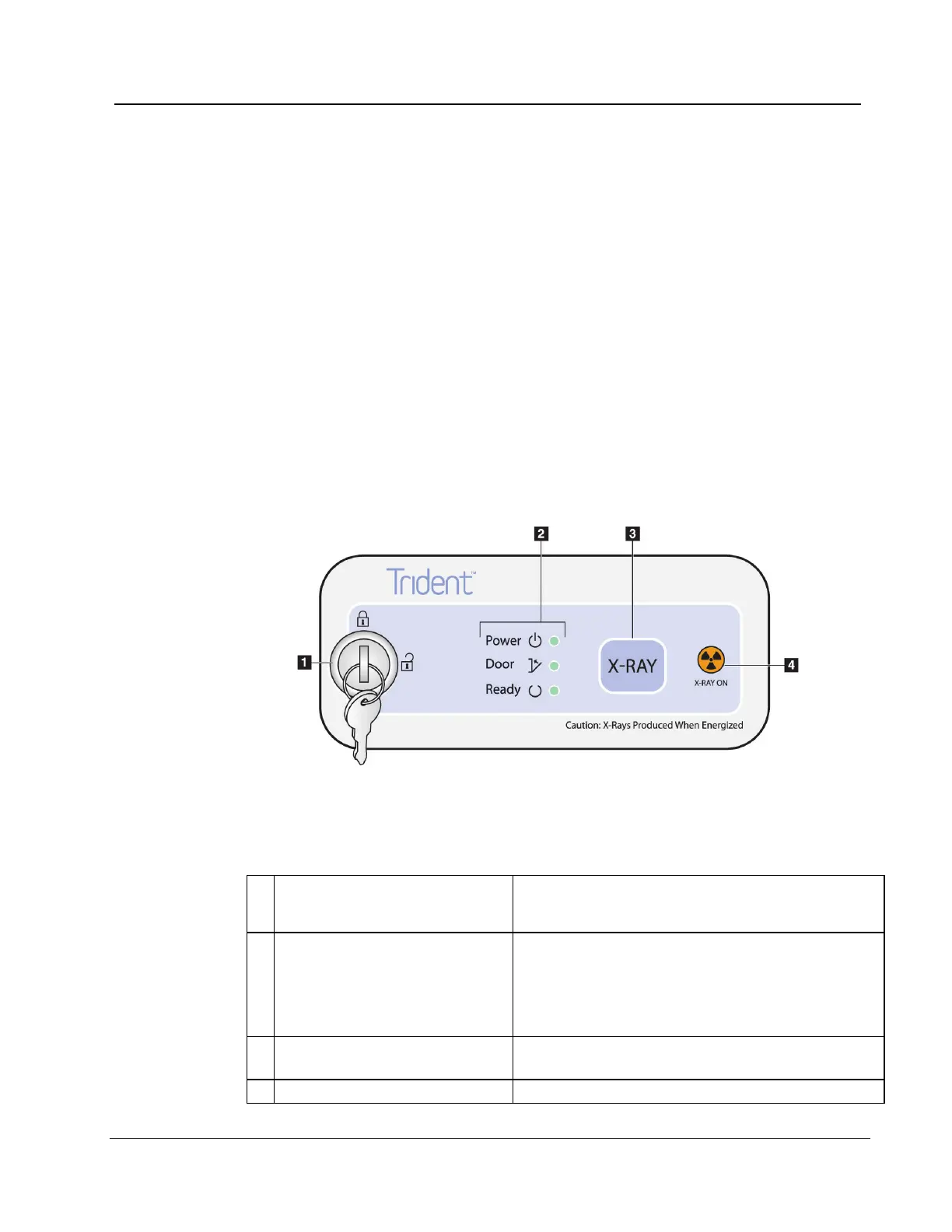
Figure 6: Cabinet Controls and Indicators
Figure Legend
• Locked: X ray is disabled.
• Unlocked: X ray is enabled.
• Power: ON = LED is green.
• Door: Closed = LED is green. Open = LED is
Off.
• Ready: X ray is ready = LED is green.
X-RAY: Press to begin an exposure. Press to end an
exposure before automatic termination.














 To Next Page