Trident User Guide
Chapter 5: The Images
Page 38 MAN-02098 Revision 008
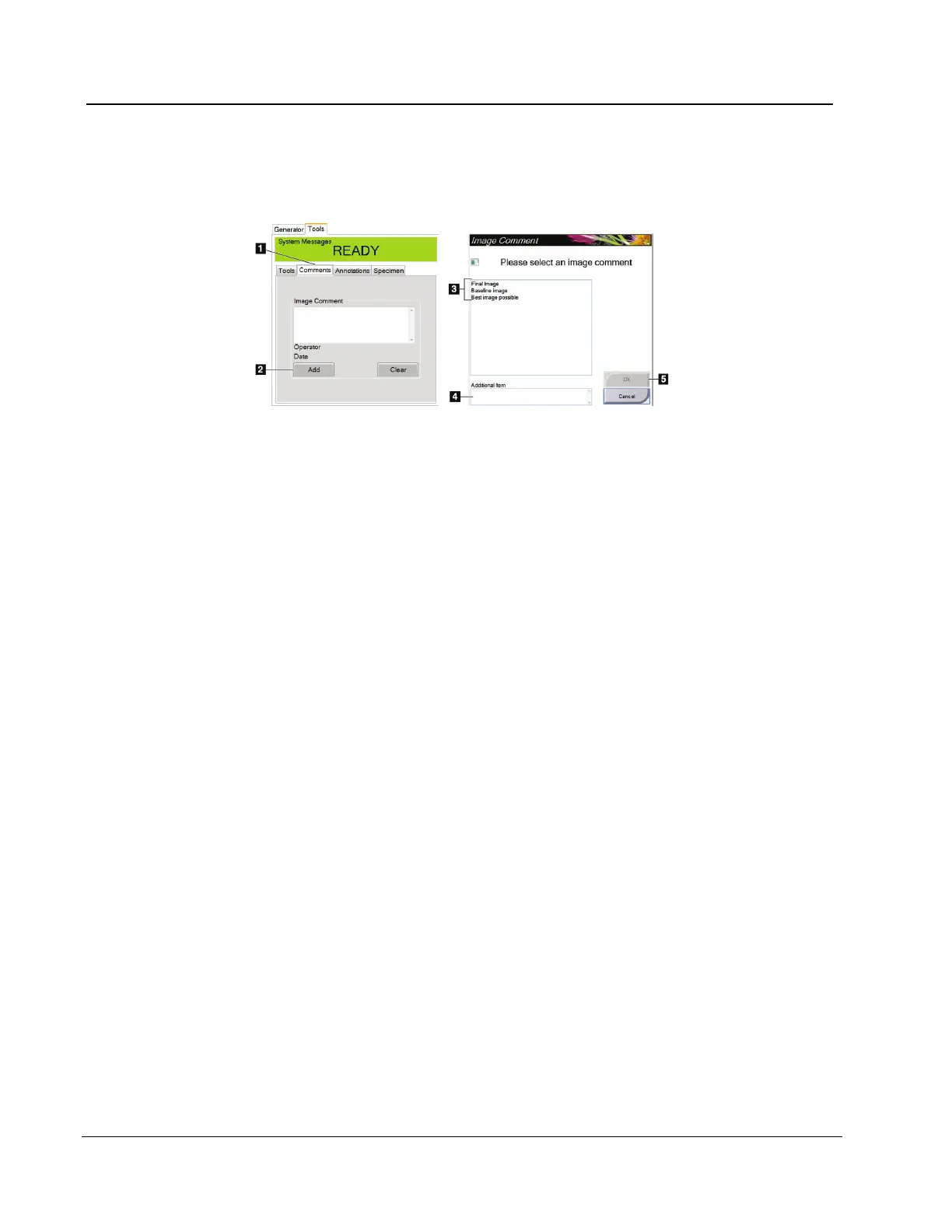
5.2.1.2 The Comments Tab
This feature allows you to make notes or comments about image content.
Figure 21: The Comments Tab
To remove a comment, select the Clear button.
Figure Legend
1. Select the Comments tab.
2. Select the Add button.
3. In the Image Comments dialog box, select an option
from the image list.
4. Use the keyboard to add comments in the Additional
Item area of the screen.
5. Select the OK button.














 To Next Page