Trident User Guide
Chapter 5: The Images
Page 34 MAN-02098 Revision 008
5.1.2 Information on the Right Side of the Image
• The Enhancement Level displays on the right side of the screen after the Enhanced
Visualization tool is selected. The value changes with movement of the slider that
appears on the Tools tab after the Enhanced Visualization tool is selected.
• The Zoom value changes when the Zoom tool is selected and the cursor is moved
within the displayed image.
• The Magnification line indicates the magnification factor for the exposure.
• The W/L value changes when the Window/Level Fine Adjustment tool is selected and
the cursor is moved within the displayed image.
This information displays when the Patient Information tool is selected. Refer to The Tools
Tab on page 36.
5.2 How to Review the Images
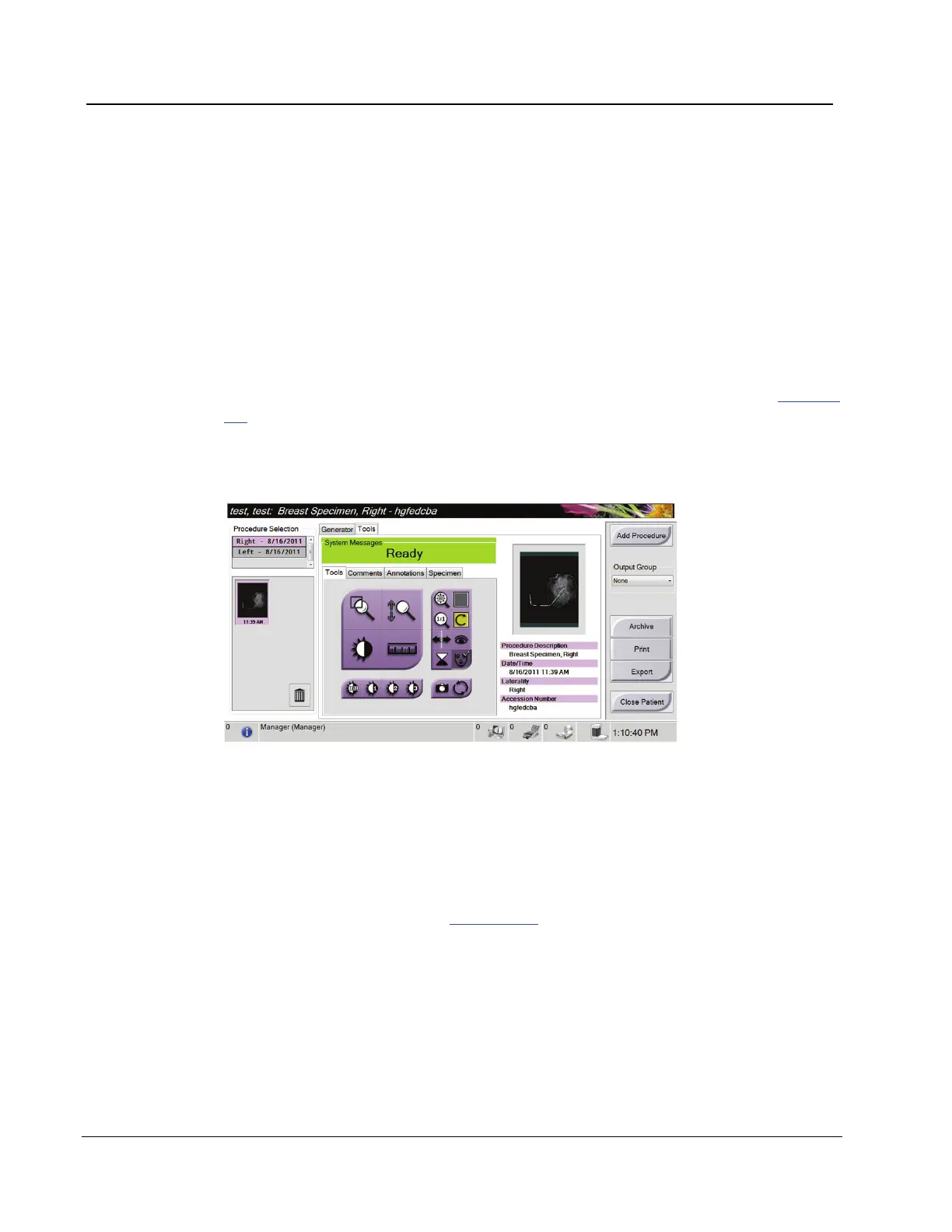
Figure 19: The Tools Tab in the Procedure Screen
1. Select a thumbnail image.
• A preview image shows on the right side of the screen. When the review tools are
used, this image shows the relationship between the area that is selected with the
tool, and the whole image.
• A larger image shows above the Procedure screen.
2. Use the image tools (refer to The Tools Tab on page 36) to enhance the whole image or
areas of interest in the image.














 To Next Page