Trident User Guide
Chapter 5: The Images
Page 40 MAN-02098 Revision 008
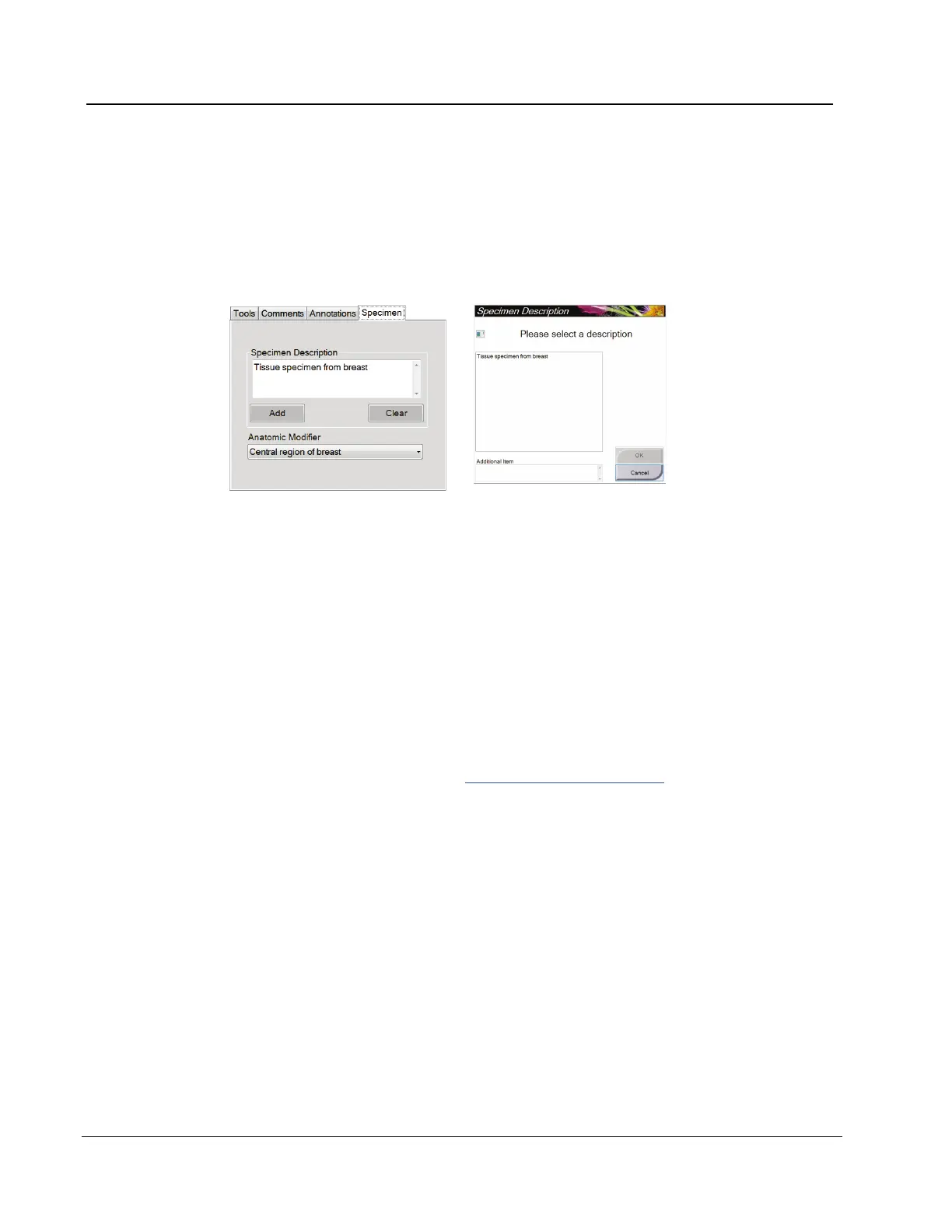
5.2.1.4 The Specimen Tab
The Specimen Tab shows if the Service Engineer changes the tab default value from Off to
On. This tab allows you to enter information about the specimen.
Figure 23: The Specimen Tab
1. Select the Add button on the Specimen tab.
2. When the Specimen Description screen displays, select a description from the list or
type in a description in the Additional Item area.
3. Select the OK button.
4. To add an Anatomic Modifier, select from the drop-down list.
5. To remove a description from the Specimen tab, select the Clear button.
5.3 Send the Images to the Output Devices
You can send the images to output devices or use the Export function to copy images to a
temporary storage device. Refer to How to Use the Output Groups on page 26 for
instructions.














 To Next Page