Configuring Camera Settings
29
Note
It is recommended that this function be used only when you have a
solid object in your view window that is showing a consistent color or
texture. This function will not take effect if you set the focus window
on a distant background.
Privacy Mask
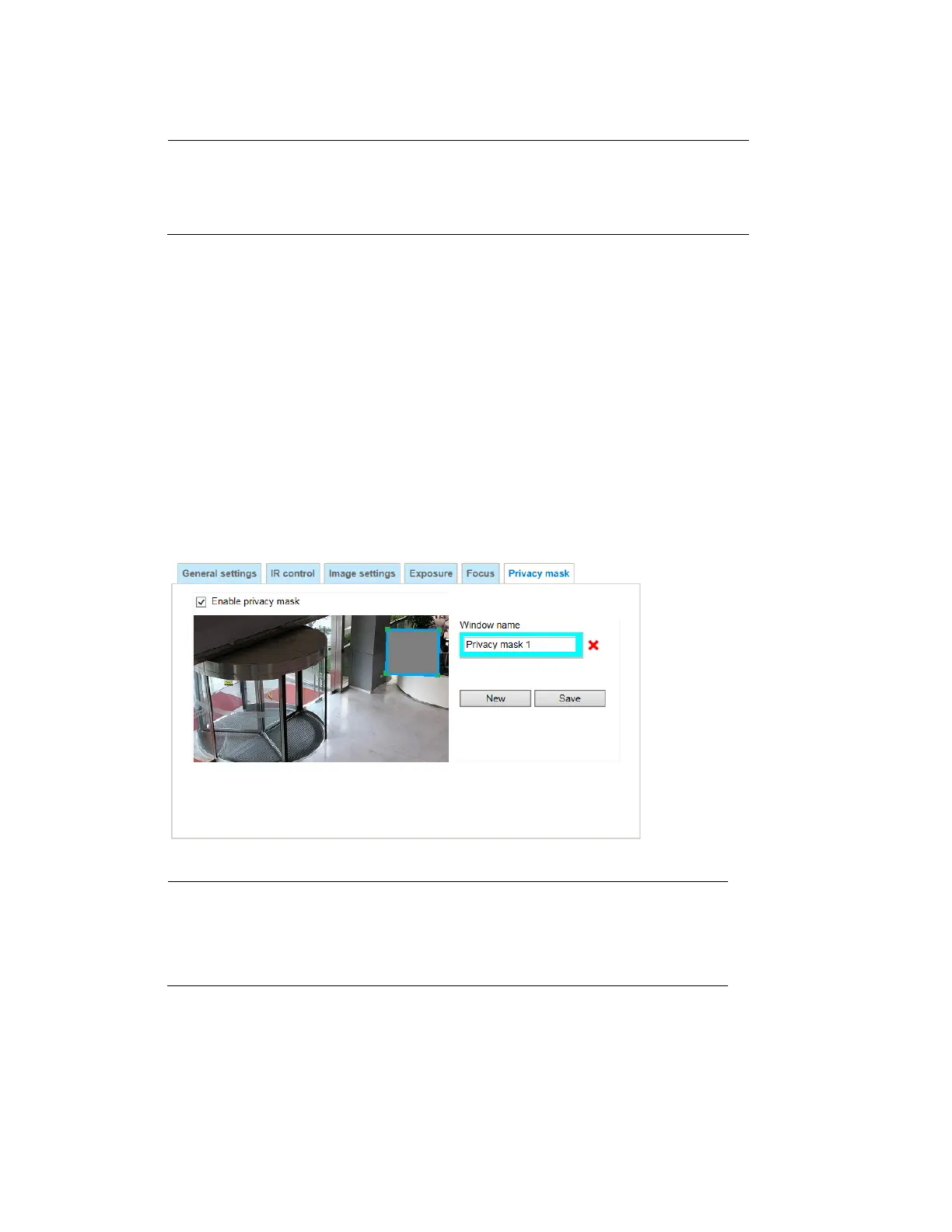
Go to Setup Camera Setup PropertiesPrivacy Mask.
Masks areas of the video for privacy.
To configure privacy masks
1. Click New to add a new window.
2. Use 4 mouse clicks to create a new masking window, which is recommended to be at least
twice the size of the object (height and width) you want to cover.
3. Enter a Window Name and click Save to enable the setting.
4. Check Enable privacy mask to enable this function.
Figure 4-11 Privacy Mask
Note
• Up to 5 privacy mask windows can be configured on the
same screen.
• If you want to delete the privacy mask window, click the ‘x’
mark on the right side of window name.



 To Next Page
 Loading...
