Configuring Network Settings
43
5 Configuring Network Settings
This chapter contains the following sections:
• Configuring Network General Settings, page 43
• Configuring Streaming Protocols, page 46
• Configuring DDNS Settings, page 49
• Configuring QoS Settings, page 50
• Configuring SNMP Settings, page 51
• Configuring HTTPS Settings, page 52
• Configuring IEEE 802.1X Settings, page 54
Configuring Network General Settings
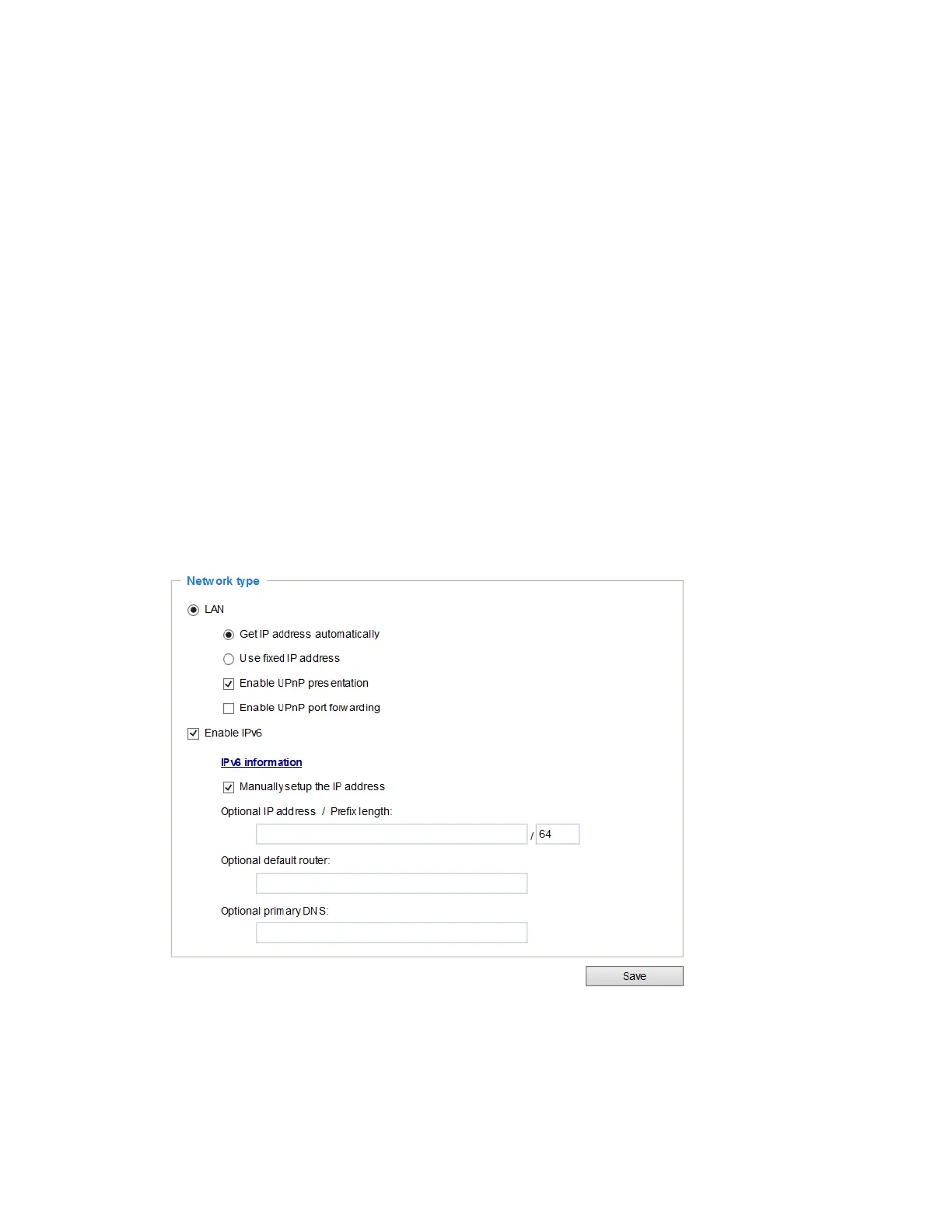
This section describes how to configure a wired network connection for the camera.
Figure 5-1 Network Type
LAN
Get IP address automatically: Select this option to obtain an available dynamic IP address
assigned by the DHCP server each time the camera is connected to the LAN.
Use fixed IP address: Select this option to manually assign a static IP address to the camera.



 To Next Page
 Loading...
