MAN0597 ISSUE 08 - 02/04
2302M5030
4. OPERATION
40
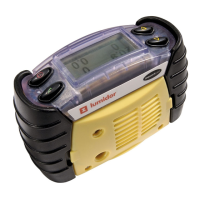
4.5.2.1 Attendant Instrument
The instrument will display the
readings being monitored on the
Entrant instrument. The symbol is
used to indicate the Attendant’s
instrument. When the symbol is static
it indicates that Safelink
communications are occurring. When it is flashing the Safelink
has become disconnected and the readings will all show ‘---‘,
until the link is restored or the user exits from Safelink mode.
All display modes from the Entrant’s instrument (peak, STEL,
etc) are available to the Attendant.
The status screen shows the duration
that Safelink has been in operation,
and the status of the connection as
either Normal, Emergency, or Link
failure.
By pressing the
" button the
Attendant has access to a menu, to
select a message to send to the
Entrant. These are configurable using
the PC software.
The Select Message menu gives access to two additional
actions:
a. Emergency, which immediately issues a ‘Get Out’
warning to the Entrant.
b. Exit, to enable termination of the Safelink without
removing the cable.
020.9
0
0.0
02
CO
%V/V
ppm
FLM
H2S
%LEL
ppm
Emergency
00:12:34
Select Message
Evacuate Area
Message 1
Message 2
Are you OK?



 To Next Page
 Loading...