Protocol Configuration
These basic types are also subdivided into read or write operations. For polled operations, a Read operation only
reads from a remote device. Likewise a Read/Write operation continuously reads from the remote device unless the
target OCS register value changes from one ladder scan to another. In this case, the new OCS value is written to
the target device. For triggered operations, only a read or write action is available.
When downloaded to the OCS , the Scan List is scanned sequentially to generate data transactions with the remote
device. This transaction scanning can be on a continual basis (automatic) or controlled from ladder logic (manual)
once a complex connection is created via a program. The specific transaction-scanning mode is selected from the
Network Config menu.
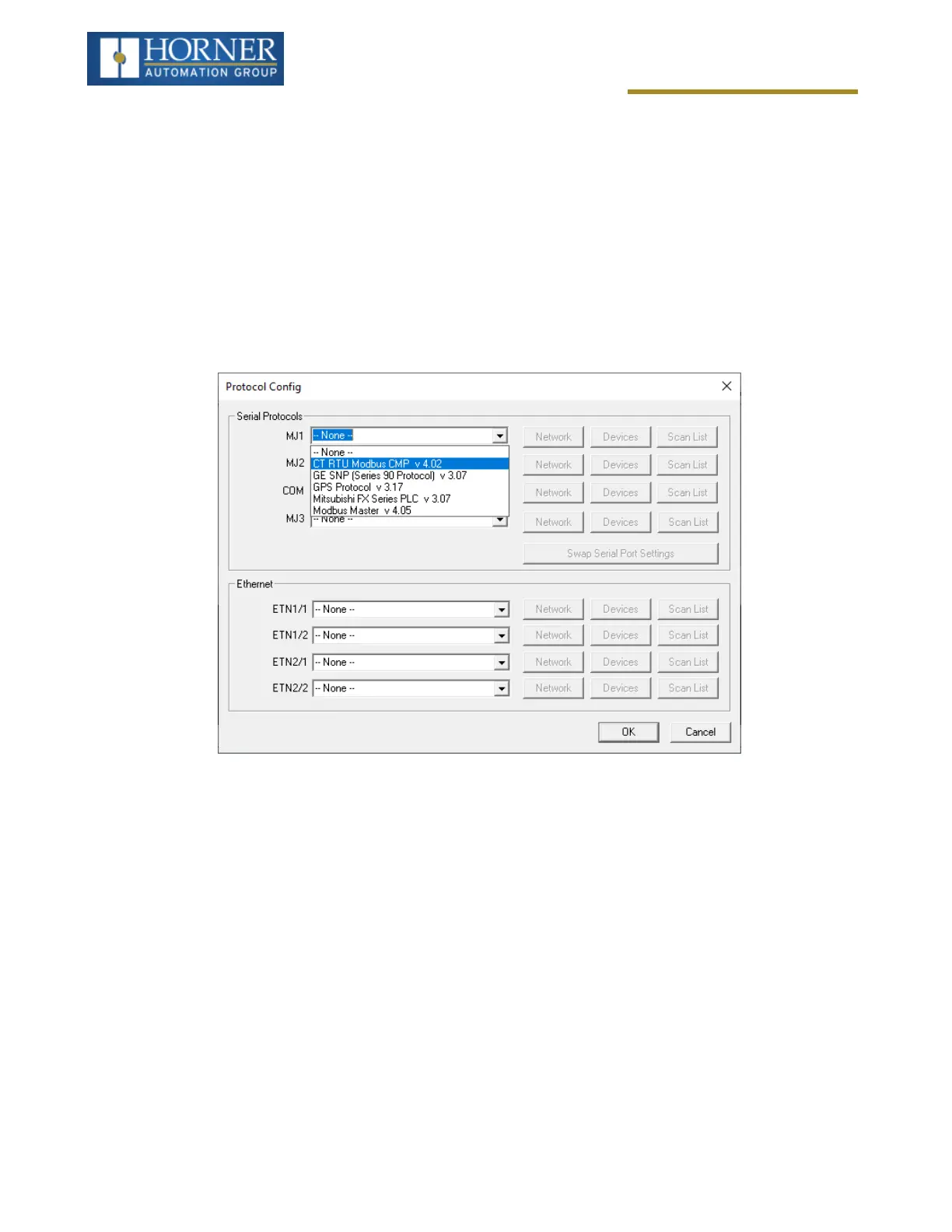
Protocol Device Driver Selection
From the Cscape Home > Protocols menu, select the port drop-down box to select a protocol device driver. All pro-
tocol device drivers currently loaded in Cscape are displayed in the drop down selection along with their version
numbers. A selected protocol can be removed by selecting None from the drop-down selection. Some OCS models
can be limited in the number of ports or number of protocol device drivers that can be selected. Once a protocol is
selected, the Network, Devices and Data (Scan List) must be configured through corresponding dialogues access-
ible through the respective buttons (Network, Devices and Scan List).
Page 110 of 163



 To Next Page